


Inference for Detectron2 detection models
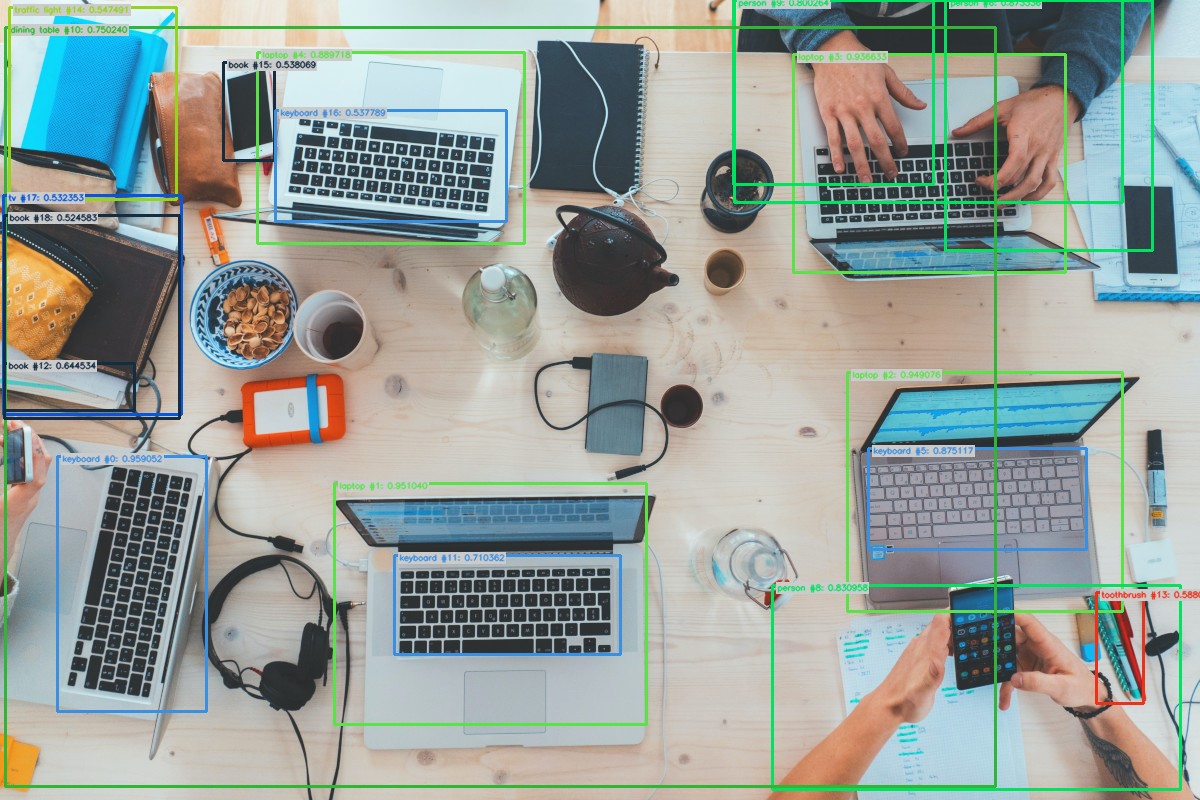
We strongly recommend using a virtual environment. If you're not sure where to start, we offer a tutorial here.
pip install ikomiafrom ikomia.dataprocess.workflow import Workflow
from ikomia.utils.displayIO import display
# Init your workflow
wf = Workflow()
# Add algorithm
algo = wf.add_task(name="infer_detectron2_detection", auto_connect=True)
# Run on your image
wf.run_on(url="https://raw.githubusercontent.com/Ikomia-dev/notebooks/main/examples/img/img_work.jpg")
# Inpect your result
display(algo.get_image_with_graphics())Ikomia Studio offers a friendly UI with the same features as the API.
- If you haven't started using Ikomia Studio yet, download and install it from this page.
- For additional guidance on getting started with Ikomia Studio, check out this blog post.
- conf_thres (float) - default '0.5': Box threshold for the prediction [0,1]
- cuda (bool): If True, CUDA-based inference (GPU). If False, run on CPU
- config_file (str, optional): Path to the .yaml config file.
- model_weight_file (str, optional): Path to model weights file .pth.
Parameters should be in strings format when added to the dictionary.
from ikomia.dataprocess.workflow import Workflow
from ikomia.utils.displayIO import display

# Init your workflow
wf = Workflow()

# Add algorithm
algo = wf.add_task(name="infer_detectron2_detection", auto_connect=True)

algo.set_parameters({
    "conf_thres": "0.6",
    "cuda": "True",
})

# Run on your image
wf.run_on(url="https://raw.githubusercontent.com/Ikomia-dev/notebooks/main/examples/img/img_work.jpg")

# Inpect your result
display(algo.get_image_with_graphics())Every algorithm produces specific outputs, yet they can be explored them the same way using the Ikomia API. For a more in-depth understanding of managing algorithm outputs, please refer to the documentation.
from ikomia.dataprocess.workflow import Workflow

# Init your workflow
wf = Workflow()

# Add algorithm
algo = wf.add_task(name="infer_detectron2_detection", auto_connect=True)

# Run on your image
wf.run_on(url="https://raw.githubusercontent.com/Ikomia-dev/notebooks/main/examples/img/img_work.jpg")

# Iterate over outputs
for output in algo.get_outputs():
    # Print information
    print(output)
    # Export it to JSON
    output.to_json()