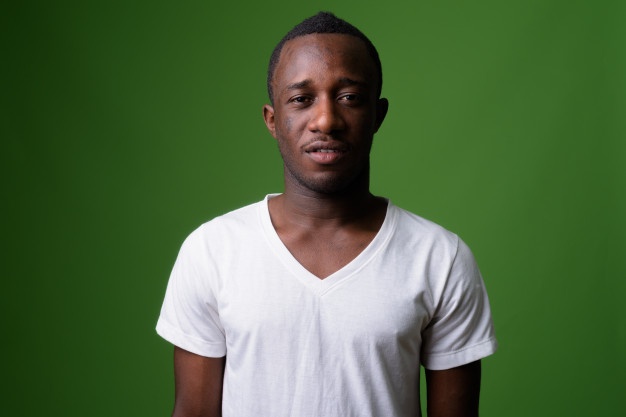


This algorithm is a real-time, high-resolution background replacement technique which operates at 30fps in 4K resolution, and 60fps for HD on a modern GPU. The technique is based on background matting, where an additional frame of the background is captured and used in recovering the alpha matte and the foreground layer.
We strongly recommend using a virtual environment. If you're not sure where to start, we offer a tutorial here.
pip install ikomiafrom ikomia.dataprocess.workflow import Workflow
from ikomia.utils.displayIO import display
# Init your workflow
wf = Workflow()
# Set input image with background to replace
wf.set_image_input(
url="https://raw.githubusercontent.com/Ikomia-hub/infer_background_matting/main/sample_image/image1.png",
index=0
)
# Set original background input
wf.set_image_input(
url="https://raw.githubusercontent.com/Ikomia-hub/infer_background_matting/main/sample_image/image1_bck (1).png",
index=1
)
# Set new background input
wf.set_image_input(
url="https://raw.githubusercontent.com/Ikomia-hub/infer_background_matting/main/sample_image/image1_bck (2).png",
index=2
)
# Add background matting algorithm
bck_matting = wf.add_task(name="infer_background_matting", auto_connect=True)
# Run the workflow
wf.run()
# Display result
display(bck_matting.get_output(0).get_image())Ikomia Studio offers a friendly UI with the same features as the API.
-
If you haven't started using Ikomia Studio yet, download and install it from this page.
-
For additional guidance on getting started with Ikomia Studio, check out this blog post.
# Add background matting algorithm
bck_matting = wf.add_task(name="infer_background_matting", auto_connect=True)

bck_matting.set_parameters({
    "model_type": "mattingrefine",
    "model_backbone": "mobilenetv2",
    "model_backbone_scale": "0.25",
    "model_refine_mode": "sampling",
    "model_refine_pixels": "80000",
    "model_refine_threshold": "0.7",
    "cuda": "cuda",
})

# Run the workflow
wf.run()- model_type (str): choose either "mattingbase" or "mattingrefine" (default - higher quality)
- model_backbone (str): model backbone, can be "mobilenetv2" (default), "resnet50" or "resnet101"
- model_backbone_scale (float): image downsample scale for passing through backbone (default 0.25)
- model_refine_mode (str): refine area selection mode
- "full": no area selection, refine everywhere using regular Conv2d
- "sampling": refine fixed amount of pixels ranked by the top most errors (default)
- "thresholding": refine varying amount of pixels that has more error than the threshold
- model_refine_pixels (int): only used when model_refine_mode = "sampling" (default 80000)
- model_refine_threshold (float [0 - 1]): only used when model_refine_mode = "thresholding" (default 0.7)
- cuda (str): "cuda" (default) to execute with CUDA acceleration or "cpu"
Note: parameter key and value should be in string format when added to the dictionary.
Every algorithm produces specific outputs, yet they can be explored them the same way using the Ikomia API. For a more in-depth understanding of managing algorithm outputs, please refer to the documentation.
# Add background matting algorithm
bck_matting = wf.add_task(name="infer_background_matting", auto_connect=True)

# Run the workflow
wf.run()

# Iterate over outputs
for output in bck_matting.get_outputs():
    # Print information
    print(output)
    # Export it to JSON
    output.to_json()
Background matting algorithm generates 4 outpus:
- Composite image (CImageIO)
- Alpha (CImageIO)
- Foreground image (CImageIO)
- Error (CImageIO)