Skip to content

Conversation

@tunetheweb
Copy link
Member

Closes #1138

@HTTPArchive/developers this is one I'd like to see if we can squeeze in before launch if we can.

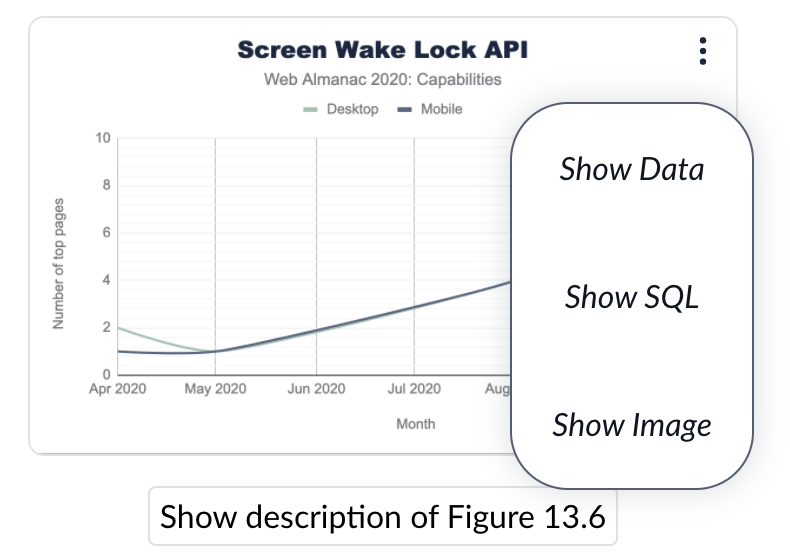
This adds a drop down menu besides each figure which has SQL, Sheets or Image data:

Closed Menu

Which when opened gives a list of links:

Open Menu

This allows readers to more easily explore the data and opens up the HTTP Archive to newcomers, which is a key aim of the project.

Like our other menu, this defaults to a <select> element on mobile for ease of use, and it also works on tables and big-figures:

Mobile menu

There's a test release here so you can play with it: https://20201123t164931-dot-webalmanac.uk.r.appspot.com/en/2020/capabilities#fig-2

Now it's functional but obviously it looks absolutely awful, so we can't launch this. My CSS ain't great and after spending a small bit of time trying to hack this to get the menu to escape it's parent's confides and failing miserably, I've decided to ask for help, instead of trying to stumble a monstrosity across the finish line myself.

Are there any CSS wizards out there with a design eye that could finish off the design here? I'm happy to help with the HTML and templating for the functional side so it would be a collaboration between us.

I also need to internationalise the wording in the templates, but I can take care of that afterwards as know the templates really well. Just need help with the CSS.

Any takers? @catalinred you've a good eye and have done some great CSS work on the Almanac before so would love your help here. Or anyone else.

@tunetheweb tunetheweb added help wanted Extra attention is needed development Building the Almanac tech stack design Creating the Almanac UX labels Nov 23, 2020
@tunetheweb tunetheweb added this to the 2020 Platform Development milestone Nov 23, 2020
@rviscomi
Copy link
Member

Thanks for kicking this off @bazzadp! This flew under my radar but I completely agree this would be great to have at launch. Here are some disorganized design suggestions for you or whoever wants to take this on:

  • Move the button from the figcaption line to be absolutely positioned above the top right corner of the figure (chart/table/number). Moving it away from the figcaption helps to let the text flow to the full width of the space if needed and we don't need to worry about wrapping. Moving it to the top right corner is where I think people would look for menus. And above the figure, as opposed to overlapping, to ensure that it doesn't block the contents.
  • Change to a three-dot or hamburger menu icon. A dropdown icon without text is very non-descript, but the dots/hamburger icons connote "more" or "options".
  • Not sure how I feel about this being implemented as a <select> with native UI on mobile. I'd suggest styling a <ul> since it's such a short list of options and we don't gain much with the native UI. There also isn't really a concept of a "currently selected option" in this menu, so the checkbox seems out of place.

@tunetheweb
Copy link
Member Author

tunetheweb commented Nov 23, 2020

Thanks for kicking this off @bazzadp! This flew under my radar but I completely agree this would be great to have at launch.

Yeah been in my to do list once I got templates in place I wanted them (now done!). And was wondering if the templates would put some people off so thought if I tackled that (the easy bit IMHO!) then others can then build it and do the hard, styling piece 😀

Luckily it’s very little change so far, as you can see from the PR so hopefully if we can make the styling changes over next few days, it’ll be low risk enough to launch because I think it would be great addition.

Here are some disorganized design suggestions for you or whoever wants to take this on:

  • Move the button from the figcaption line to be absolutely positioned above the top right corner of the figure (chart/table/number). Moving it away from the figcaption helps to let the text flow to the full width of the space if needed and we don't need to worry about wrapping. Moving it to the top right corner is where I think people would look for menus. And above the figure, as opposed to overlapping, to ensure that it doesn't block the contents.

Yeah I see that’s how it’s done in httparchive.org and only reason I didn’t do it there was because of tables. But absolutely, let’s look at this again once we get it looking prettier than what it does now.

  • Change to a three-dot or hamburger menu icon. A dropdown icon without text is very non-descript, but the dots/hamburger icons connote "more" or "options".

100% agree.

  • Not sure how I feel about this being implemented as a <select> with native UI on mobile. I'd suggest styling a <ul> since it's such a short list of options and we don't gain much with the native UI. There also isn't really a concept of a "currently selected option" in this menu, so the checkbox seems out of place.

Yeah I’m in two minds myself. I do think pop up menus on mobile aren’t great UX and <select> is what we’ve gone with on other menus including the year selector which is also small. But as you say that at least has a currently selected one. Definitely one to think about more.

How do you feel about having it on big figures (example)? Overkill or useful? Guess it depends if we can make the design subtle enough that it doesn’t distract from that.

@rviscomi
Copy link
Member

How do you feel about having it on big figures (example)? Overkill or useful? Guess it depends if we can make the design subtle enough that it doesn’t distract from that.

It should be on all figures sourced from HA data, regardless of type, since readers should always have a way to drill down into the results and the queries that generated them. For that to work in practice, the buttons should be unobtrusive, especially because they're visible on every figure. To help readers know it's there but not get distracted by it, I think a combination of iconography (dots/burgers) and removing the default button border could help it blend in more seamlessly.

This was referenced Nov 23, 2020
@rviscomi
Copy link
Member

rviscomi commented Dec 3, 2020

Is there anyone on @HTTPArchive/developers who can bring this over the finish line before the launch next week?

@rviscomi
Copy link
Member

rviscomi commented Dec 4, 2020

I'll work on this

@rviscomi
Copy link
Member

rviscomi commented Dec 4, 2020

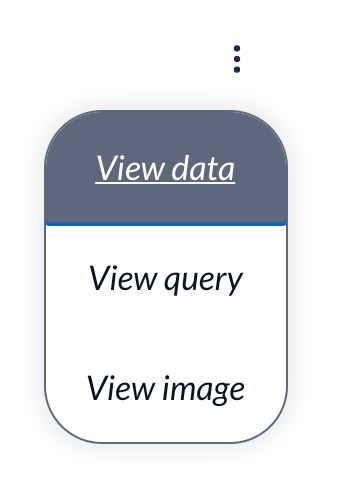
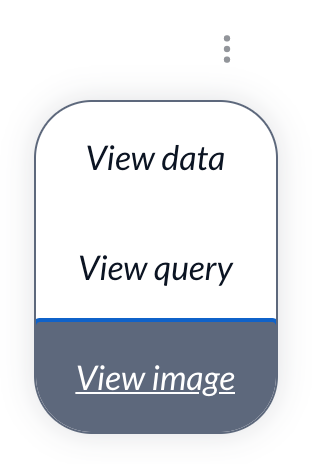
Current version

image
image

Would love advice on:

  • placement of the menu button to avoid awkward overlap with some wider figures like tables
  • better default/hover/focus styles for the menu items
  • how to close the menu upon re-click of the button
  • how to integrate the figure description show/hide
  • how to make the menu button hidden by default on desktop, visible only when hovering over the figure
  • how to make it more accessible

@rviscomi rviscomi marked this pull request as ready for review December 4, 2020 05:09
@rviscomi rviscomi requested a review from a team December 4, 2020 05:09
@rviscomi rviscomi removed the help wanted Extra attention is needed label Dec 4, 2020
@tunetheweb
Copy link
Member Author

Thanks so much @rviscomi for getting this to this much better state!

Would love advice on:

  • placement of the menu button to avoid awkward overlap with some wider figures like tables

I'm still not 100% convinced the top right is the correct location. Not sure it works for any of our three figure types to be honest:

  • For graphs it appears far outside of the graph. Unlike the ones on HTTP Archive where it's basically part of the graph.
  • For big figures and tables I don't think it's natural to expect it here.

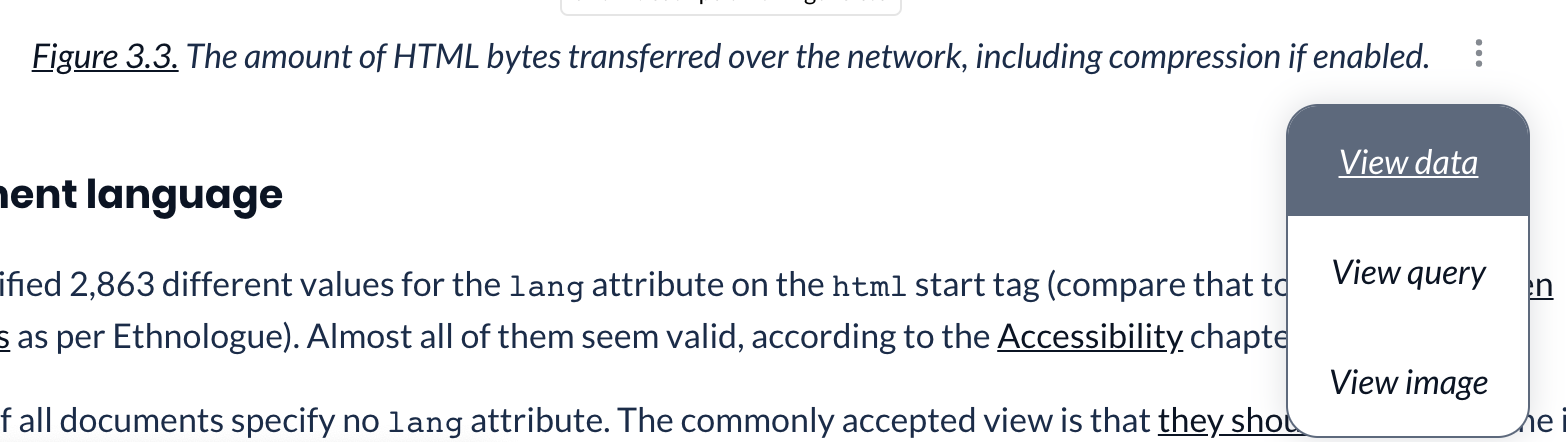
Sure I can't persuade you to have it as part of the figure caption where it could be consistent for all?

Something like this:

image

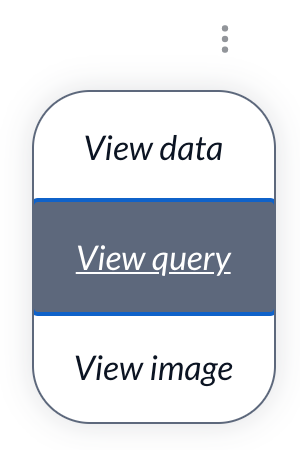
  • better default/hover/focus styles for the menu items

Added this in 823fb3a. What do you think?

(Note blue line only appears of keyboard focus and not on mouse hover)

  • how to close the menu upon re-click of the button

Fixed in d3bcd5e. Was due to use of SVG in the button

  • how to integrate the figure description show/hide

Had a play with this and proving a bit tricky as it's a button whereas other elements are links. Don't you think this will be a bit odd?

Not loving the interaction of a button within a button, nor of hiding this so far away.

  • how to make the menu button hidden by default on desktop, visible only when hovering over the figure

I'm not sure we should do this. Won't that defeat much of the point of having this? You don't do this on the menus on https://httparchive.org/reports/state-of-the-web for example?

Also quite concerned with doing this AND hiding the description button in the menu. We put a lot of effort into these descriptions and so hiding them away, where you need either keyboard focus or hover concerns me.

  • how to make it more accessible

I think it's pretty accessible because we used our standard drop down. I did however add aria-hidden to the SVG as it's for display purposes and we have the label. Also internationalised it.

@rviscomi
Copy link
Member

rviscomi commented Dec 8, 2020

Sure I can't persuade you to have it as part of the figure caption where it could be consistent for all?

I'd like to start with it in the top right corner and I'm be open to revisiting its positioning after launch.

Had a play with this and proving a bit tricky as it's a button whereas other elements are links. Don't you think this will be a bit odd?

I think it's ok.

Won't that defeat much of the point of having this?

I'm willing to drop the hidden until visible request.

Your style suggestions LGTM. I'll approve and you can merge if you think this is good to go.

@tunetheweb
Copy link
Member Author

I haven't addressed your table issue btw, as was waiting to see what you thought about moving to figcaption. Though couldn't repeat it myself to be honest so maybe not that common.

Still OK to merge or wanna have another look at that?

@rviscomi
Copy link
Member

rviscomi commented Dec 8, 2020

I'd prefer to merge what we have and also get a feel for it in action on the 2020 figures before iterating further.

@tunetheweb
Copy link
Member Author

SGTM!

@tunetheweb tunetheweb merged commit 581daa3 into main Dec 8, 2020
@tunetheweb tunetheweb deleted the figure_menu branch December 8, 2020 01:22
Sign up for free to join this conversation on GitHub. Already have an account? Sign in to comment

Labels

design Creating the Almanac UX development Building the Almanac tech stack

Projects

None yet

Development

Successfully merging this pull request may close these issues.

Streamline figures in markdown

3 participants