Discord bot (for testing or private use purposes) based on Discord js API v13 and ytdl-core\ytpl js API
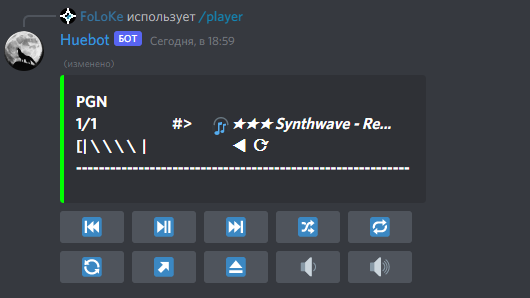 ;
;
- Discord commands (/player (link: optional), /q (link: optional), /poll (subject: optional))
- Visualized player with embed-updatable-message (
Discord API rate limits ruining the fun) and control buttons - Playing audio from YouTube videos\streams
- Queuing tracks from single\playlist tracks
- Skipping\repeating\rewinding\playing previous tracks
- Shuffling\dropping queue
- Volume change
Variety of bugs and memory leaks😉
Bot is capable to work across multiple guilds but it's not tested at all
- MAKE FORK (This version is used internally on our fun-server! so probably would not update on its own, found any bugs? - fix them on your fork or make PR)
- This bot uses GLOBAL slash commands so node deploy-commands.js should be ran at least once (on your local machine or somewhere else) BEFORE inviting bot to your server otherwise slash commands simply wouldn't appear on your server, if you missed that part simply kick bot, run script and invite it again.
Line 1 in 777fa82
- Create a New app https://discord.com/developers/applications
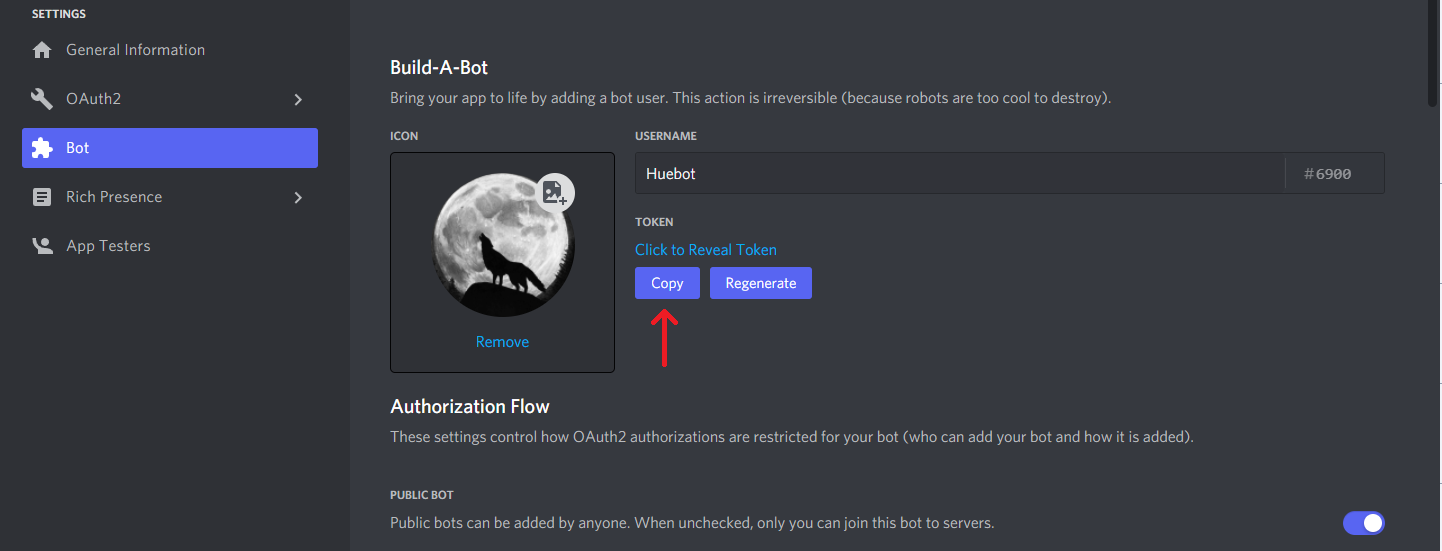
- Open created App and in the Bot section create new Bot - set its name and image, and enable "Privileged Intents" there too (all probably), then copy your TOKEN for config vars
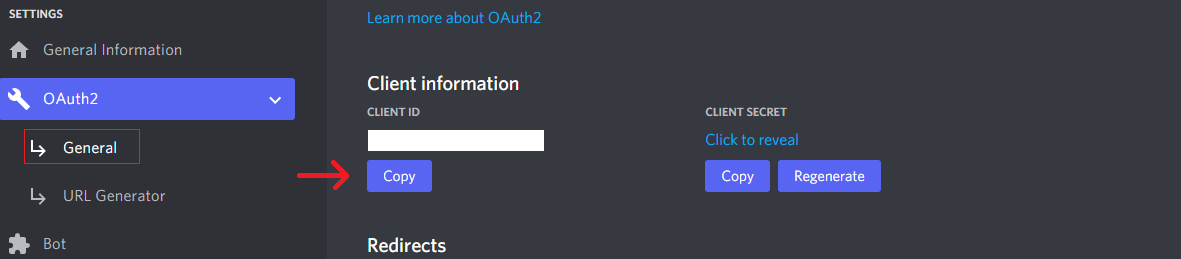
- In OAuth2 section remember your CLIENT ID, it will be used as CLIENT_ID config var
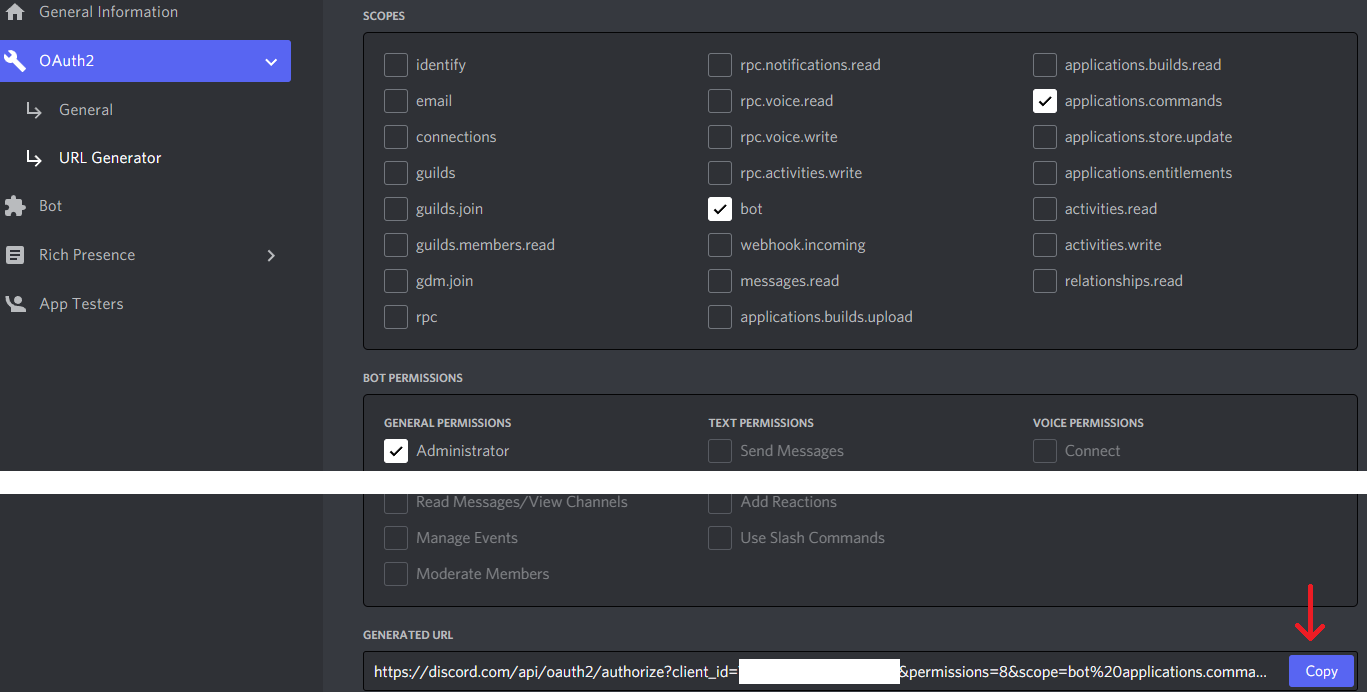
- Generate invite link in OAuth2 section
- Install latest node.js (used 16.x for this bot) https://nodejs.org/en/
- Clone your fork to your local machine (https://docs.github.com/en/repositories/creating-and-managing-repositories/cloning-a-repository)
- Open folder in terminal or use Visual Studio Code -> open folder and run in terminal "npm i" this should install all packages listed in package.json

- create .env file and fill it with config vars TOKEN, APPLICATION ID, DELAY (for delay less than 6000 you would probably exceed Discord API update\edit\send rate limits)
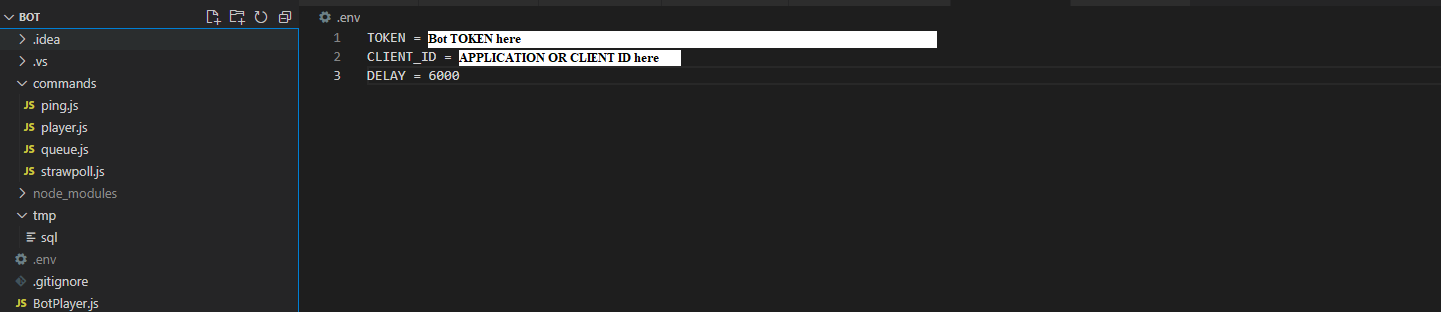
- Now run node deploy-commands.js, after successful run cancel process (Ctrl + C)

- Invite bot to your server simply by pasting invite link in your browser's address line.
- Now you can run your bot locally by typing command node .

- All done - bot should appear online! use / commands to call different actions
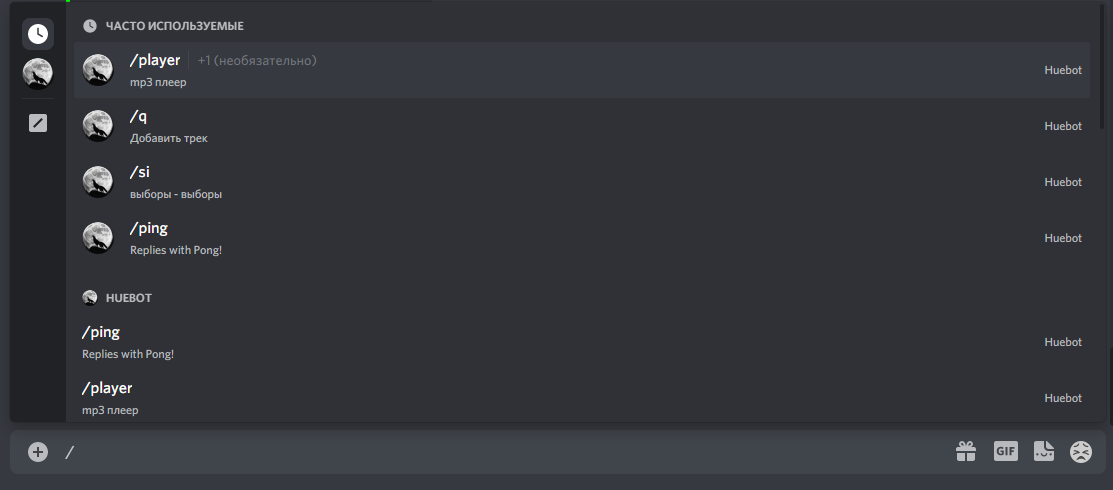
use this guide -> https://github.com/synicalsyntax/discord.js-heroku (but you still need ffmpeg buildpack) or:
- Login to https://id.heroku.com/login
- Create new app and connect it to your fork (Deploy section of Heroku App, probably you would like to enable automatic deploy there on GitHub changes)

- In the Settings section create config vars
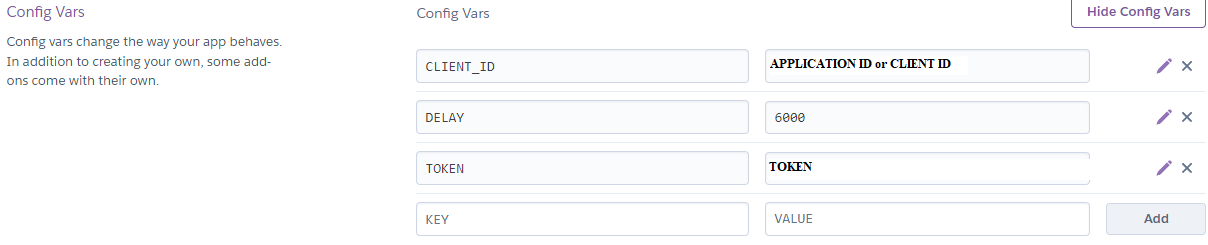
- In the same section add buildpacks

- Deploy app
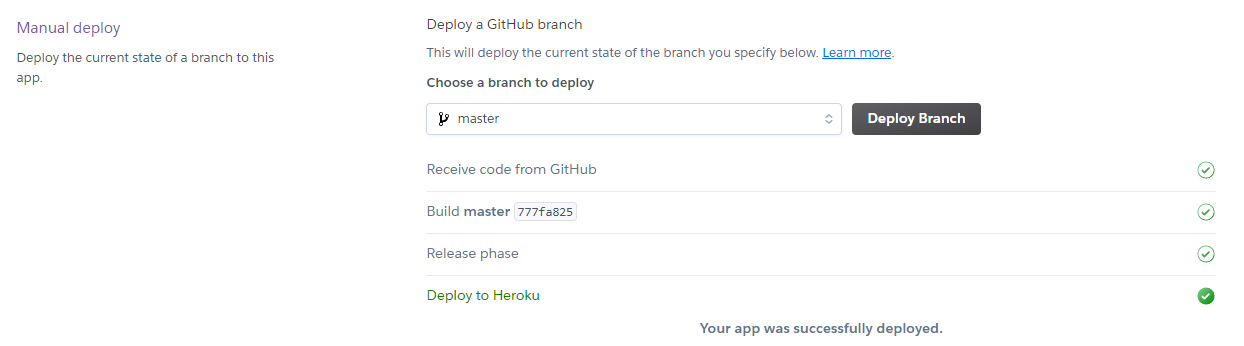
- After some time Dynos should appear... In Resources section change from "web" to "worker"

- Invite bot to your server simply by pasting invite link in your browser's address line.
- All done - bot should appear online! (if you testing new code on your local machine don't forget to disable worker on Heroku)