A Retrieval-Augmented Generation (RAG) AI Agent built with Pydantic AI that serves as an expert on Pine Script v6, TradingView's programming language for custom indicators and strategies. This agent leverages vector search technology and large language models to provide accurate, context-aware answers and generate working code examples.
- Comprehensive Pine Script Knowledge: Access the entire Pine Script v6 documentation through natural language queries
- Code Generation: Creates custom indicators and strategies based on user requirements
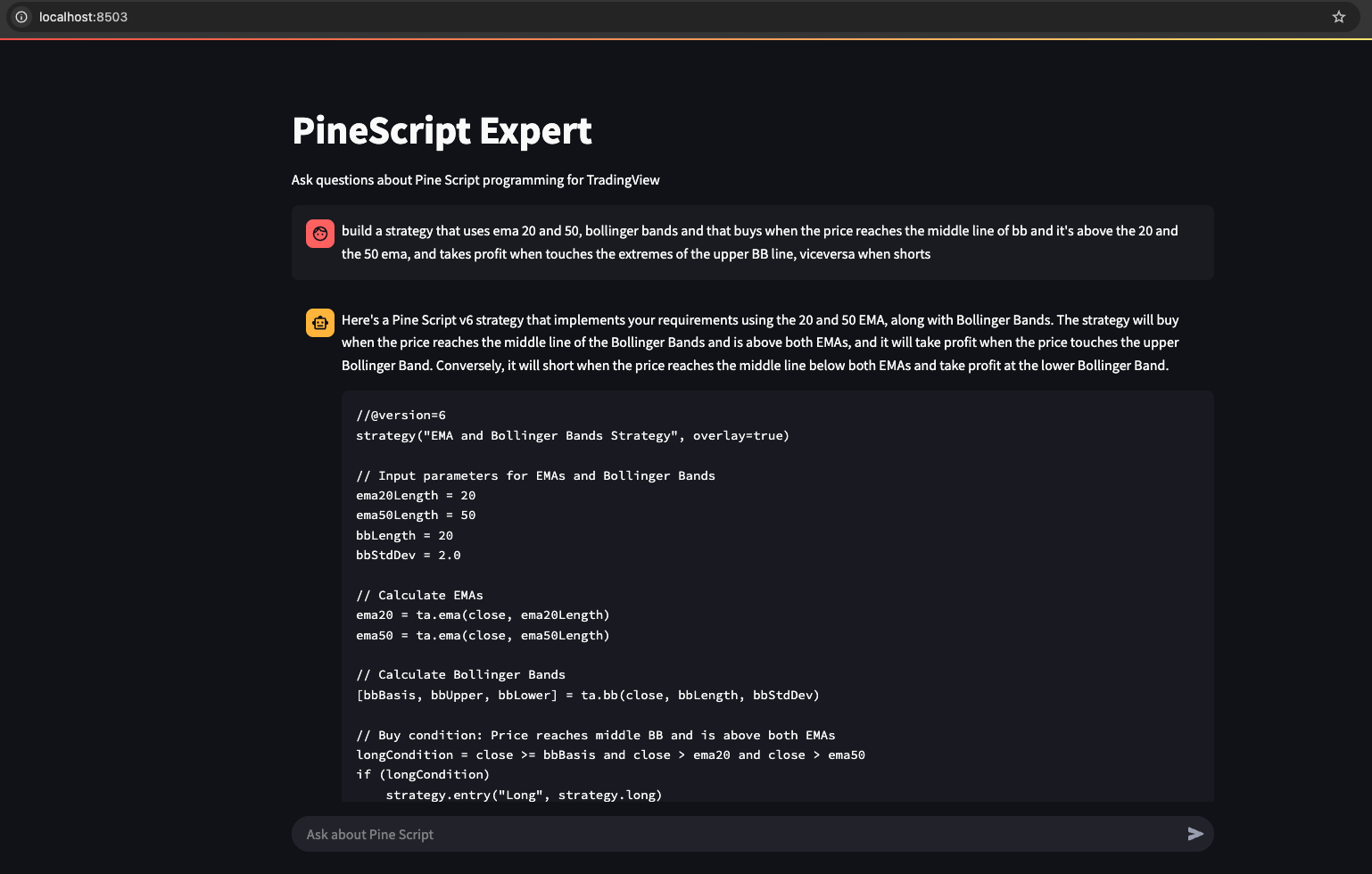
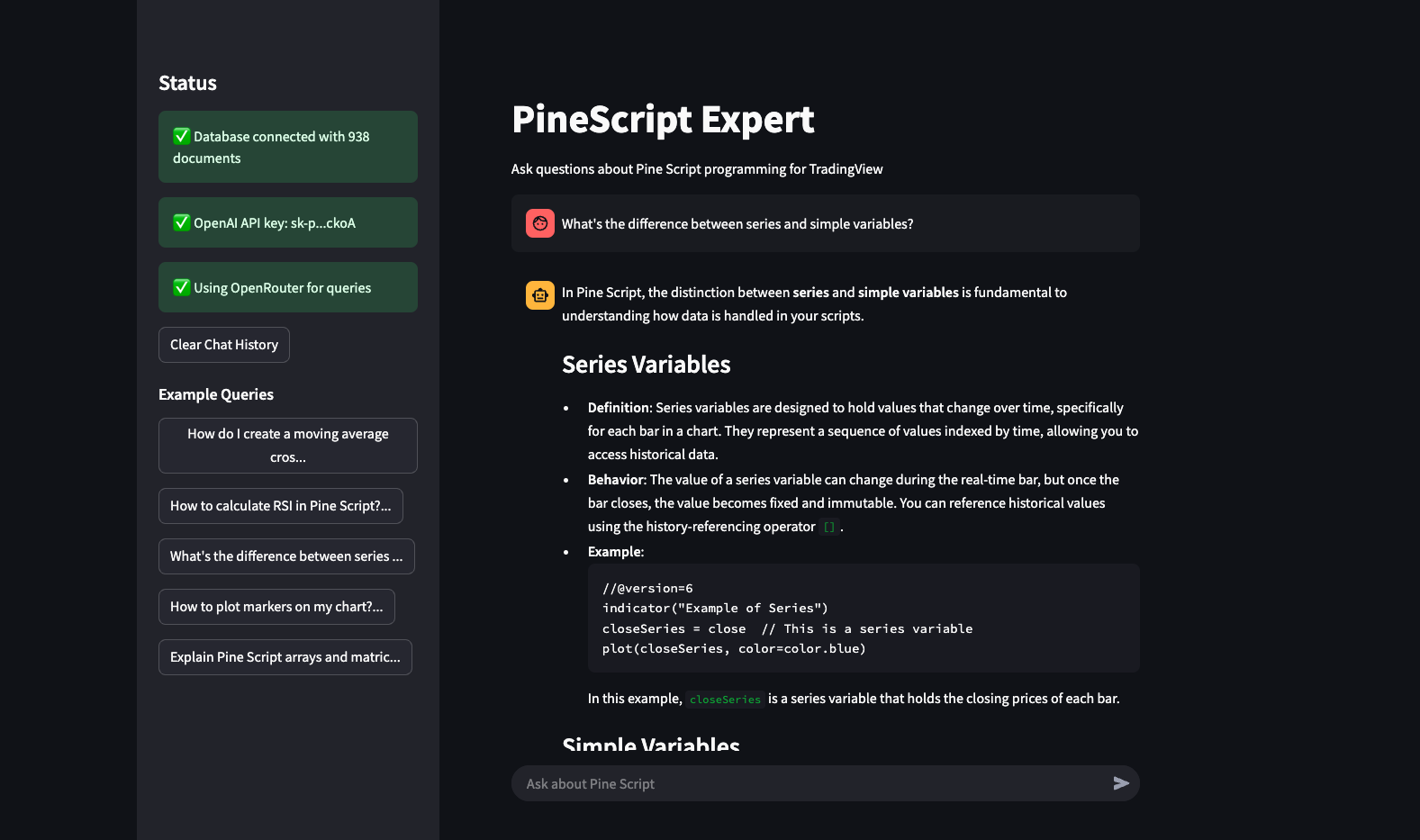
- Interactive Interfaces: Multiple ways to interact with the expert:
- Web-based UI built with Streamlit
- Interactive command-line interface
- Single query execution for scripting
- Multi-Provider Support: Use either OpenAI or OpenRouter models as the LLM backend
- Vector Search: Utilizes pgvector for efficient semantic retrieval of relevant documentation
- Full Documentation Processing: Custom crawler that processes and analyzes TradingView's Pine Script documentation
- Persistent Chat History: Remember conversation context in the Streamlit UI
- Extensive API: Integrate with other systems using the Pydantic AI based architecture
 |
 |
- Python 3.9+
- PostgreSQL with pgvector extension
- OpenAI API key (required for embeddings and default LLM)
- OpenRouter API key (optional, for alternative LLM providers)
- Docker (optional, for running PostgreSQL with pgvector)
-
Clone the repository
git clone https://github.com/FaustoS88/Pydantic-AI-Pinescript-Expert.git cd pinescript-expert -
Setup PostgreSQL with pgvector using Docker
# Create a directory for Docker volume if it doesn't exist
mkdir -p ~/pinescript_postgres_data

# Run PostgreSQL with pgvector on port 54322 (different from standard 5432)
docker run --name pinescript-pgvector \
  -e POSTGRES_PASSWORD=postgres \
  -p 54322:5432 \
  -v ~/pinescript_postgres_data:/var/lib/postgresql/data \
-d pgvector/pgvector:pg16-
Install requirements and set up the environment
python setup.py # Edit the created .env file with your API keys -
Initialize the database
python init_db.py
-
Populate the database with Pine Script documentation
python pinescript_crawler.py
-
Start using the Streamlit UI
streamlit run streamlit_ui.py
Or, for CLI interface:
python interactive.py
Start the Streamlit interface to interact with the agent through a web UI:
streamlit run streamlit_ui.pyLaunch an interactive shell for conversational access to the agent:
python interactive.pyExample session:
=================================================================
 Pine Script Expert Agent - Interactive Shell
=================================================================
Ask any question about Pine Script v6 or type 'exit' to quit.
Type 'clear' to clear the conversation history.
=================================================================

> How do I create a simple moving average crossover strategy?

Processing your question...

================================================================================
To create a simple moving average crossover strategy in Pine Script v6, you'll need to:

1. Set up your indicator or strategy
2. Calculate two moving averages of different lengths
3. Determine crossover conditions
4. Generate buy/sell signals
5. Optionally add plotting for visualization

Here's a complete example:

```pine
//@version=6
strategy("Simple MA Crossover Strategy", overlay=true)

// Input parameters
fastLength = input.int(9, "Fast MA Length")
slowLength = input.int(21, "Slow MA Length")

// Calculate moving averages
fastMA = ta.sma(close, fastLength)
slowMA = ta.sma(close, slowLength)

// Determine crossover conditions
buySignal = ta.crossover(fastMA, slowMA)
sellSignal = ta.crossunder(fastMA, slowMA)

// Execute strategy
if (buySignal)
    strategy.entry("Buy", strategy.long)

if (sellSignal)
    strategy.entry("Sell", strategy.short)

// Plot moving averages
plot(fastMA, "Fast MA", color=color.blue)
plot(slowMA, "Slow MA", color=color.red)

// Plot buy/sell signals
plotshape(buySignal, "Buy Signal", shape.triangleup, location.belowbar, color.green, size=size.small)
plotshape(sellSignal, "Sell Signal", shape.triangledown, location.abovebar, color.red, size=size.small)
Key components explained:
- We use
ta.sma()to calculate the simple moving averages ta.crossover()andta.crossunder()detect when the fast MA crosses above or below the slow MAstrategy.entry()executes buy and sell orders when crossovers occurplot()andplotshape()visualize the MAs and signals on the chart
You can customize this by changing:
- MA types (SMA, EMA, WMA, etc.)
- Length parameters
- Adding additional conditions
- Adding stop-loss and take-profit levels ================================================================================
### Single Query Mode

Use the agent for a one-time query:

```bash
python run.py query "How do I calculate RSI in Pine Script?"
The project includes tools to inspect the vector database:
# Count documents in the database
python db_inspect.py count

# List document titles (first 20)
python db_inspect.py list

# View a specific document
python db_inspect.py view 508

# Test search functionality
python db_inspect.py search "how to use request.security for different timeframes"agent.py: Core agent implementation with RAG capabilitiespinescript_crawler.py: Documentation crawler and vector database populationdb_schema.py: Database schema definitionsstreamlit_ui.py: Web-based user interface with persistent chat historyinteractive.py: Command-line interfacerun.py: Convenience runner for various operation modesinit_db.py: Database initializationclear_database.py: Database cleaning utilitydb_inspect.py: Database inspection tools
You can customize the agent's model settings in agent.py:
pinescript_agent = Agent(
    "openai:gpt-4o-mini",
    deps_type=Dependencies,
    result_type=PineScriptResult,
    system_prompt=(
        "You are a Pine Script v6 expert assistant..."
    ),
    model_settings={
        "temperature": 0.2,  # Adjust for more/less creativity
        "max_tokens": 2000   # Adjust for longer/shorter responses
    }
)

--------

# Create a custom model that uses OpenRouter
    class OpenRouterModel(OpenAIModel):
        def __init__(self, model_name="deepseek/deepseek-chat"): # Change model here
            super().__init__(
                model_name,
                base_url="https://openrouter.ai/api/v1",
                api_key=openrouter_api_key
            )

    # Use a model ID that OpenRouter actually supports
return OpenRouterModel("deepseek/deepseek-chat") # Change model hereFor access to alternative LLM providers:
- Sign up at OpenRouter
- Get an API key
- Add it to your
.envfile asOPENROUTER_API_KEY
The agent will automatically use OpenRouter models when the API key is present.
Configure database settings in the .env file:
DATABASE_URL=postgresql://username:password@hostname:port/database
Contributions are welcome!
This project is licensed under the MIT License - see the LICENSE file for details.
- Pydantic AI for the agent framework
- TradingView for the Pine Script language and documentation
- OpenAI and OpenRouter for LLM capabilities
- pgvector for vector search functionality
- Streamlit for the web interface