This is a webpage meant for book libraries which stores information of which book is taken by which student in a given school.
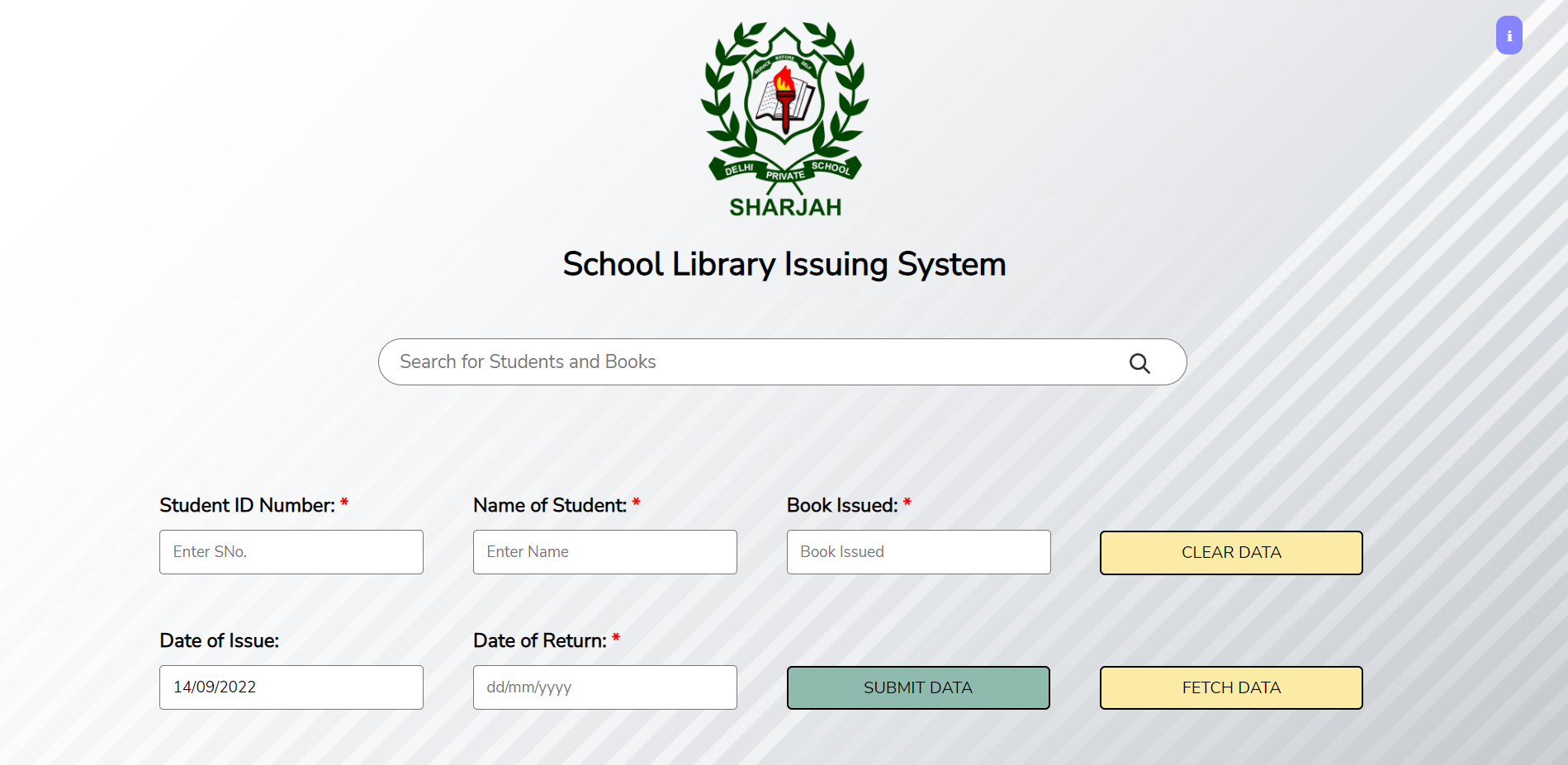
Link to webpage: https://faizaan-nasir.github.io/Library/
- All the data of individual student is stored on a database, the databse currently has a few samples preloaded. If you wish to, you can view the samples in ways mentioned below. You can also add data into the database.
How to View Existing Data
- In order for the data to be displayed, the user must enter the Name of the student (try Faizaan Nasir) or the Student ID No. (try 8349) or the Name of the book issued (try Charlie and the Chocolate Factory) into the serach field and click the search icon.
- Alternative method: Enter only the Student ID Number into the Student ID Field and click the fetch button.
How to Submit New Records and Manipulate Old Records
- For a new record, enter details in all the necessary fields.
- To submit the data to be stored, click 'Submit'.
- Wait for the message "Data Submitted Successfully" to appear.
- The user can enter datas of multiple students in the way mentioned above.
How to Manipulate Data
- If the user wished to clear the data, the user must click the 'Clear Data' button.
- Enter the Student ID No. of the student whose details you'd like to modify, enter the new details and click Submit.
- The 'Date of Issue' is not a mandatory field, the programme figures out the current date and fills the field automatically.
- The data of each student is stored respectively with his student ID number.
- If the student returns the book after the 'Date of Return' has been crossed, the programme recognizes this.
- The programme automatically calculates the amount to be paid as penalty if the 'Date of Return' has been crossed.
- The data you enter can be accessed or manipulated through the same webpage on any device.
- All fields except the 'Date of Issue' are mandatory.
- Enter all the dates in the format of dd/mm/yyyy (07/09/2022 instead of 7/9/22). This is necessary as otherwise the programme will fail to work correctly.
- This webpage is based on a database. The entered data is not hashed. This means that whatever you submit is visible to everyone. Kindly do not enter information you'd not like to share with anyone.
- I have just discovered how to work with databases and thus the code might just be very inefficient.
- This is based on my school's library management system and may vary from place to place.
- The webpage has been completely disabled for use on mobile phones.