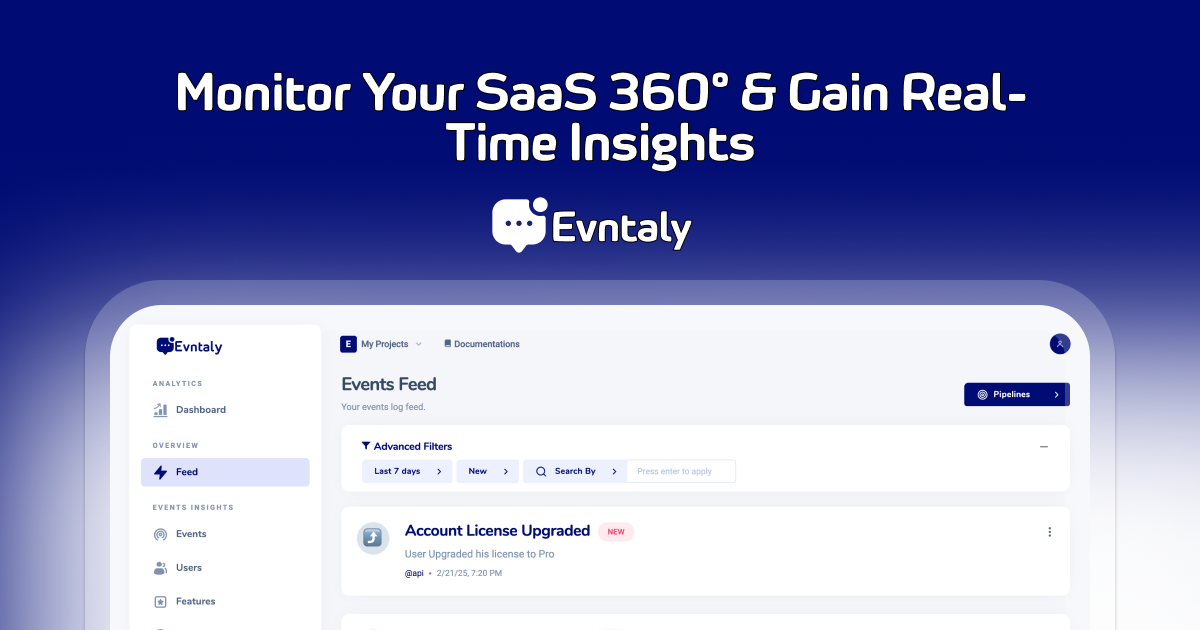
An advanced event tracking and analytics platform designed to help developers capture, analyze, and react to user interactions efficiently.


evntaly-js is an SDK designed to seamlessly integrate with the Evntaly event tracking platform. It provides developers with a straightforward interface to initialize the SDK, track events, identify users, and manage tracking states within Node.js and NestJS applications.
- Singleton Pattern: Ensures only one instance of the SDK throughout your application
- Initialization: Set up the SDK with your developer secret and project token
- Event Tracking: Log events with detailed metadata
- User Identification: Associate actions with specific users
- Request Context Capture: Automatically extract and include request headers and metadata
- Tracking Control: Enable or disable event tracking as needed
Install the package using npm:
npm install evntaly-jsThe SDK now uses a singleton pattern to ensure only one instance exists throughout your application. Initialize it once and use it anywhere:
const { EvntalySDKService } = require('evntaly-js');

// Get the singleton instance
const evntaly = EvntalySDKService.getInstance();

// Initialize once (subsequent init calls will be ignored)
evntaly.init('YOUR_DEVELOPER_SECRET', 'YOUR_PROJECT_TOKEN');

// Or initialize with verbose logging enabled
evntaly.init('YOUR_DEVELOPER_SECRET', 'YOUR_PROJECT_TOKEN', {
  verbose: true // Enable detailed SDK logging (default: false)
});
Or using the convenience function:
const { Evntaly } = require('evntaly-js');

// Get the singleton instance using convenience function
const evntaly = Evntaly();

// Initialize with options
evntaly.init('YOUR_DEVELOPER_SECRET', 'YOUR_PROJECT_TOKEN', {
  verbose: true // Enable verbose logging for debugging
});
Or In TypeScript:
import { EvntalySDKService, Evntaly } from 'evntaly-js';

// Method 1: Using the class directly
const evntaly1 = EvntalySDKService.getInstance();
evntaly1.init('DEVELOPER_SECRET', 'PROJECT_TOKEN', { verbose: true });

// Method 2: Using the convenience function
const evntaly2 = Evntaly();
evntaly2.init('DEVELOPER_SECRET', 'PROJECT_TOKEN', { verbose: false });

// Both evntaly1 and evntaly2 reference the same instance!Control SDK logging output for debugging and monitoring:
const evntaly = Evntaly();

// Initialize with verbose logging
evntaly.init('SECRET', 'TOKEN', { verbose: true });

// Check if verbose logging is enabled
console.log('Verbose logging:', evntaly.isVerboseLoggingEnabled()); // true

// Enable/disable verbose logging at runtime
evntaly.setVerboseLogging(false); // Disable logging
evntaly.setVerboseLogging(true);  // Enable logging

// When verbose logging is enabled, you'll see detailed output:
// ✅ Evntaly SDK initialized with secret and token.
// 🔍 Checking API usage limits...
// ✅ API Limit Check: Limit Reached = false
// Track event response: { success: true, eventId: "..." }Once initialized, you can get the same instance anywhere in your application:
// In any other file/module
const { Evntaly } = require('evntaly-js');

const evntaly = Evntaly();

// Check if SDK is initialized
if (evntaly.isInitialized()) {
  // Use the SDK methods
  evntaly.track({ /* event data */ });
}To track an event:
const evntaly = Evntaly();

evntaly.track({
  title: 'Payment Received',
  description: 'User completed a purchase',
  message: 'Order #12345',
  data: {
    user_id: '67890',
    timestamp: new Date().toISOString(),
    referrer: 'social_media',
    email_verified: true
  },
  tags: ['purchase', 'payment'],
  notify: true,
  icon: '💰',
  apply_rule_only: false,
  user: {
    id: '0f6934fd-99c0-41ca-84f4'
  },
  type: 'Transaction',
  sessionID: '20750ebc-dabf-4fd4-9498-443bf30d6095_bsd',
  feature: 'Checkout',
  topic: '@Sales'
});You can automatically capture request context by passing the request object to track events:
// In Express.js route handler
app.post('/api/purchase', (req, res) => {
  evntaly.track({
    title: 'Purchase Completed',
    description: 'User completed a purchase',
    // ... other event data
  }, req); // Pass the request object to capture context
});

// In NestJS controller
@Controller('api')
export class ApiController {
  @Post('purchase')
  async handlePurchase(@Req() req: Request) {
    await evntaly.track({
      title: 'Purchase Completed',
      description: 'User completed a purchase',
      // ... other event data
    }, req); // Pass the request object
  }
}When you pass the request object, the SDK automatically extracts and includes the following information:
Standard Headers:
ip- Client IP address (supports X-Forwarded-For, X-Real-IP)userAgent- User agent stringreferer- Referrer URLhost- Host headerorigin- CORS origin headeracceptLanguage- Client's language preferencesacceptEncoding- Supported compression methodscontentType- Content type of the request body
Operating System Detection:
os- Automatically detected from user agent string- Desktop OS: Windows, macOS, Linux distributions (Ubuntu, Debian, Fedora, CentOS, Red Hat), FreeBSD, OpenBSD, NetBSD, Solaris
- Mobile OS: iOS (iPhone/iPad), Android
- Falls back to "Unknown" if OS cannot be determined
osVersion- Specific version number extracted from user agent- Windows: 7, 8, 8.1, 10/11, Vista, XP
- macOS: Version numbers with codenames (e.g., "10.15 (Catalina)", "11.7 (Big Sur)", "14.1 (Sonoma)")
- iOS: Version numbers (e.g., "17.1", "16.2")
- Android: Version numbers (e.g., "13", "12", "11")
- Linux: Distribution-specific versions where available (e.g., Ubuntu "20.04", Fedora "38")
- Falls back to "Unknown" if version cannot be determined
IP Geolocation:
location- Automatically resolved from client IP address- country - Full country name (e.g., "United States")
- countryCode - ISO country code (e.g., "US")
- region - State/province/region (e.g., "California")
- city - City name (e.g., "Mountain View")
- timezone - Timezone identifier (e.g., "America/Los_Angeles")
- latitude - Latitude coordinate
- longitude - Longitude coordinate
- Handles local/private IP addresses gracefully (returns "Local")
- Falls back to "Unknown" if geolocation fails
- Uses free IP geolocation service with 3-second timeout
Forwarded Headers:
xForwardedProto- Original protocol (http/https)xForwardedHost- Original host when behind proxyxRequestedWith- Identifies AJAX requests
Security Headers:
authorization- Auth header (automatically masked for security)
Cloudflare Headers:
cfIpCountry- Country code from CloudflarecfRay- Cloudflare Ray ID for request tracing
Request Details:
method- HTTP method (GET, POST, etc.)url- Request URL
Custom Headers:
- Any headers starting with
x-are automatically extracted
The captured context is added to your event data as requestContext:
// Your event will include:
{
  title: 'Purchase Completed',
  // ... your event data
  requestContext: {
    ip: '192.168.1.1',
    userAgent: 'Mozilla/5.0 ...',
    os: 'Windows',           // ← Automatically detected!
    osVersion: '10/11',      // ← Version automatically detected!
    location: {              // ← IP location automatically resolved!
      country: 'United States',
      countryCode: 'US',
      region: 'California',
      city: 'Mountain View',
      timezone: 'America/Los_Angeles',
      latitude: 37.4419,
      longitude: -122.1430
    },
    method: 'POST',
    url: '/api/purchase',
    host: 'yourapp.com',
    acceptLanguage: 'en-US,en;q=0.9',
    cfIpCountry: 'US',
    // ... other captured headers
  }
}You can control whether IP addresses are resolved to location information:
// Enable location resolution (default behavior)
evntaly.track(eventData, req, { resolveLocation: true });

// Disable location resolution for faster processing
evntaly.track(eventData, req, { resolveLocation: false });

// Same options available for user identification
evntaly.identifyUser(userData, req, { resolveLocation: true });You can also manually extract request context if needed:
const evntaly = Evntaly();

// Extract context manually
const requestContext = evntaly.extractRequestContext(req);
console.log('Request context:', requestContext);

// Use in your event data
evntaly.track({
  title: 'Custom Event',
  customRequestInfo: requestContext
});To identify a user:
const evntaly = Evntaly();

// Without request context
evntaly.identifyUser({
  id: '0f6934fd-99c0-41ca-84f4',
  email: 'user@example.com',
  full_name: 'John Doe',
  organization: 'ExampleCorp',
  data: {
    id: 'JohnD',
    email: 'user@example.com',
    location: 'USA',
    salary: 75000,
    timezone: 'America/New_York'
  }
});

// With request context
evntaly.identifyUser({
  id: '0f6934fd-99c0-41ca-84f4',
  email: 'user@example.com',
  full_name: 'John Doe',
  // ... other user data
}, req); // Request context will be automatically capturedYou can control event tracking globally:
const evntaly = Evntaly();

// Disable tracking
evntaly.disableTracking();

// Enable tracking
evntaly.enableTracking();For NestJS applications, you can use the singleton instance in your services:
import { Injectable, Req } from '@nestjs/common';
import { Evntaly } from 'evntaly-js';
import { Request } from 'express';

@Injectable()
export class AccountController {
  private readonly evntaly = Evntaly();

  constructor() {
    // Initialize once in your app bootstrap or main service
    this.evntaly.init('DEVELOPER_SECRET', 'PROJECT_TOKEN');
  }

  async handlePayment(@Req() req: Request) {
    await this.evntaly.track({
      title: 'Payment Processed',
      // ... other event data
    }, req); // Automatically captures request context
  }
}Returns the singleton instance of the EvntalySDKService.
Convenience function that returns the singleton instance of the EvntalySDKService.
Initializes the SDK with your credentials. Can only be called once - subsequent calls are ignored.
options.verbose- Enable verbose logging (default: false)
Returns true if the SDK has been initialized, false otherwise.
Enable or disable verbose logging at runtime.
enabled- Boolean to enable/disable verbose logging
Returns true if verbose logging is enabled, false otherwise.
Tracks an event. Only works if the SDK is initialized and tracking is enabled.
eventData- The event data to trackreq- Optional request object to capture context fromoptions.resolveLocation- Whether to resolve IP location (default: true)
Identifies a user. Only works if the SDK is initialized.
userData- The user data to identifyreq- Optional request object to capture context fromoptions.resolveLocation- Whether to resolve IP location (default: true)
Manually extract request context from a request object.
req- The request objectresolveLocation- Whether to resolve IP location (default: true)- Returns: Promise with
RequestContextobject containing extracted headers, OS info, and location data
Enable or disable event tracking globally.
The SDK automatically masks sensitive information in authorization headers for security. When an Authorization header is present, it's replaced with masked values like Bearer *** or Basic ***.
Contributions are welcome! Please open an issue or submit a pull request on GitHub.
This project is licensed under the MIT License.
Note: Replace placeholder values like 'YOUR_DEVELOPER_SECRET' and 'YOUR_PROJECT_TOKEN' with your actual Evntaly credentials.