       _               _    _____ _____ ___  _____           _
      | |             | |  |_   _|  __ \__ \|  __ \         | |
   ___| |__   ___  ___| | __ | | | |__) | ) | |__) |__  _ __| |_
  / __| '_ \ / _ \/ __| |/ / | | |  ___/ / /|  ___/ _ \| '__| __|
 | (__| | | |  __/ (__|   < _| |_| |    / /_| |  | (_) | |  | |_
  \___|_| |_|\___|\___|_|\_\_____|_|   |____|_|   \___/|_|   \__|

    >>>>>>>>>>
     By Ebounce
     A simple tool to check the result of scaning ip by nmap or masscan;
     you can use 4 modes below
     param help:
     --mass= parse the file created by "masscan -oG"
     -i target ip
     -p target port
     -iF target ip file
     -pF target port file
     -v very detailed output
     -s use https
     user-help:
     one2one mode example: python3 checkIP2Port.py -i 1.1.1.1 -p 80
     one2more mode example: python3 checkIP2Port.py -i 1.1.1.1 --pF=<portFile>
     more2one mode example: python3 checkIP2Port.py --iF=<ipFile> -p 80
     more2more mode example: python3 checkIP2Port.py --iF=<ipFile> --pF=<portFile>
     masscan -oG result file : python3 checkIP2Port.py --mass=<result film>
     Example:
     python3 checkIP2Port.py -i 1.1.1.1 --pF=./portList.txt
     python3 checkIP2Port.py --iF=./ipList.txt --pF=./portList.txt
     python3 checkIP2Port.py --mass=./result.txt -v
     >>>>>>>>>>
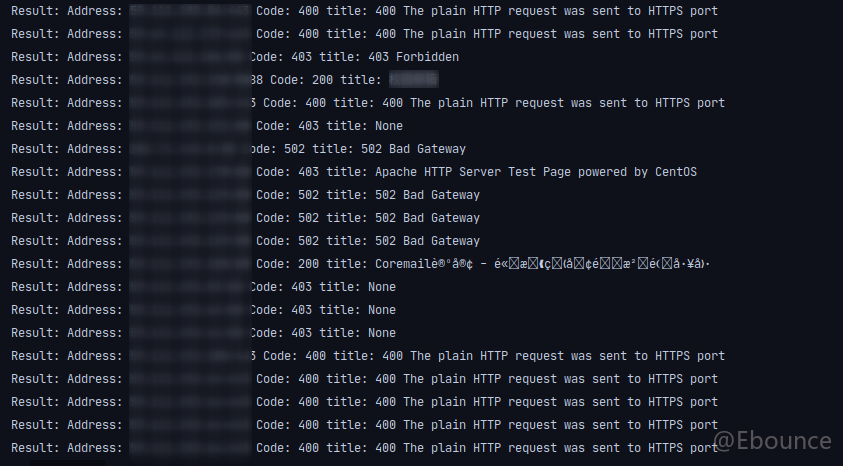
启用-s参数可能会有难以预期的错误,请在使用-s参数时,同时启用-v参数
目前已经可以支持masscan -oG 参数直接导入的结果文件了
增加了正常网页的提色显示