A Windows 10 toolbar to show your current Spotify song in the taskbar

If the song name is too long hovering over the widget will show the full name.

If the song name is shorter than the maximum, the widget will be resized.

The currently played track is grabbed from the Spotify window's title. If Spotify is not running the widget will hide entirely. If the song is paused the widget will simply say "Paused".
- Grab the latest release from the releases page.
- Unzip it somewhere on your computer.
- Run
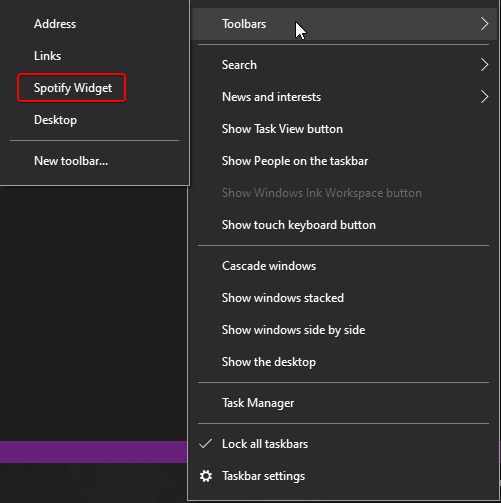
register.batas Administrator. - Enable the Toolbar in your taskbar.
If you want to build the .dll yourself you will need to generate a key.snk.
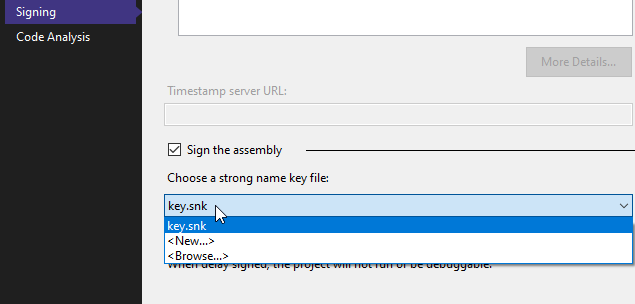
- Go to Properties/Signing.
- Check
Sign the assembly. - Select
<New...>and generate your key.
- Finally, you will need to copy
register.batandunregister.batintobin/Debugand run it there to install/uninstall your widget. You must unregister before building and register after building if you are making modifications to the code.
Disclaimer: Not affiliated with Spotify