Skip to content

Conversation

@lukepistrol
Copy link
Member

@lukepistrol lukepistrol commented Mar 24, 2022

Description

This Terminal Emulator fix includes:

  • Status bar is always visible. Even when no files are open.
  • Terminal persists between different files.
  • When exiting a session, closing and reopening the drawer creates a new session
  • Change ANSI colors in settings. Especially useful for ZSH themes.
  • Resizing the drawer does not remove the lines above.
  • Fixed a memory leak when resizing the drawer or hiding/showing the drawer

Known Issue

  • Sometimes Terminal does not persist
  • Sometimes Terminal does not appear (workaround: open more files and it will eventually appear again)

Releated Issue

#219

Checklist (for drafts):

  • fix known issues (see above)
  • I read and understood the contributing guide as well as the code of conduct
  • My changes generate no new warnings
  • My code builds and runs on my machine
  • Review requested

Screenshots:

terminal1.mov
terminal2.mov
terminal3.mov

@lukepistrol lukepistrol added the UI This is UI related label Mar 24, 2022
@lukepistrol lukepistrol changed the title ANSI Color Selector for Terminal & Status Bar fixes [WIP] ANSI Color Selector for Terminal & Status Bar fixes Mar 24, 2022
@lukepistrol lukepistrol linked an issue Mar 25, 2022 that may be closed by this pull request
@Angelk90
Copy link
Contributor

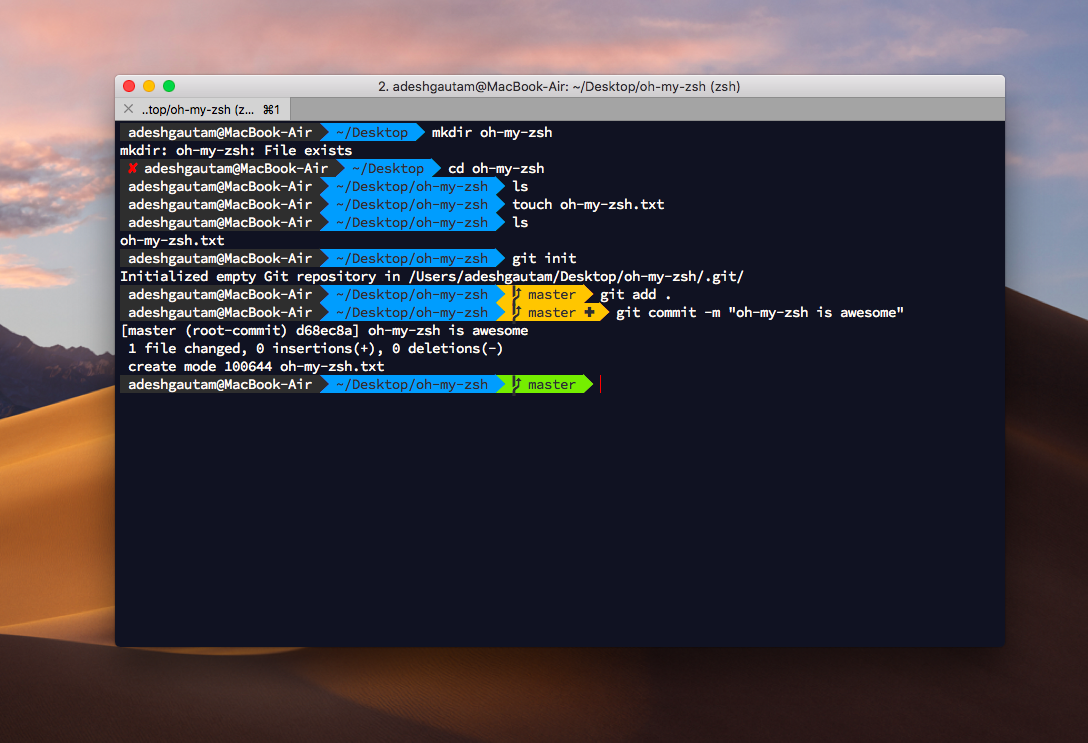
@lukepistrol : You could implement a similar thing in the shell:

image

@lukepistrol
Copy link
Member Author

@lukepistrol : You could implement a similar thing in the shell:

image

What do you mean exactly?

@Angelk90
Copy link
Contributor

@lukepistrol : I mean the colors part, for example:

  • For the username it is one color
  • For the path name it is of another color
  • For the branch type (which is currently not displayed by the shell, but would be nice to have) it is one color if there are files that have yet to be added to the commit and a different color if there are no files that have not changed .

@lukepistrol
Copy link
Member Author

@lukepistrol : I mean the colors part, for example:

  • For the username it is one color
  • For the path name it is of another color
  • For the branch type (which is currently not displayed by the shell, but would be nice to have) it is one color if there are files that have yet to be added to the commit and a different color if there are no files that have not changed .

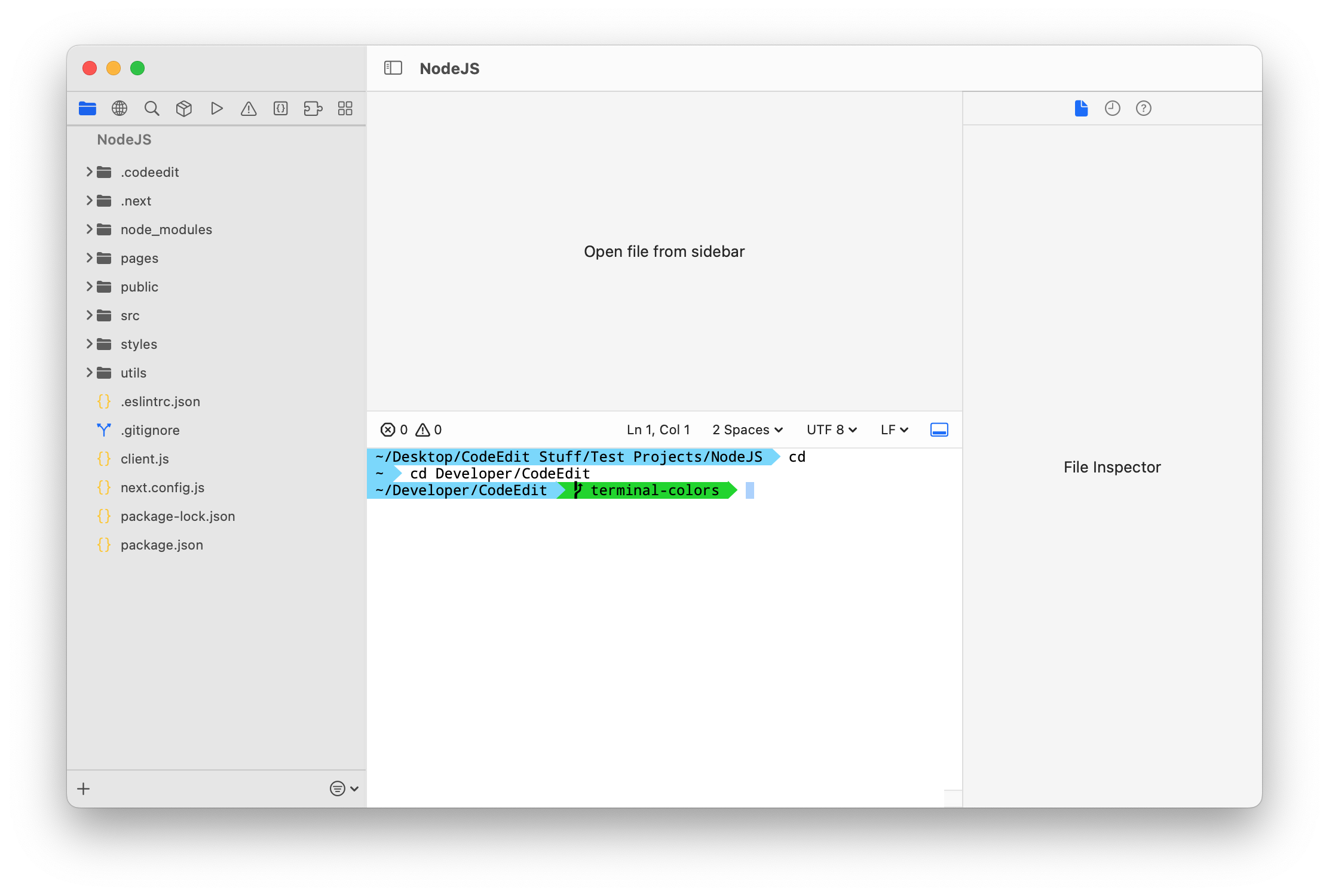
This already works. You just have to install a ZSH theme to your liking (the image above shows the agnoster theme).

Screen Shot 2022-03-25 at 17 29 06

@lukepistrol lukepistrol marked this pull request as ready for review March 25, 2022 17:14
@lukepistrol lukepistrol changed the title [WIP] ANSI Color Selector for Terminal & Status Bar fixes ANSI Color Selector for Terminal & Terminal/Statusbar fixes Mar 25, 2022
@lukepistrol lukepistrol linked an issue Mar 25, 2022 that may be closed by this pull request
@lukepistrol lukepistrol added the performance This is performance related label Mar 25, 2022
@Angelk90
Copy link
Contributor

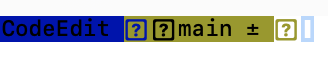
@lukepistrol : This is what I am seeing at the moment, on zsh or on iterm2 it shows correctly.
Schermata 2022-03-25 alle 20 00 44

@lukepistrol
Copy link
Member Author

lukepistrol commented Mar 25, 2022

@lukepistrol : This is what I am seeing at the moment, on zsh or on iterm2 it shows correctly.

Schermata 2022-03-25 alle 20 00 44

You need to install a custom powerline font, or select it in the preferences window.

@Angelk90
Copy link
Contributor

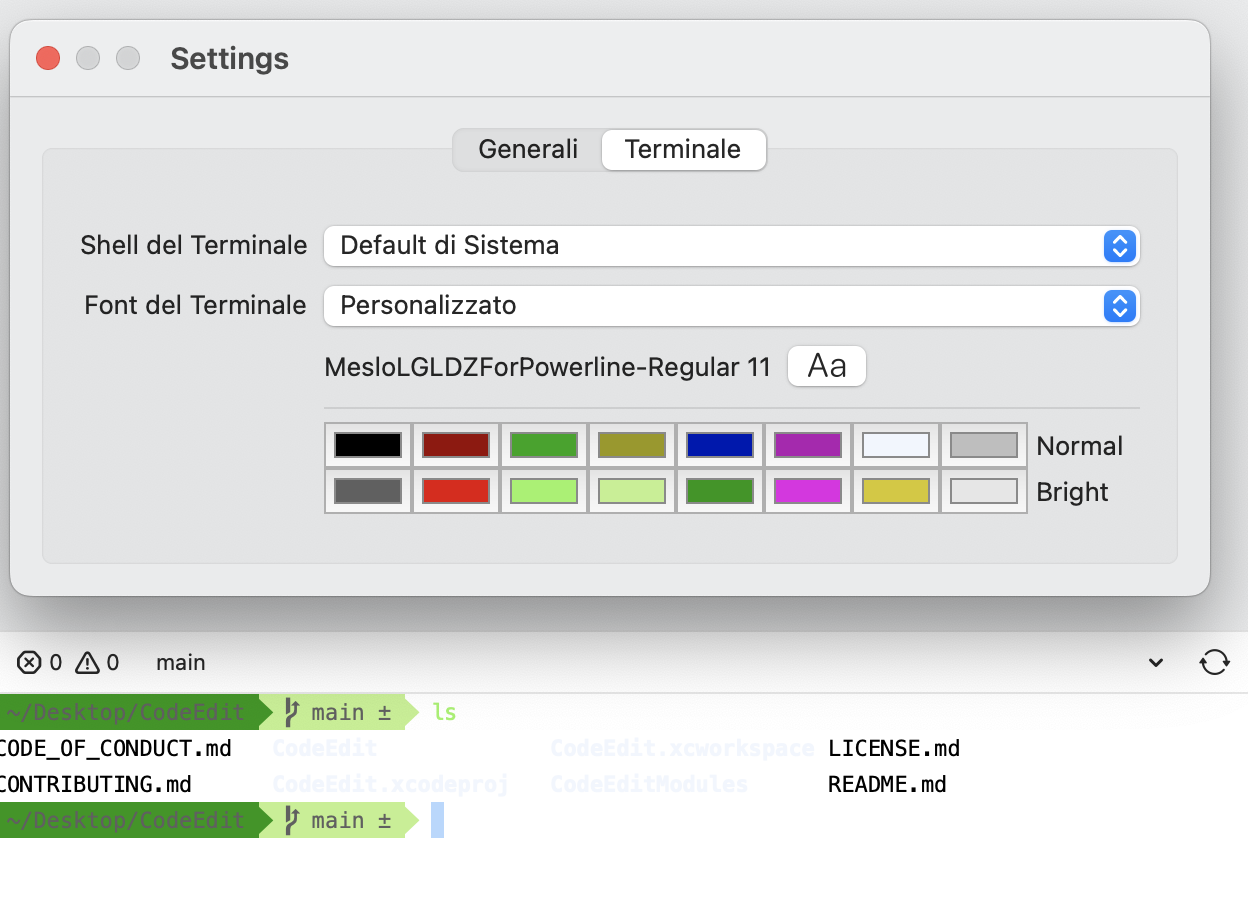
@lukepistrol : I thought the terminal font settings took them automatically.

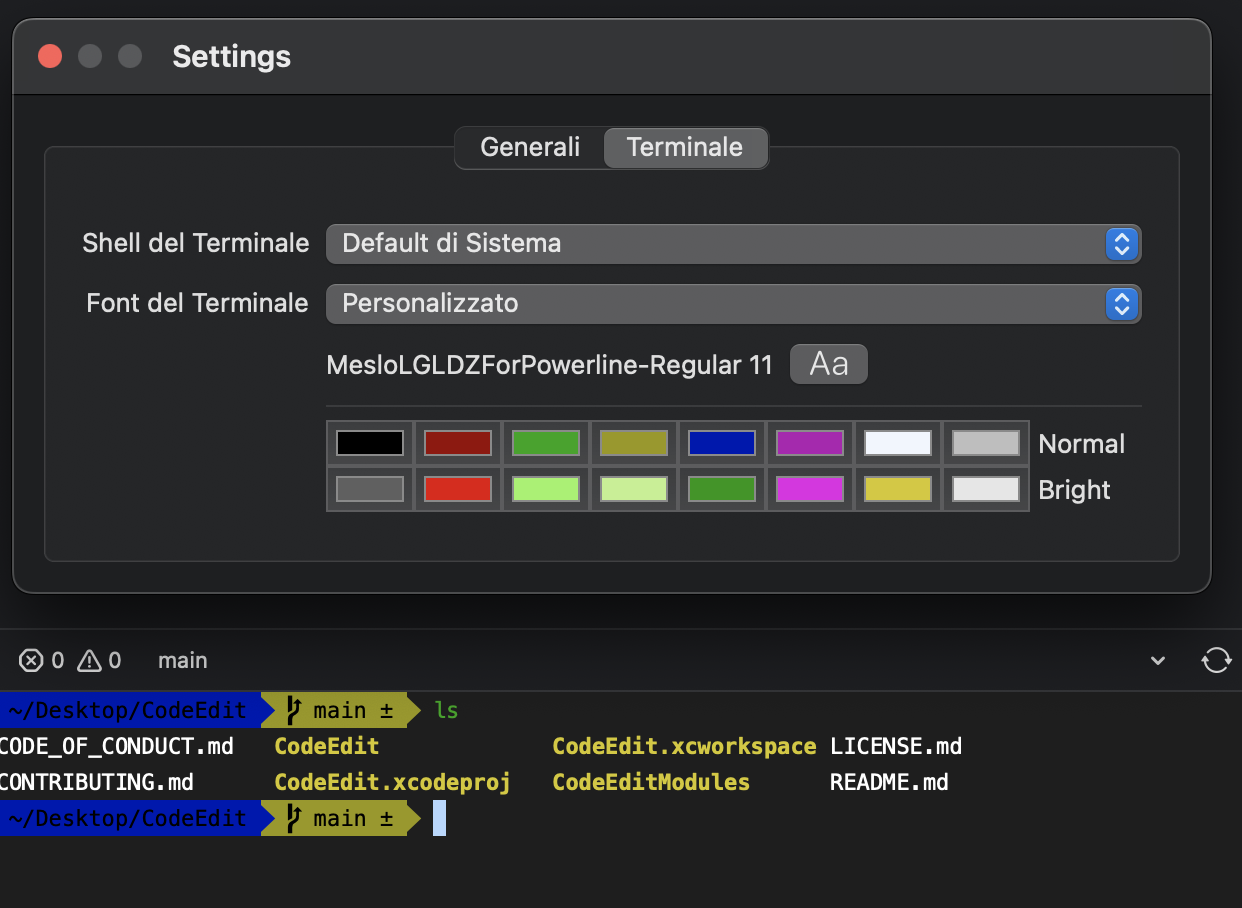
You know how I can change the colors, as you can see the one with the blue background doesn't read wellI thought the terminal font settings took them automatically.

You know how I can change the colors, as you can see the one with the blue background doesn't read well.

Schermata 2022-03-25 alle 20 21 31

Copy link
Collaborator

@austincondiff austincondiff left a comment

Choose a reason for hiding this comment

The reason will be displayed to describe this comment to others. Learn more.

Looks good!

Copy link
Collaborator

@0xWDG 0xWDG left a comment

Choose a reason for hiding this comment

The reason will be displayed to describe this comment to others. Learn more.

Great work, Works as expected.

@lukepistrol lukepistrol merged commit d9da1f2 into CodeEditApp:main Mar 25, 2022
@lukepistrol lukepistrol deleted the terminal-colors branch March 25, 2022 20:21
@Angelk90
Copy link
Contributor

@lukepistrol : Why, if I change the theme, the colors I see in the terminal totally change.

For example with the clear theme I don't read anything.

But you can see that the colors of the palettes are the same.

Light Dark

xinix909 pushed a commit to xinix909/CodeTransfer that referenced this pull request Sep 7, 2024
Sign up for free to join this conversation on GitHub. Already have an account? Sign in to comment

Labels

performance This is performance related UI This is UI related

Projects

None yet

Development

Successfully merging this pull request may close these issues.

🐞 The terminal drawer does not reload properly ✨ ANSI Color selector for Terminal Emulator

4 participants