This project is a 3D visualization of a procedurally generated galaxy built using Three.js. The aim is to create an interactive and visually stunning galaxy simulation that showcases the capabilities of procedural generation and 3D rendering in modern web development. 🌌✨🌠

- Realistic Star Placement: Procedurally generated stars with adjustable density and distribution.
- Interactive Camera: Pan, zoom, and rotate to explore the galaxy.
- Dynamic Star Systems: Includes star clusters, nebulae, and random celestial bodies.
- Customizable Settings: Easily modify galaxy size, star count, colors, and other parameters.
- Optimized Rendering: Efficiently renders thousands of stars for smooth performance.
- Three.js: Core library for 3D rendering and visualization.
- JavaScript: Main programming language for procedural algorithms and interactivity.
- HTML/CSS: Basic structure and styling of the application. 💻🔧🌟
- Node.js (for running a local development server)
- A modern web browser (e.g., Chrome, Firefox, Edge) with WebGL support 🌍⚙️🖥️
-
Clone the repository:
git clone https://github.com/ericafk0001/threejs-procedral-galaxy
-
Navigate to the project directory:
cd threejs-procedral-galaxy -
Start live server via vscode live server (or http server):
-
Open your browser and go to
http://127.0.0.1:5500/. 🚀🌌🛠️
The galaxy parameters can be modified directly in the JavaScript configuration file (config/galaxyConfig.js). Key parameters include:
- Galaxy Size: Adjust the overall radius of the galaxy.
- Star Count: Set the number of stars to render.
- Color Schemes: Define custom colors for stars and nebulae. 🎨✨🔭
- Mouse Wheel: Zoom in/out.
- Left Click + Drag: Rotate the galaxy.
- Right Click + Drag: Pan the camera. 🖱️🌠🔧
📂📝🔧
Caption: A zoomed-out view of the galaxy. 🌌🖼️✨
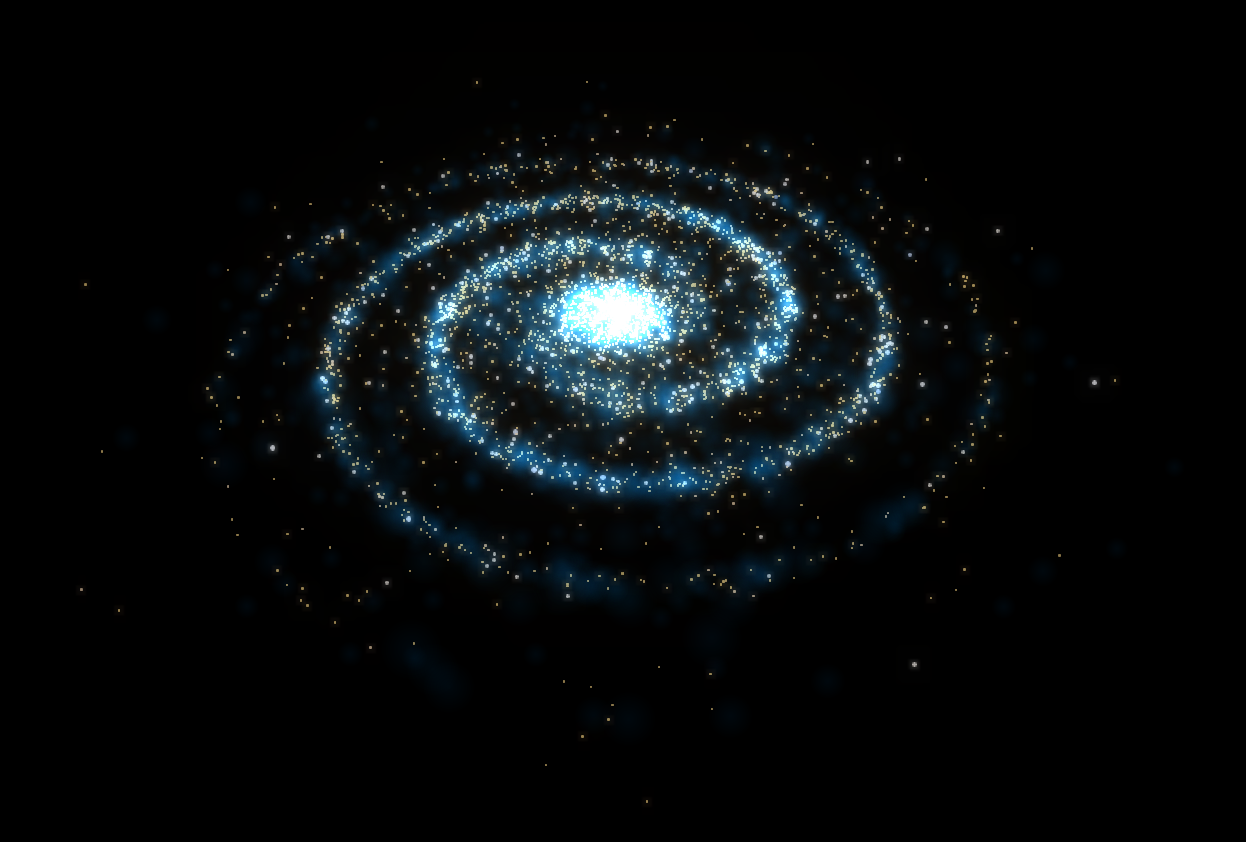
Caption: A close-up of a star cluster. 🌟🔍💫

This project is licensed under the MIT License - see the LICENSE file for details. 📜✅💻
- Three.js Documentation
- Thank you to @TheScreamingFedora for setup ! 🌌🙏✨
Feel free to share your feedback or open issues for bug reports and feature requests! 💡📬🌟