The most powerful Finder right-click menu enhancer for macOS
Batch rename, compress, convert images, create files, open terminal — all from one elegant right-click.


Features · Install · Screenshots · Contributing
macOS Finder's right-click menu is limited. Super RClick transforms it into a productivity powerhouse — batch rename files, compress archives, convert images, create new files, open terminal, and more. All from one elegant right-click.
🆓 Free & Open Source — No subscriptions, no tracking, no nonsense.
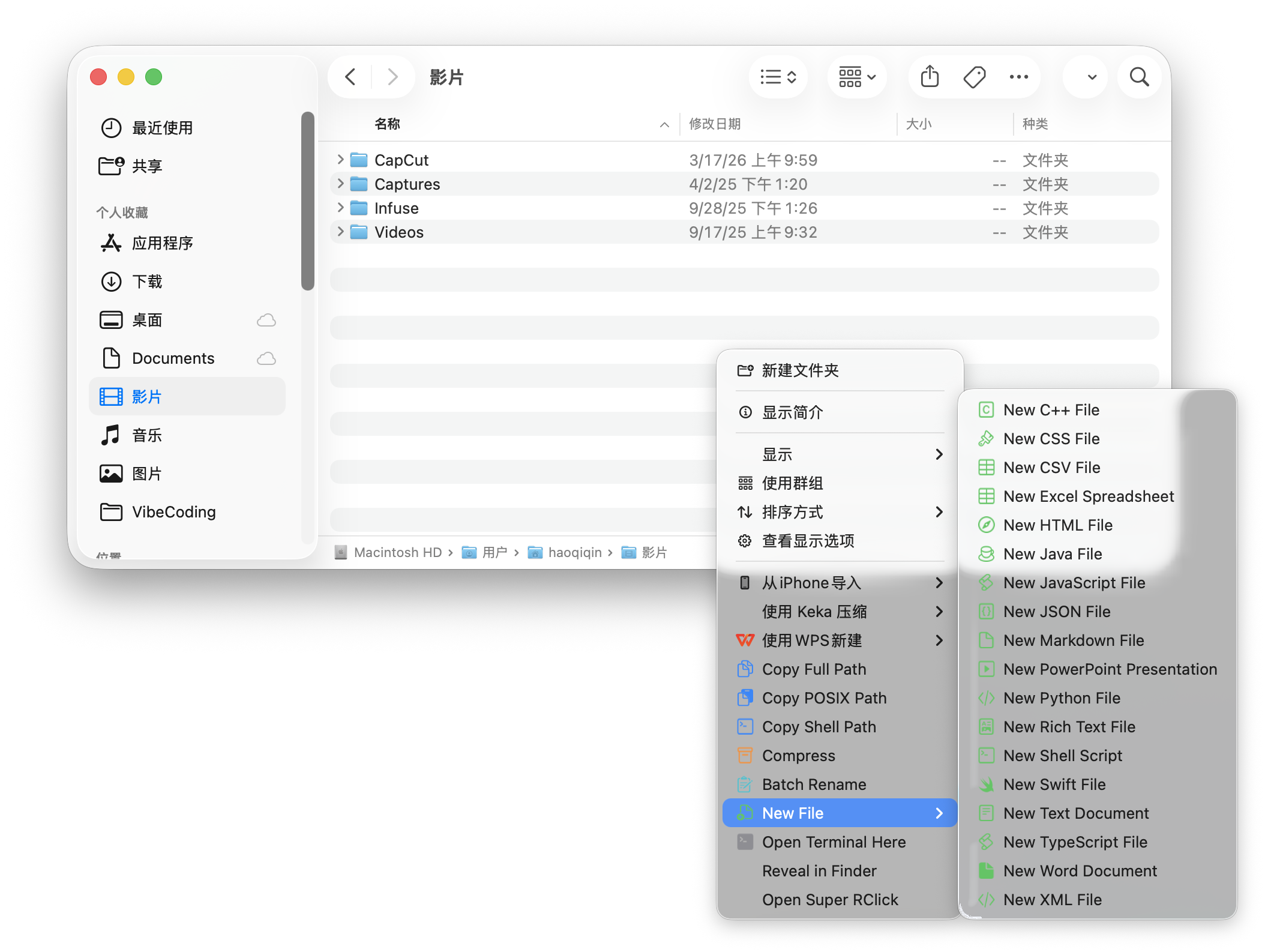
- Copy Path — Copy full path, POSIX path, or shell-escaped path with one click
- Open Terminal Here — Open Terminal directly in any Finder folder
- Compress Items — Quickly archive selected files & folders to ZIP with progress bar
- Quick Jump to Directory — Enter any path and jump directly in Finder
- AI File Processing — Analyze file contents and auto-generate intelligent filenames or tags based on context
- LLM Provider Integration — Natively integrate Cloud AI streams including OpenAI, Zhipu, Moonshot, custom endpoints, and Local Ollama servers
- Local On-Device AI — Complete offline privacy utilizing built-in macOS Vision/CoreML frameworks
- Local Image OCR — Extract text directly from images securely without uploading to the cloud
- Local Background Removal — Effortlessly extract objects from images with transparent backgrounds completely offline
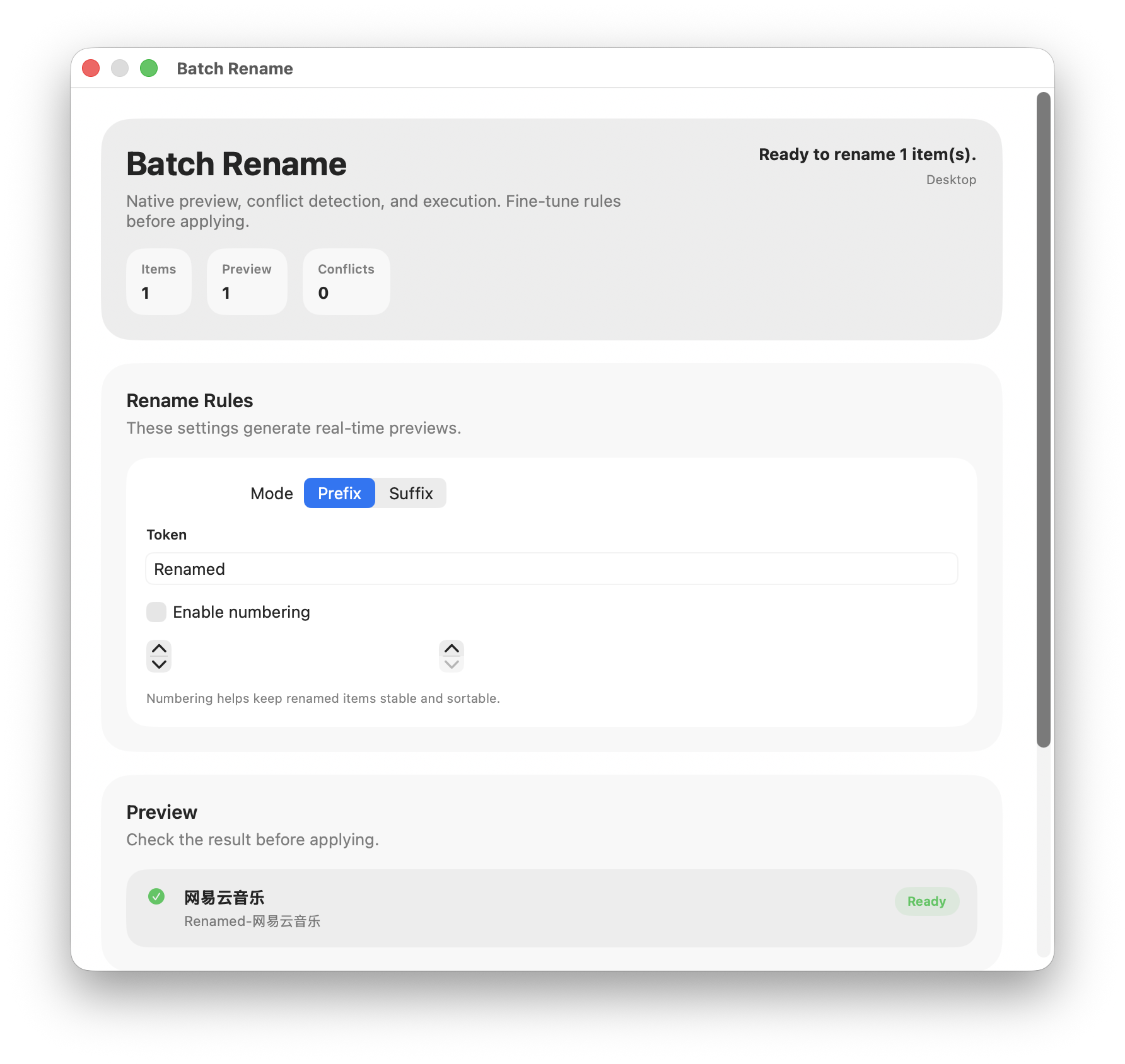
- Three rename modes: prefix, suffix, and find & replace
- Smart numbering with customizable start, step, and zero-padding
- Real-time preview with conflict detection
- Works from Finder right-click or MenuBar with file picker
- Convert between PNG / JPEG / TIFF / HEIC formats
- One-click format selection via Finder submenu
- Progress indicator with completion notification
- Output saved alongside original files
- Create files instantly:
.txt,.md,.py,.json,.html,.css,.js,.ts,.csv,.xml,.yaml,.sh,.swift,.java,.docx,.xlsx,.pptxand more - Supports 20+ file types including Office documents, code files, and config files
- Organized submenu — no more creating files from Terminal
- Custom Actions — Create your own right-click menu commands
- Toggle Visibility — Show/hide menu items as needed
- Workspace Management — Monitor and manage multiple directories
- MenuBar Quick Access — All tools accessible from the menu bar
- Multilingual UI — English and Chinese support
- Go to Releases and download the
.dmgfile - Open the DMG and drag Super RClick into Applications
- Launch the app
- Enable the Finder extension: System Settings → Privacy & Security → Extensions → Finder Extensions → Super RClick
git clone https://github.com/CalvinQin/SuperRClick.git
cd SuperRClick
open SuperRClick.xcodeproj
# Build & Run with Xcode (⌘R)- macOS 15.0 (Sequoia) or later
- Enable Finder extension in System Settings after first launch
All your power tools, one right-click away.
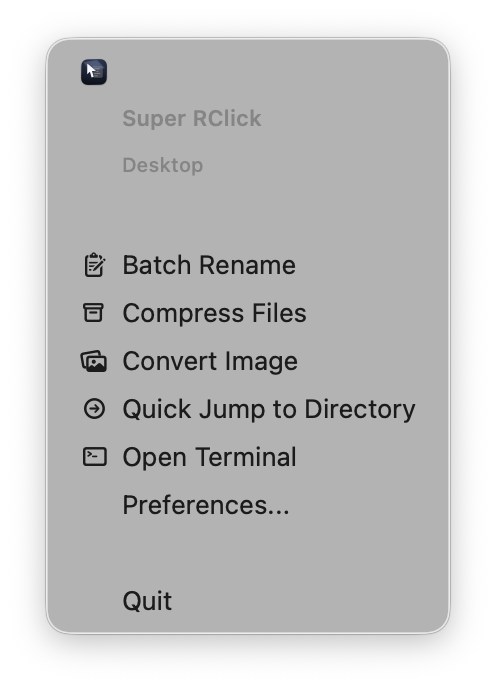
Quick access to batch rename, compress, convert, jump, and terminal — without opening Finder.
Rename multiple files with prefix, suffix, or replace mode. Real-time preview with conflict detection.
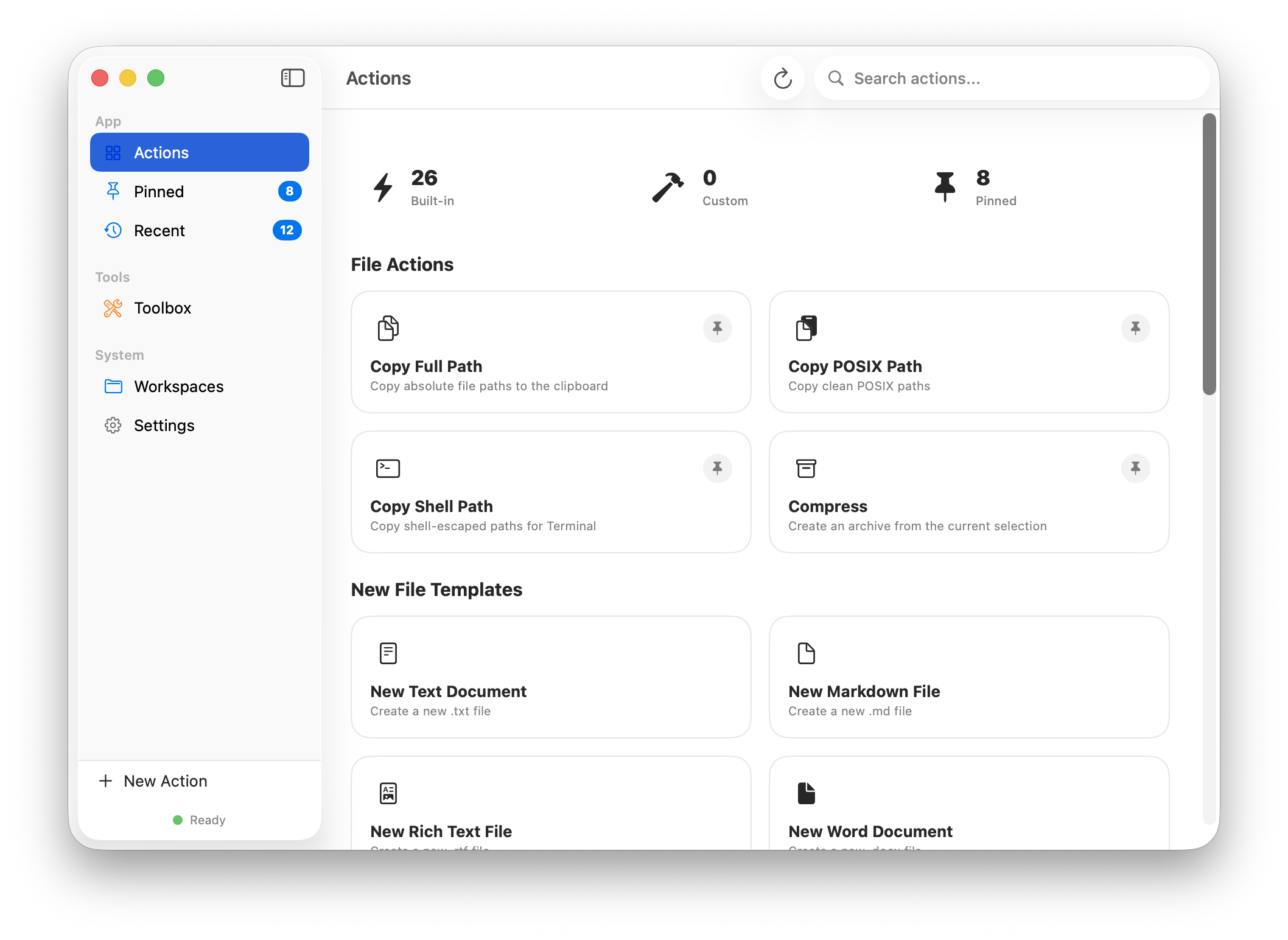
Manage all actions, create custom commands, and configure your workspace.
Contributions are welcome! Feel free to open issues or submit pull requests.
If you find Super RClick useful, please ⭐ star this repo — it helps others discover it!
Made with ❤️ by @CalvinQin
