Adds edit icon to highlighted content in the page. #875
Conversation


Towards #618

Signed-off-by: Abijeet <abijeetpatro@gmail.com>

 ssddanbrown
left a comment
ssddanbrown
left a comment
ssddanbrown
left a comment
There was a problem hiding this comment.
Thanks @Abijeet for taking this on, Works well on the WYSIWYG editor.
Markdown Editor
In regards to your comments on the markdown editor I think it will be good to have some solution for it, even if not fully accurate. Maybe instead of the current hash in the url we pass two params: content-id & content-text where is the ID of the edited section and text is the first 5 words of that block.
In WYSIWYG we use the id but in Markdown we get the content, split on newlines, find first line with containing the text param, then scroll to that line number. So pretty much same as your solution but without re-creating the text or scanning codemirror DOM elements.
Design
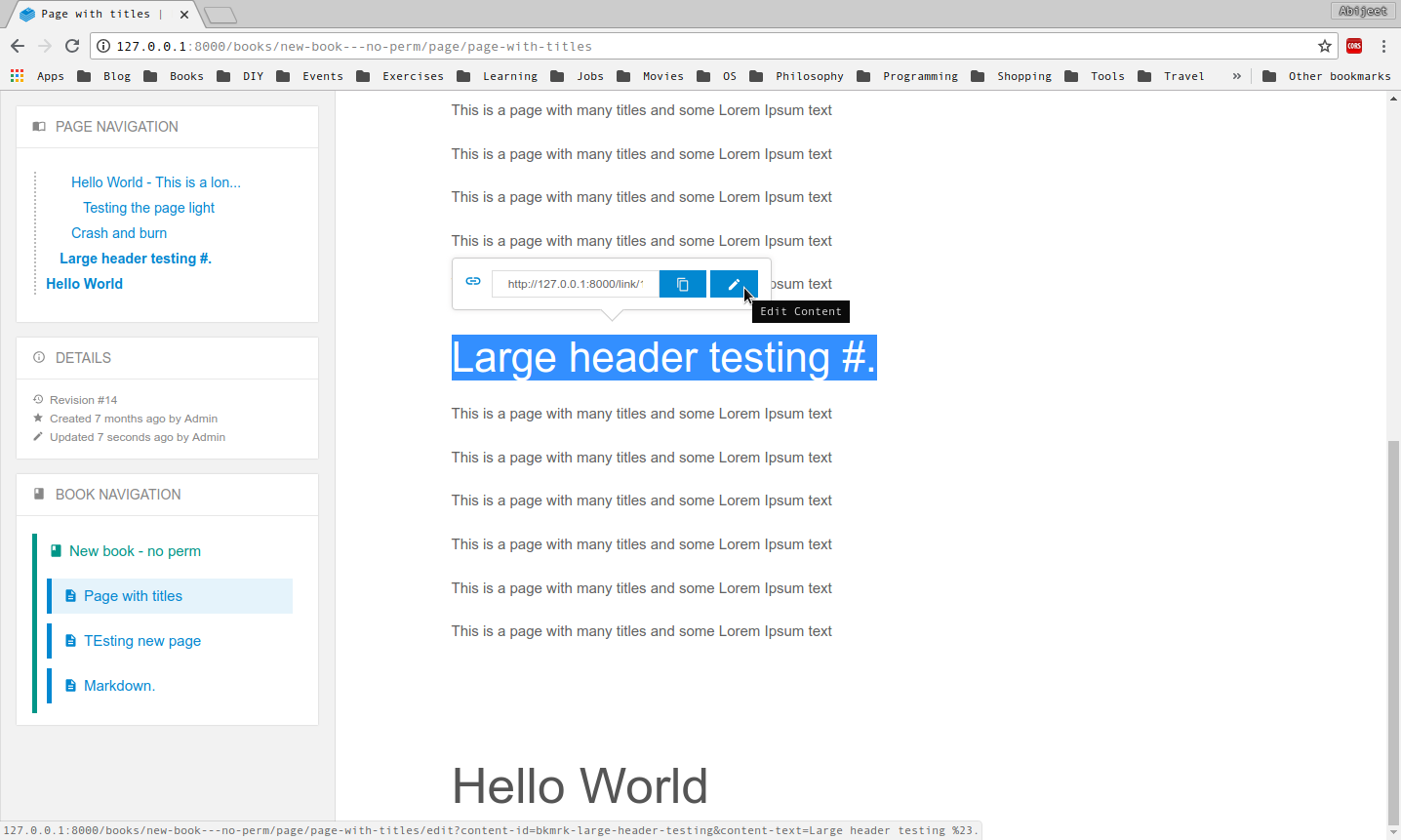
In regards to the design I'd prefer too keep the content-display free of any hover-appearing elements to prevent reading distractions. I was thinking it could be part of the pop-over that's shown on block select? That way this system could be on all elements instead of just headers and it keeps it distraction free?
Let me know your thoughts.
| } | ||
| setupEditOnHeader() { | ||
| const headingEditIcon = document.querySelector('.heading-edit-icon'); | ||
| if (headingEditIcon.length === 0) { |
There was a problem hiding this comment.
querySelector will return null on not found instead of being a zero-length iterable.
There was a problem hiding this comment.
This code was no longer needed but thanks.
| if (scrollToText) { | ||
| setTimeout(() => { | ||
| window.$events.emit('editor-scroll-to-text', scrollToText); | ||
| }, 1000) |
There was a problem hiding this comment.
I'm assuming the time-out is to wait for the editors to be ready?
Would be ideal to have this not-timeout based, Maybe just get the hash on the init/setup functions of both editors instead?
There was a problem hiding this comment.
Changed the code. Handling the URL and scrolling within the components.
Signed-off-by: Abijeet <abijeetpatro@gmail.com>
Signed-off-by: Abijeet <abijeetpatro@gmail.com>
Signed-off-by: Abijeet <abijeetpatro@gmail.com>
Signed-off-by: Abijeet <abijeetpatro@gmail.com>
Signed-off-by: Abijeet <abijeetpatro@gmail.com>
|
@ssddanbrown - I've made the modifications and added the code to add functionality to scroll for the markdown editor. I've been able to add the edit link to paragraphs and headings. Since we're using content for Markdown editor, if two lines have the same content, the first line having the content will be scrolled to. Here's how it looks now,
I don't like this a lot. I feel it reduces "discoverability", but I agree with your point of keeping a distraction free reading experience so I've moved it there for now. |
 Abijeet
changed the title
Abijeet
changed the title
Abijeet
changed the title
Abijeet
changed the title


|
Thanks @Abijeet for making the changes, All looked good on my side so merged. Only done a small tweak on my side to the markdown bit to take advantage of using
Yeah, I agree it's not too discoverable but at least it's there for power-users and it's no longer distracting. Can always change this if we think of a better solution. |


Towards #618
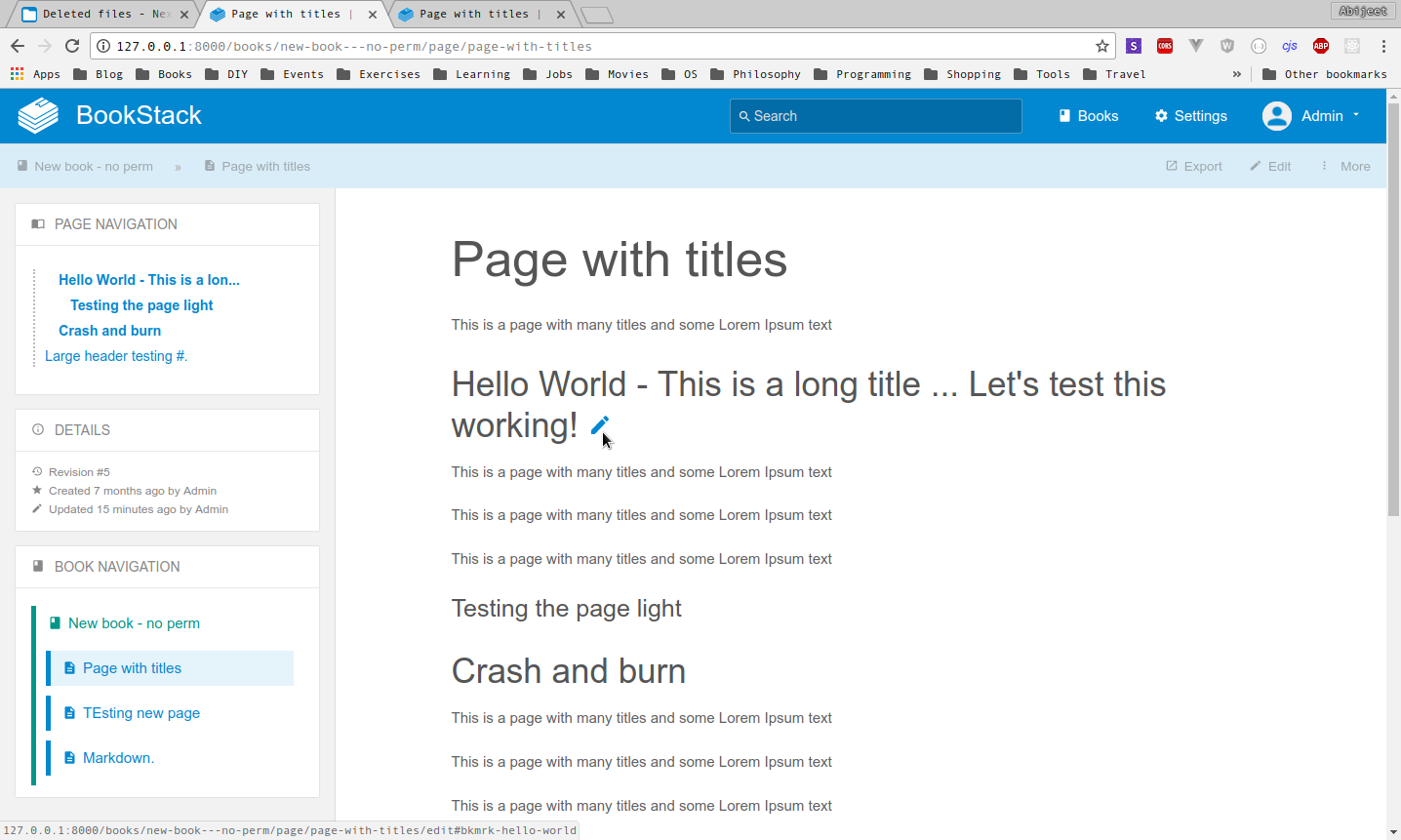
This adds an edit icon next to each header in the page. On clicking of this edit icon, the editing window is opened and the header text is put in focus. This works on the WYSIWYG editor.
Not sure how to implement it on the Makrdown editor as the headings in the markdown editor have no unique ID associated with them. One option is to disable the edit icon if the application editor is set to Markdown. Another not very flexible option is,
cm-header, and find the one that contains text that starts with the above.CodeMirror-linenumberelement, which is sort of a cousin to this element. Get the line number inside it.scrollIntoView(https://codemirror.net/doc/manual.html#scrollIntoView) to scroll the line into view.@ssddanbrown, What do you think?
How does it look?
The edit icon appears only on hover.
Signed-off-by: Abijeet abijeetpatro@gmail.com