AI-Powered At-Home Exercise Systems for Older Adults
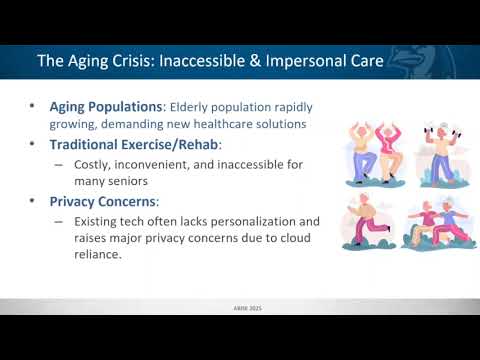
The ARISE project aims to develop an AI-powered at-home exercise system for older adults. The system will utilize pose estimation and voice interaction to provide real-time feedback and coaching during exercise sessions. The goal is to enhance the safety and effectiveness of at-home exercise routines for elderly users. The project will involve the integration of lightweight pose estimation models, offline automatic speech recognition, local large language models, and text-to-speech systems to create a seamless user experience. The system will be designed to run on low-power SBCs like the Raspberry Pi 5 and NVIDIA Jetson Nano, making it accessible for home use. The project will also focus on user customization, allowing for personalized exercise routines and feedback based on individual user profiles. The final system will be tested with real users to gather feedback and improve the overall experience.
The research plan outlines the tasks and goals for each week of the project. The plan is divided into 10 weeks, with specific objectives for each research assistant (RA) involved in the project. The tasks include setting up the technical environment, developing prototypes, integrating voice and pose components, and conducting user testing. The plan also includes milestones for evaluating progress and making necessary adjustments to the project. Link to the Research Plan for detailed tasks and deliverables for each week. The project will be conducted in a collaborative environment, with regular meetings and updates to ensure alignment among team members. The final deliverable will be a fully functional AI-powered exercise system that can be used by older adults in their homes.
- Value proposition:
- Personalized, Adaptive Exercise Guidance: Tailored routines and real-time feedback for improved mobility and fall risk reduction.
- Enhanced Privacy & Security: All processing occurs locally, eliminating cloud reliance and ensuring HIPAA compliance.
- Accessibility & Affordability: Deployed on a cost-effective edge platform (Raspberry Pi 5 + Hailo-8 NPU).
- Natural & Engaging Interaction: Intuitive voice-based conversational AI for ease of use.
- Real-time Responsiveness: Minimized latency through dedicated computing accelerator and scheduling algorithm to ensure immediate feedback and a seamless user experience.
- Customer Segments:
- Primary: Elderly individuals (65+ years old) living independently or with family, concerned about mobility and fall prevention.
- Secondary: Family members and caregivers of elderly individuals, seeking supportive home healthcare tools. Rehabilitation clinics and assisted living facilities.
- A 90-second product video:
The technical setup for the project involves the following components:
- Hardware: Raspberry Pi 5, camera for pose estimation, microphone for voice interaction.
- Software: Python, TensorRT, PyTorch, lightweight pose estimation models (YOLOv8/11-Pose), ASR (Vosk), local LLM (llama.cpp), TTS (Kokoro).
- Libraries: OpenCV for video processing, NumPy for numerical computations, PyTorch for deep learning.
- Development Environment: Jupyter Notebook for prototyping, Git for version control, Docker for containerization.
- Testing Environment: Simulated elderly users (faculty/friends) for initial testing, followed by real user testing.
- Documentation: Markdown files for project documentation, Jupyter Notebooks for code examples and tutorials.
- Communication: Slack or Teams for team communication and updates.
- Backup: Regular backups of code and data to prevent loss.
- User Testing: Plan for user testing sessions, including recruitment of elderly participants, consent forms, and feedback collection.
- Feedback Loop: Establish a feedback loop for continuous improvement based on user input and testing results.
Add models to models/ directory for seamless integration
- Llamma cpp LLM -> SmolLm from Hugging Face
- VOSK STT -> Vosk-small from Vosk
- Kokoro Onnx TTS -> kokoro-onnx & voices.bin from GitHub
- Ultralytics Pose-tracking -> yolo11n-pose from GitHub (Exported to OpenVino format)
- (Optional) Hailo-8 Pose-tracking -> yolov8m_pose from Hailo Model Zoo
A Python virtual environment with packages listed in the requirements.txt is needed for running the ARISE system. Currently, the system has been tested to run on Python 3.11+
-
Create a new Python virtual environment:
$ python -m venv ./ARISE_venv
Then activate the environment:
- Linux / Raspberry Pi 5:
$ source ./ARISE_venv/bin/activate- Windows:
ARISE_venv\Scripts\activate -
Install requirements on your OS to the virtual environment
$ pip install -r requirements.txt
-
Download and export the Ultralytics YOLOv11 Pose model to OpenVino format
Export the model:
$ yolo export model=yolo11n-pose.pt format=openvino imgsz=320Then move the output folder
yolo11n-pose_openvino_model/intomodels/with the other downloaded models. -
Run the ARISE system either as a conversational standalone backend or with the interactive user interface
$ python -m runnables.main
Navigate to the
UI/clientdirectory with:$ cd UI/clientThen install modules and build the frontend UI:
$ npm install
$ npm run build
or
$ yarn install
$ yarn build
Once the build has finished from the client directory, start the server from
UI/serverdirectory:$ cd ../serverThen run:
$ uvicorn main:app --reload
The web interface should be locally hosted and running on localhost. Follow the URL in the terminal to open the webpage in your browser.
In order to run the ARISE system using the Hailo-8 NPU for Computer Vision inferencing, you must set up your system environment with HailoRT. Follow instructions from the Hailo Developer Zone to install HailoRT and pyHailoRT on your system. Using this method to run the ARISE system does not support use of the Interactive User Interface.
-
Ensure the yolov8m_pose.hef model is placed in your
models/directory. -
Set the flag near the top of
YOLO_Pose/yolo_threaded.pytoHAILO=1to enable offloading of inferencing to your Hailo-8 device.- Set
HAILO_METHOD=QUEUEDto improve processing speeds with queues - Set
HAILO_METHOD=SYNCHRONOUSto block for inferencing on the thread
- Set
-
Run the standalone backend
$ python -m runnables.main