


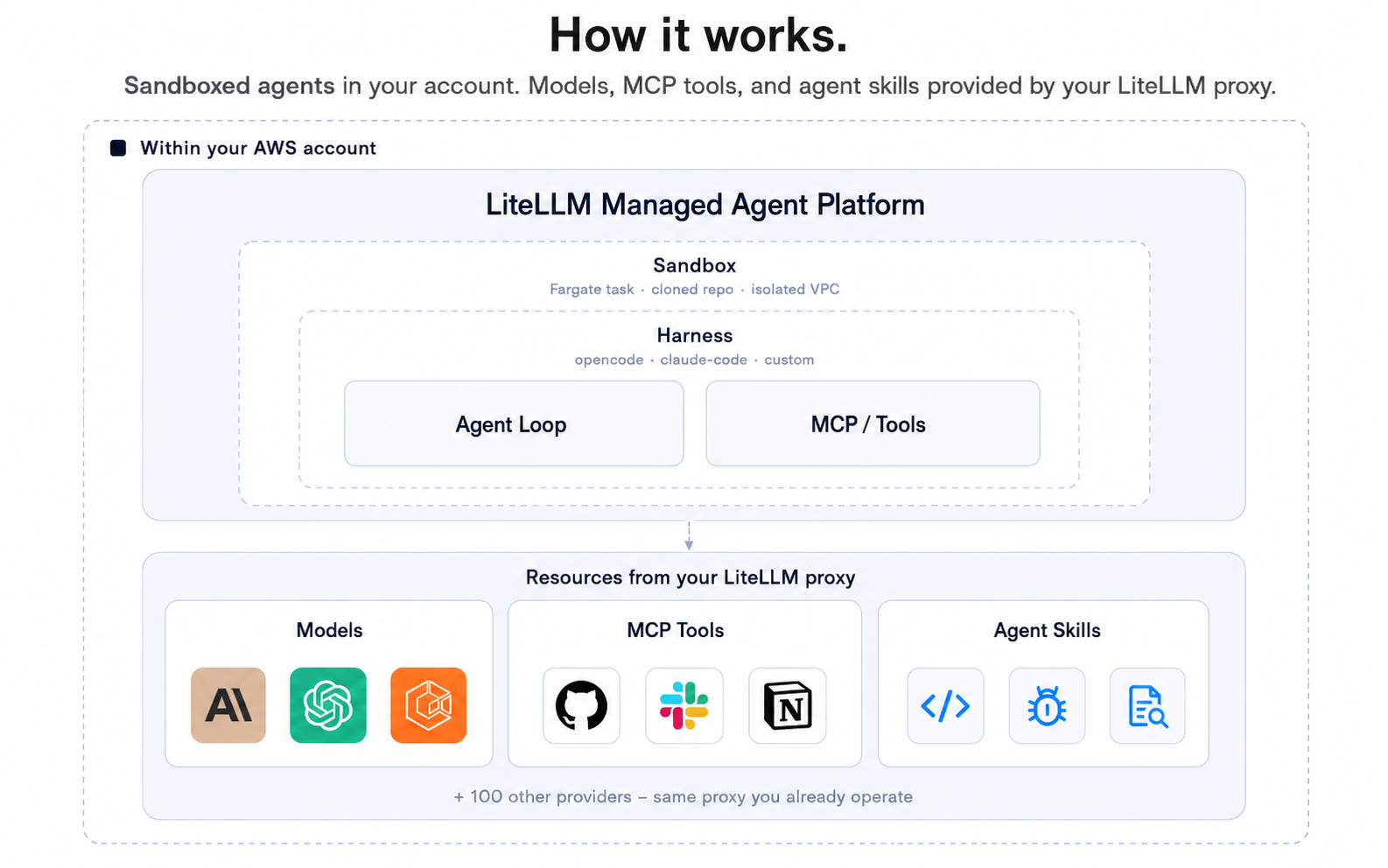
LiteLLM Agent Platform is self-hosted infrastructure for running coding agents — Claude Code, Codex, Hermes anything — inside isolated sandboxes with a credential vault, so agents can run with bypass-permissions on without ever seeing your real keys. Use it from the lap CLI in your terminal, the web UI, or call the API directly.
Learn more in the docs.

Note
The lap CLI talks to a running instance of LiteLLM Agent Platform. To self-host the platform itself, jump to Self-hosting.
-
Install the
lapCLI:git clone https://github.com/BerriAI/litellm-agent-platform.git cd litellm-agent-platform/cli && npm install ln -sf "$PWD/bin/lap.mjs" ~/.local/bin/lap
-
Point it at your platform:
lap login
-
Open a sandbox:
lap claude-code-cli1
That spins up a fresh Kubernetes pod running Claude Code, attaches your local terminal to its TTY over a WebSocket, and drops you straight into the agent. The pod's env contains only stub credentials (e.g. GITHUB_TOKEN=stub_github_a8f1); the vault swaps them for real keys on every outbound TLS connection. Press Ctrl-D to detach; the session stays alive for 24h. See docs/lap-cli.md for the full CLI.
▶ Demo: setting up codex and claude-code sandboxes · ~5 min
End-to-end walkthrough: create an agent, open a sandbox from the lap CLI, attach a local terminal, run codex / claude-code inside.
| Harness | Quickstart |
|---|---|
| Claude Code | docs.litellm-agent-platform.ai/quickstart/claude-code |
| Codex | docs.litellm-agent-platform.ai/quickstart/codex |
| Hermes | docs.litellm-agent-platform.ai/quickstart/hermes |
Sandboxes run on Kubernetes via the kubernetes-sigs/agent-sandbox CRD. Local dev uses kind.
Prereqs: Docker Desktop, kind, kubectl, helm, a LiteLLM gateway URL.
bin/kind-up.sh
docker compose up
bin/kind-up.sh is idempotent — provisions a kind cluster agent-sbx, installs the agent-sandbox controller, and loads the harness image. docker compose up boots Postgres, runs the schema migration, and starts web (:3000) + worker.
Open localhost:3000 to create an agent. Then point lap at it and run through the steps above.
Architecture and tuning: docs/k8s-backend.md.
Recommended path: AWS EKS for the sandbox cluster, Render for web + worker. See deploy/ — bin/eks-up.sh provisions the cluster, the Render Blueprint at the top of deploy/render/README.md is one click.
Create an agent, open a session, send a message, read the reply — directly with curl. See docs/spawn-task-agent.md and src/server/DEVELOPER.md.
MIT — see LICENSE.