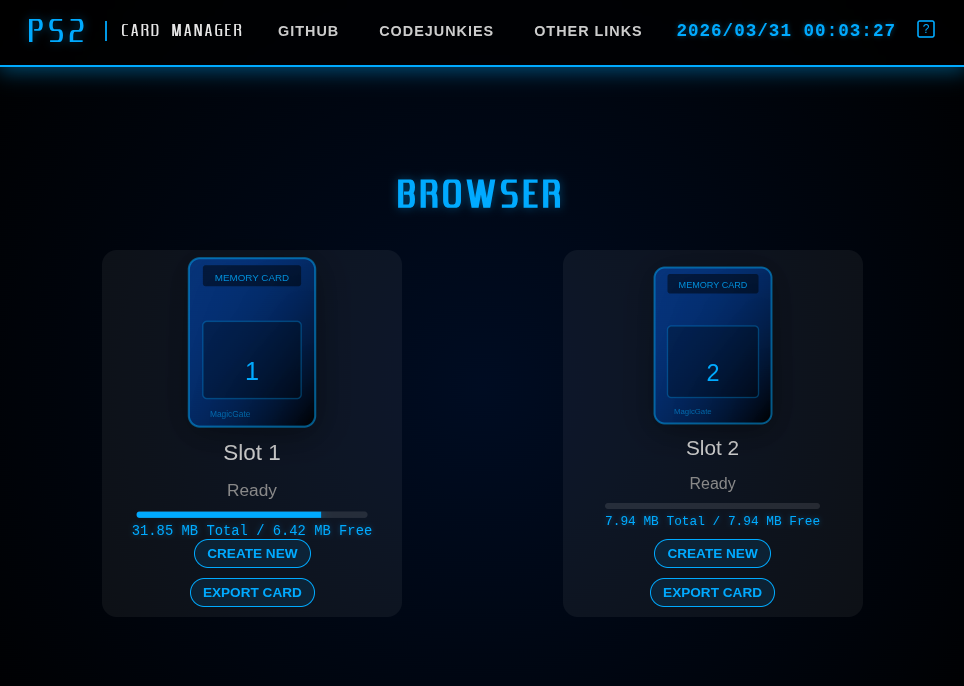
A Dart port (+ enhancements) of the PS2 memory card program 'mymc' original link, GitHub repo, a PS2 Memory Card manager originally written in Python 2.7 by Ross Ridge.
This project can be used from the command-line (try mymc usage <command> to see various example usages) or as a library (see Public API below).
Supports reading and writing PS2 Save files (.max, .psu) and standard 8 MB PS2 memory card images (.ps2),
importing and exporting saves in formats: [.psu, .max],
and converting between formats. [Note: formats .sps, .cbs may work but are not tested]
Why dart?
- Dart is a cross-platform language that can be run as a script (via the dart runtime) and can be compiled to a native binary for the following platforms: [Windows, Linux, Mac, Web Browser (Wasm or JavaScript), IOS, Android]. Dart is also the programming language used in the 'Flutter' (cross-platform, Skia-based) GUI framework.
# Compile
dart compile exe bin/dart_mymc.dart -o mymc
# run
mymc <memcard.ps2> <command> [options] [args]In the following table, <dir> refers to a folder on the memory card, <folder> refers to a folder on your computer.
| Command | Description |
|---|---|
ls <dir> |
List directory entries inside the card, or a directory inside the card. |
dir |
Show saves with titles and free space |
df |
Show free space |
format |
Format a new card image |
mkdir <dir> |
Create a directory inside the card |
remove <path> |
Remove a file or empty directory from inside the card |
import <file|folder> |
Import a save file (.psu, .max, .sps, .cbs) or a raw folder into the card |
import-all <folder> |
Import every subdirectory inside <folder> as a save |
export <dir> |
Export a save to .psu (default) or .max (-t max) |
export-files <dir> |
Extract raw files from card save directory to the current folder |
export-files -d <folder> <dir> |
Extract raw files from card save directory to a host folder |
export-all |
Extract all save <dir>s to current folder |
delete <dir> |
Delete a save directory and all its files |
rename <old> <new> |
Rename a file or directory inside the card |
add <file> |
Add a raw file to the root directory |
add -d <dir> <file> |
Add a raw file into a save directory on the card |
extract <file> |
Extract a raw file from the card |
check |
Check FAT consistency |
set |
Set mode flags of files, directories on the card |
clear |
Clear mode flags of files, directories on the card |
convert <in> <out> |
Convert between save formats (no card needed) |
create <new.ps2> <save> |
Create a new card from one or more save files |
help <command> |
Show per-command help |
usage |
Show detailed usage examples for all commands |
usage <command> |
Show detailed usage examples for a command |
# List saves on a card
mymc Mcd001.ps2 dir

# Export a save as PSU
mymc Mcd001.ps2 export -o NFL2K16.psu /BASLUS-20919NFL2K16

# Export as MAX Drive format
mymc Mcd001.ps2 export -t max -o NFL2K16.max /BASLUS-20919NFL2K16

# Export raw files from a save to a host folder
mymc Mcd001.ps2 export-files -d my_saves /BASLUS-20919NFL2K16

# Export all saves to host folders
mymc Mcd001.ps2 export-all -d my_saves

# Import a packaged save file
mymc Mcd001.ps2 import NFL2K16.psu

# Import a raw save folder directly
mymc Mcd001.ps2 import my_saves/BASLUS-20919NFL2K16

# Import all save folders from a directory
mymc Mcd001.ps2 import-all my_saves

# Convert PSU → MAX (no card needed)
mymc convert NFL2K16.psu NFL2K16.max

# Create a fresh card from a save file
mymc new.ps2 create NFL2K16.psu

# Per-command help
mymc help export
mymc Mcd001.ps2 export --helpAdd to your pubspec.yaml:
dependencies:
  dart_mymc:
    path: /path/to/dart_mymc
Import the public facade:
import 'package:dart_mymc/dart_mymc.dart';Public types in ps2card.dart
| Type | Description |
|---|---|
Ps2Card |
Main entry point — open, format, import, export, delete |
Ps2Save |
A save file in memory — load from bytes or a file map, convert to bytes |
Ps2FileInfo |
One file inside a Ps2Save: name, size, and toBytes() |
Ps2CardInfo |
Snapshot of card state: free/total bytes + save list |
Ps2SaveInfo |
Metadata for one save: dir name, title, size, modified date |
Ps2SaveFormat |
Enum: psu, max, sps, cbs |
Ps2CardIo |
I/O interface (implement for custom backends / WASM) |
FileCardIo |
dart:io-backed I/O (native use only) |
MemoryCardIo |
Uint8List-backed I/O (web-safe, no files) |
// Format a blank card in memory (web-safe)
Ps2Card card = Ps2Card.format();
// ... use card ...
Uint8List cardBytes = card.toBytes();  // get the finished image
card.close();

// Persist to disk (native only)
File('new.ps2').writeAsBytesSync(cardBytes);// From raw bytes (web-safe)
Uint8List bytes = File('Mcd001.ps2').readAsBytesSync();
Ps2Card card = Ps2Card.openMemory(bytes);Uint8List cardBytes = File('Mcd001.ps2').readAsBytesSync();
Ps2Card card = Ps2Card.openMemory(cardBytes);
try {
List<Ps2SaveInfo> saves = card.listSaves();
for (Ps2SaveInfo save in saves) {
print('${save.dirName} "${save.title}" ${save.sizeBytes ~/ 1024} KB');
}
// Or get everything at once
Ps2CardInfo info = card.info;
print('Free: ${info.freeBytes ~/ 1024} KB of ${info.totalBytes ~/ 1024} KB');
} finally {
card.close();
}Uint8List cardBytes = File('Mcd001.ps2').readAsBytesSync();
Ps2Card card = Ps2Card.openMemory(cardBytes);
try {
// From a packaged save file — format is auto-detected (.psu, .max, .sps, .cbs)
Uint8List saveBytes = File('NFL2K16.psu').readAsBytesSync();
card.importSave(saveBytes);
// Allow overwriting an existing save with the same directory name
card.importSave(saveBytes, overwrite: true);
// Persist changes back to disk
File('Mcd001.ps2').writeAsBytesSync(card.toBytes());
} finally {
card.close();
}Uint8List cardBytes = File('Mcd001.ps2').readAsBytesSync();
Ps2Card card = Ps2Card.openMemory(cardBytes);
try {
// Export as PSU (default)
Uint8List psuBytes = card.exportSave('BASLUS-20919NFL2K16');
File('NFL2K16.psu').writeAsBytesSync(psuBytes);
// Export as MAX Drive
Uint8List maxBytes = card.exportSave('BASLUS-20919NFL2K16',
format: Ps2SaveFormat.max);
File('NFL2K16.max').writeAsBytesSync(maxBytes);
} finally {
card.close();
}Uint8List cardBytes = File('Mcd001.ps2').readAsBytesSync();
Ps2Card card = Ps2Card.openMemory(cardBytes);
try {
card.deleteSave('BASLUS-20919NFL2K16');
File('Mcd001.ps2').writeAsBytesSync(card.toBytes());
} finally {
card.close();
}Ps2Save works without a card — useful for format conversion, inspection, or building
saves from raw bytes:
// Load from a packaged save file (format auto-detected)
Uint8List psuBytes = File('NFL2K16.psu').readAsBytesSync();
Ps2Save save = Ps2Save.fromBytes(psuBytes);

print(save.dirName);  // BASLUS-20919NFL2K16
print(save.title);    // ESPN NFL 2K5 NFL21Ros

// List files inside the save
for (Ps2FileInfo f in save.files) {
  print('${f.name}  ${f.sizeBytes} bytes');
  // f.toBytes() — raw bytes of the file
}

// Convert to MAX Drive format
Uint8List maxBytes = save.toBytes(format: Ps2SaveFormat.max);
File('NFL2K16.max').writeAsBytesSync(maxBytes);
// Build a save from a map of filename → bytes (web-safe)
Map<String, Uint8List> fileMap = {
'icon.sys': File('icon.sys').readAsBytesSync(),
'BADATA-SYSTEM': File('BADATA-SYSTEM').readAsBytesSync(),
};
Ps2Save save = Ps2Save.fromFiles('BASLUS-20919NFL2K16', fileMap);
// Import into a card
Uint8List cardBytes = File('card.ps2').readAsBytesSync();
Ps2Card card = Ps2Card.openMemory(cardBytes);
try {
card.importSave(save.toBytes());
File('card.ps2').writeAsBytesSync(card.toBytes());
} finally {
card.close();
}Ps2Card card = Ps2Card.format();
try {
for (String path in ['save1.psu', 'save2.max']) {
card.importSave(File(path).readAsBytesSync());
}
// Write the finished card to disk
File('new.ps2').writeAsBytesSync(card.toBytes());
} finally {
card.close();
}Implement Ps2CardIo to plug in any storage backend (e.g. for WASM or network storage):
class MyCloudIo implements Ps2CardIo {
  @override void setPosition(int offset) { ... }
  @override Uint8List read(int length) { ... }
  @override void write(Uint8List data) { ... }
  @override void flush() { ... }
  @override void close() { ... }
}

Ps2Card card = Ps2Card.fromIo(MyCloudIo());| Format | Extension | Load | Save |
|---|---|---|---|
| EMS / MemoryCard Pro | .psu |
✅ | ✅ |
| MAX Drive | .max |
✅ | ✅ |
| SharkPort | .sps |
✅ | pending |
| CodeBreaker | .cbs |
✅ | pending |
dart test          # run all tests
dart analyze       # static analysis
dart run bin/dart_mymc.dart --help- Web version git repo https://github.com/BAD-AL/mymc_web
- Used in NFL2K5 Tool web version https://github.com/BAD-AL/nfl2k5web_web
Claude and Gemini were utilized in development of this project.