A modern, feature-rich real-time chat application with voice and video calling, built with the MERN stack, Socket.IO, Agora RTC, Firebase Cloud Messaging (FCM) for web push notifications and Zustand for seamless communication.











ChatRift is a comprehensive real-time chat application that enables users to communicate through direct messages and group chats, and one-to-one voice and video calls. Built with modern web technologies, it offers a seamless messaging and calling experience with file sharing, emoji support, typing indicators, and robust user management features.
ChatRift provides a complete communication platform with user authentication, contact management, real-time messaging, voice/video calling, file sharing capabilities, and group chat functionality. The application features a clean, modern interface built with shadcn/ui components and Tailwind CSS, ensuring a responsive and intuitive user experience.Push notifications are implemented using Firebase Cloud Messaging and Firebase Admin SDK, allowing users to receive instant alerts for new messages, missed calls, and incoming calls even when the app is closed or running in the background.
| Login / Signup Page | Profile Management | New Contact Selection |
|---|---|---|
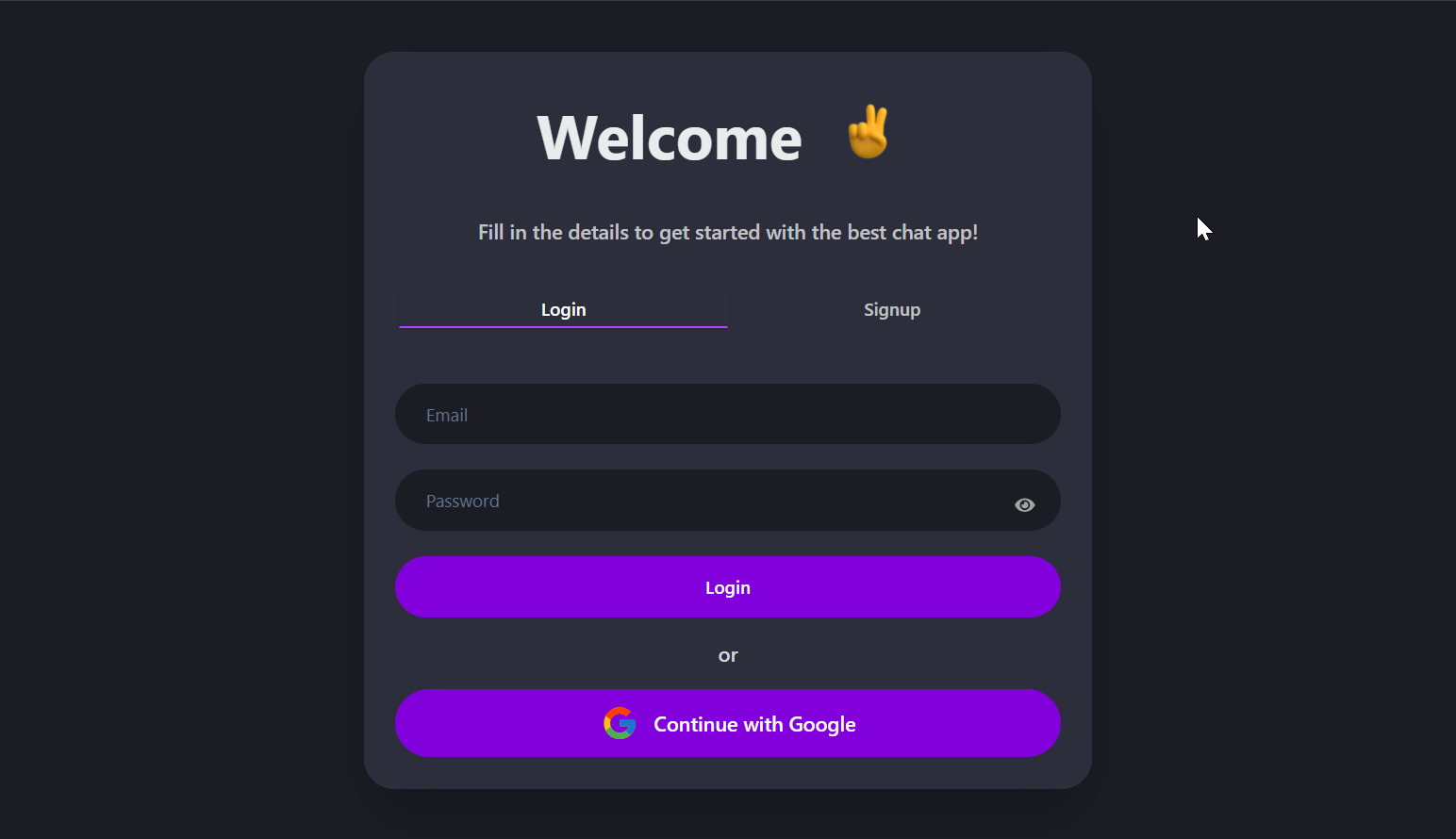 |
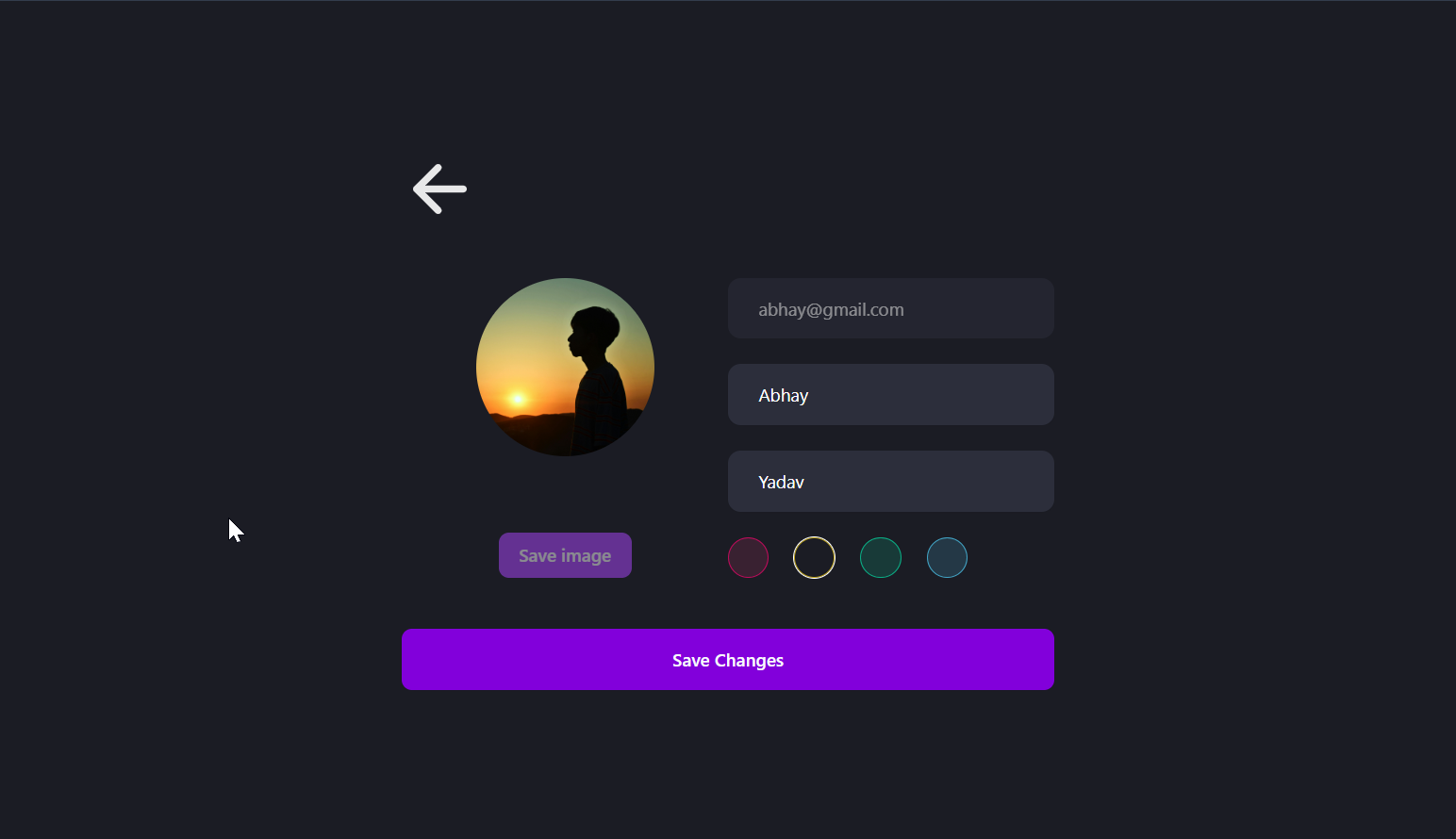 |
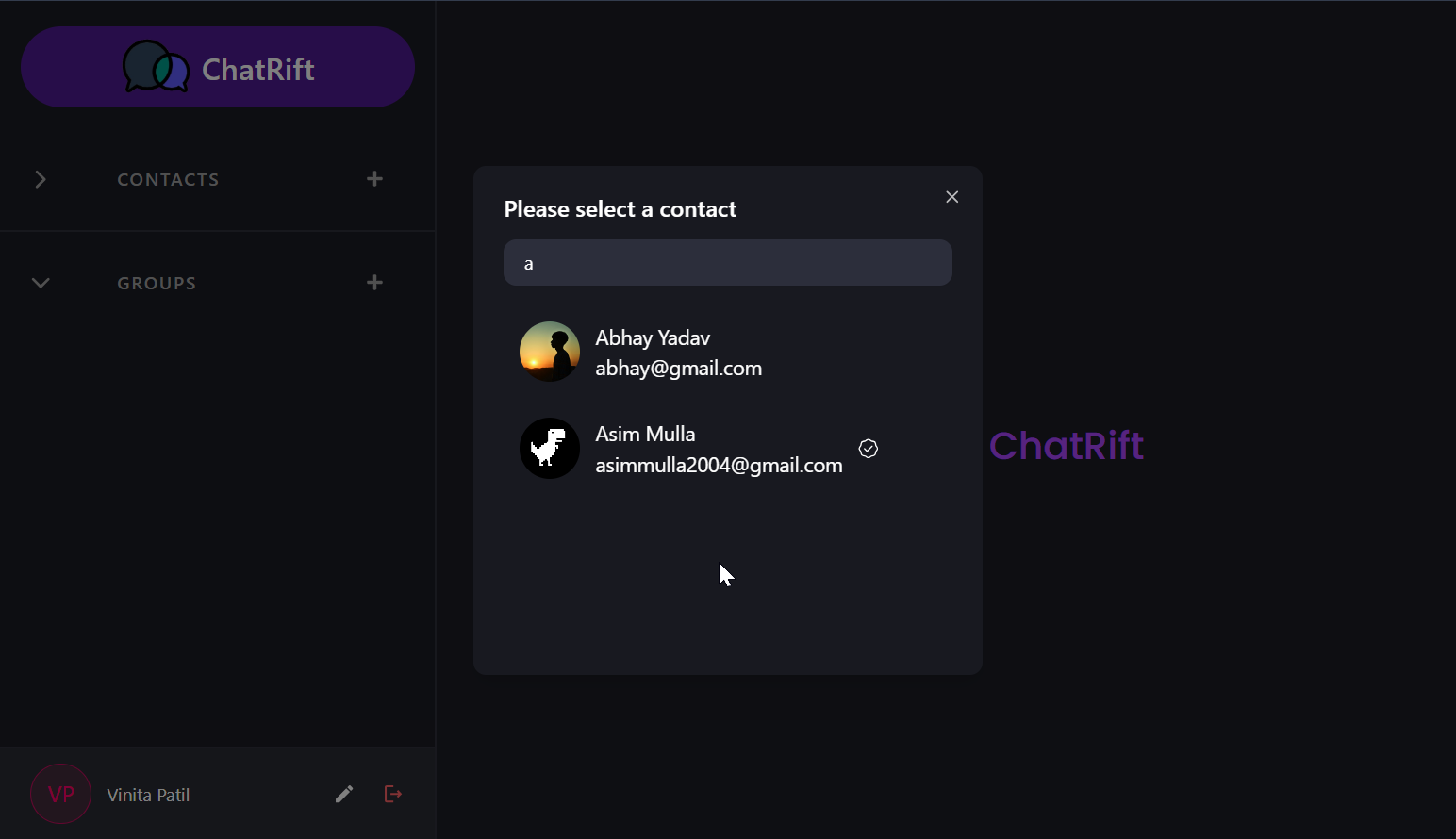 |
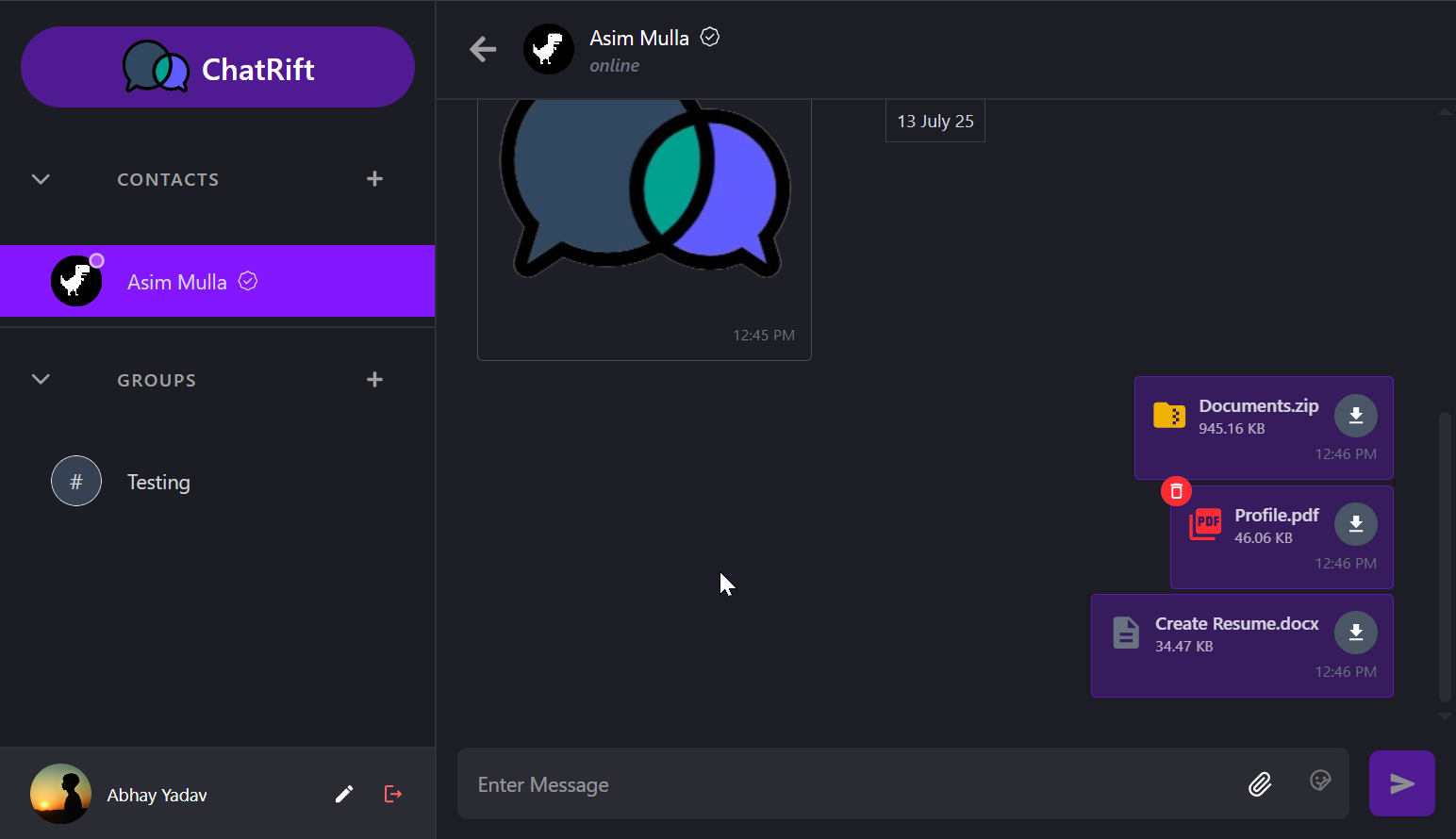
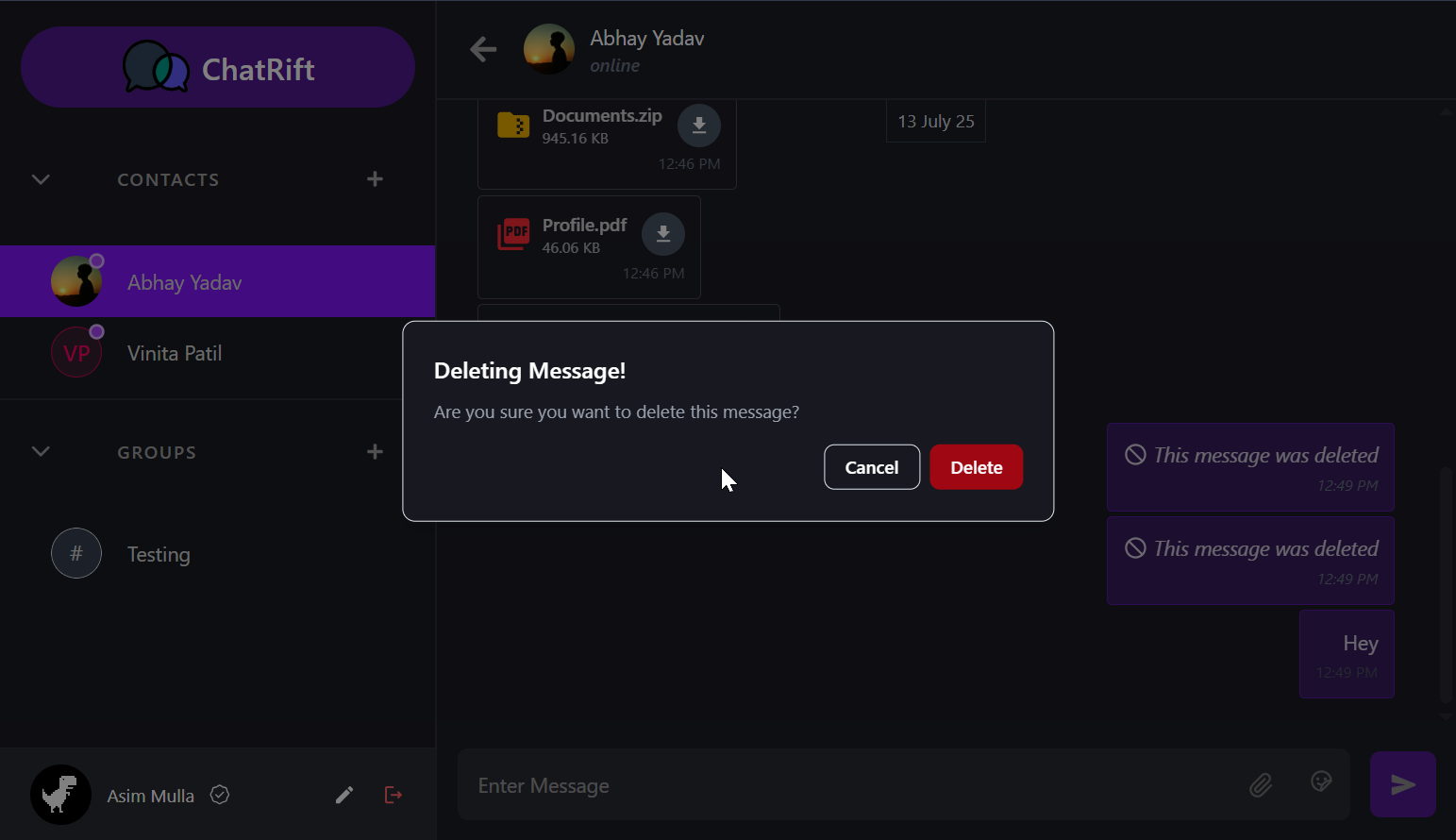
| Chat with Emoji Support | File Sharing | Message Deletion |
|---|---|---|
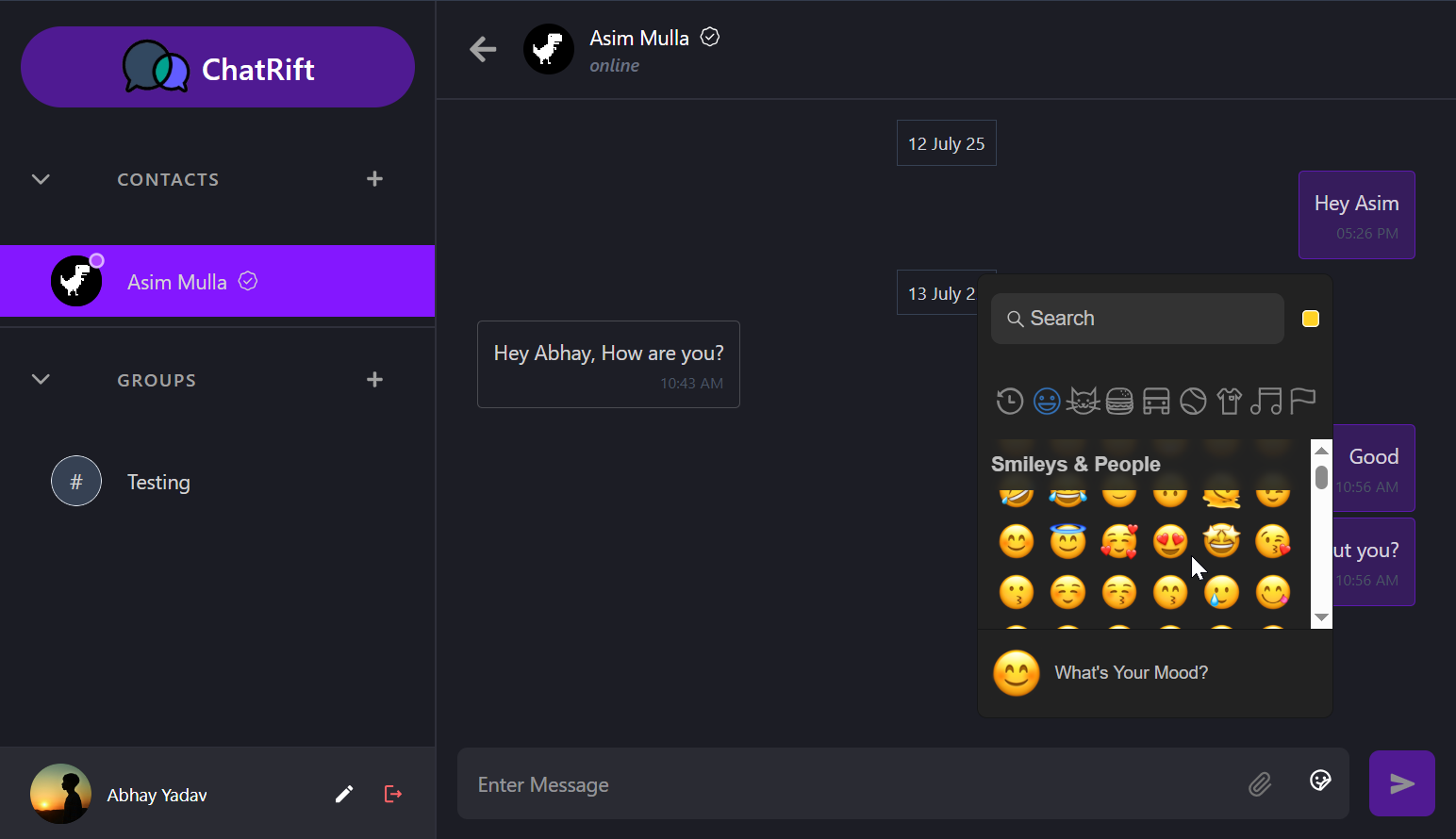 |
 |
 |
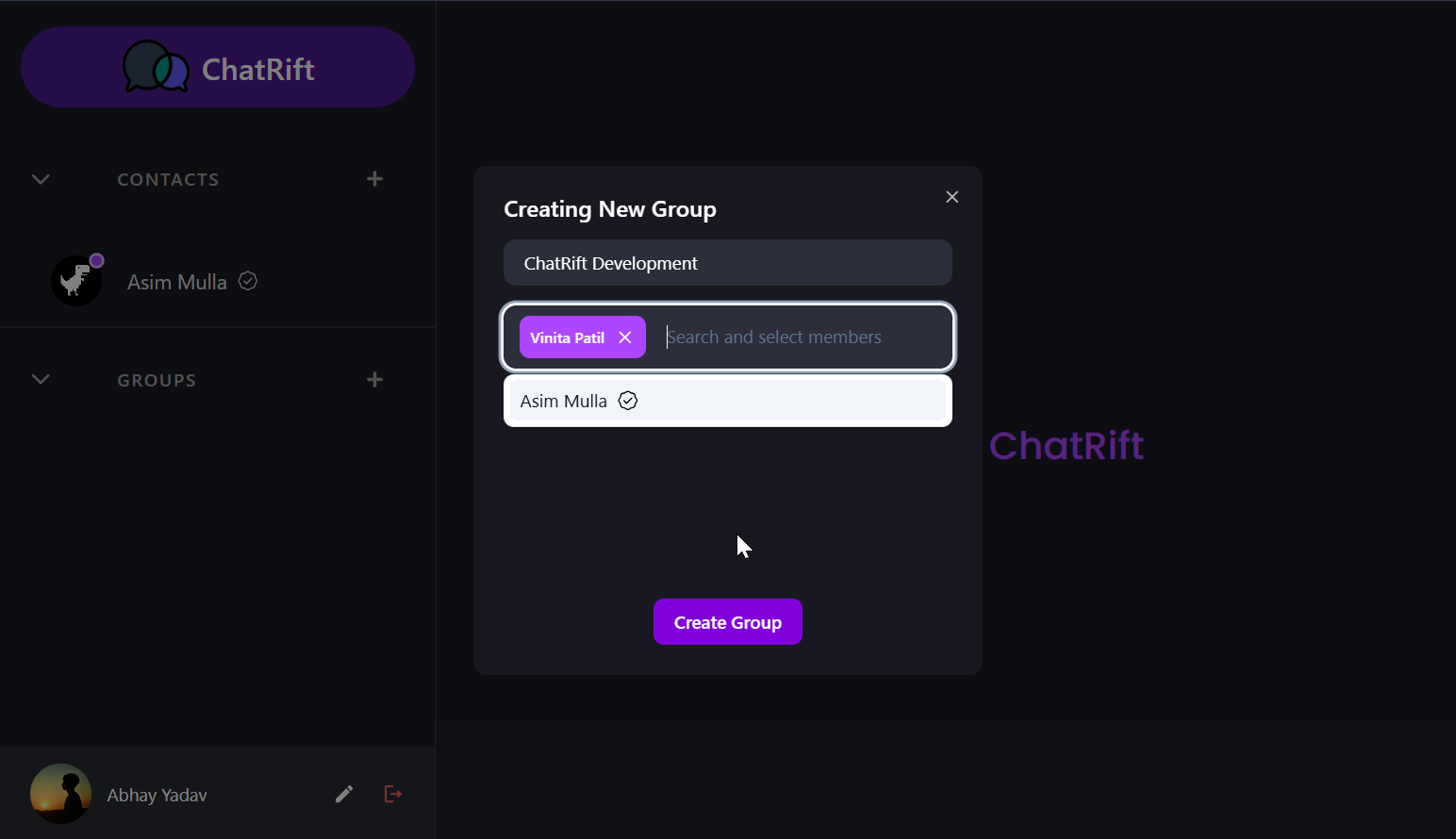
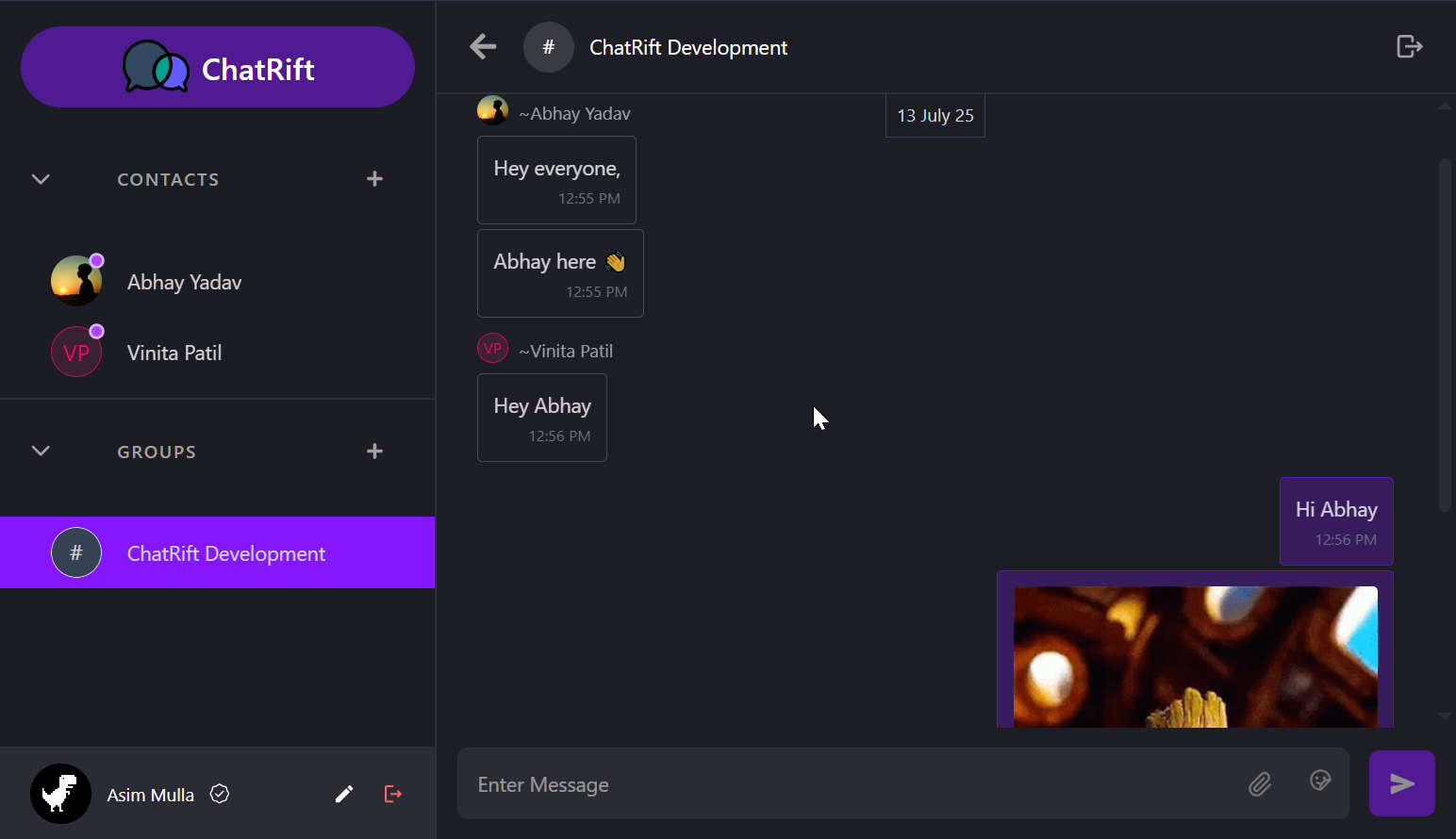
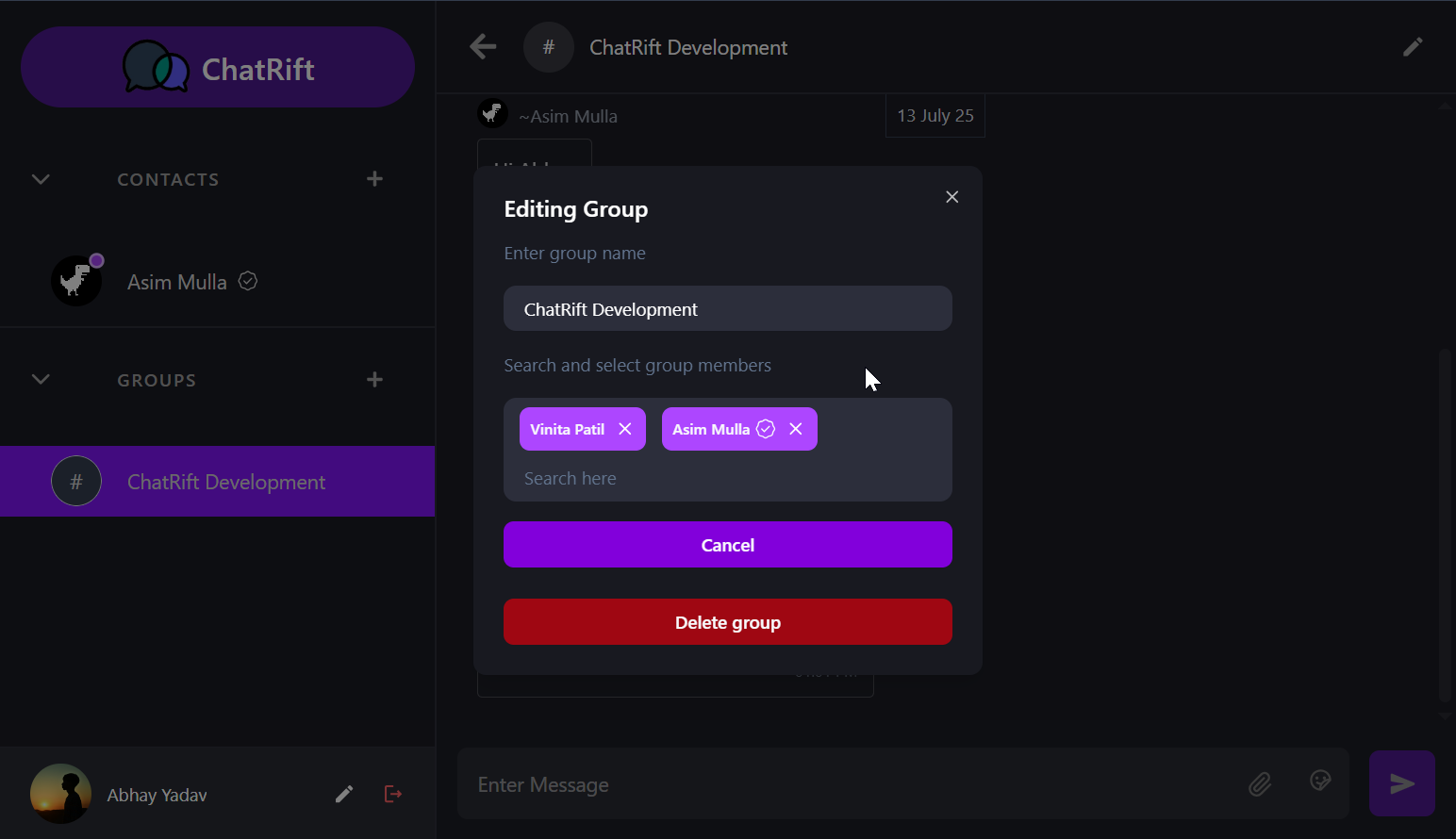
| New Group | Group Chat | Group Edit |
|---|---|---|
 |
 |
 |
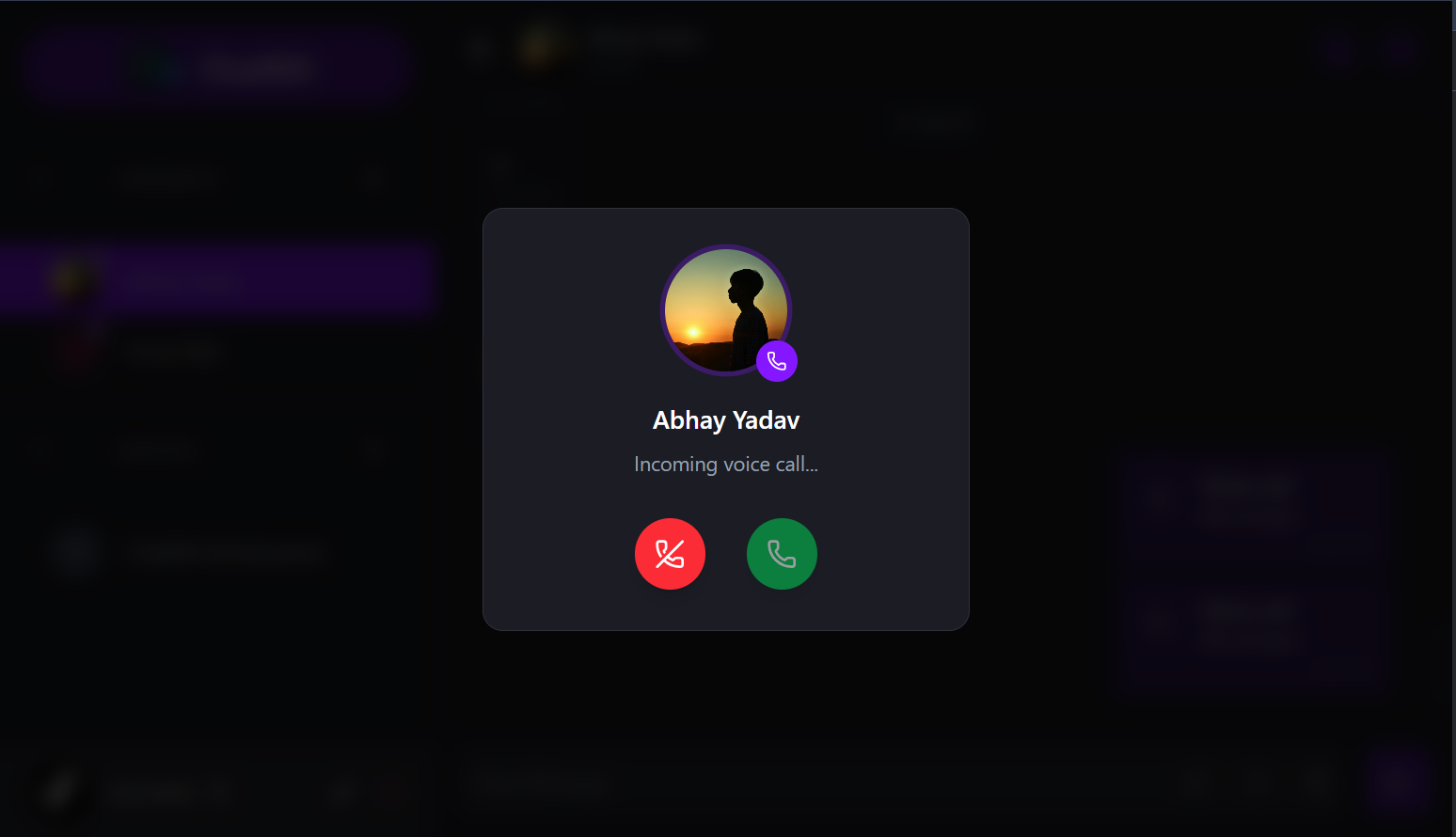
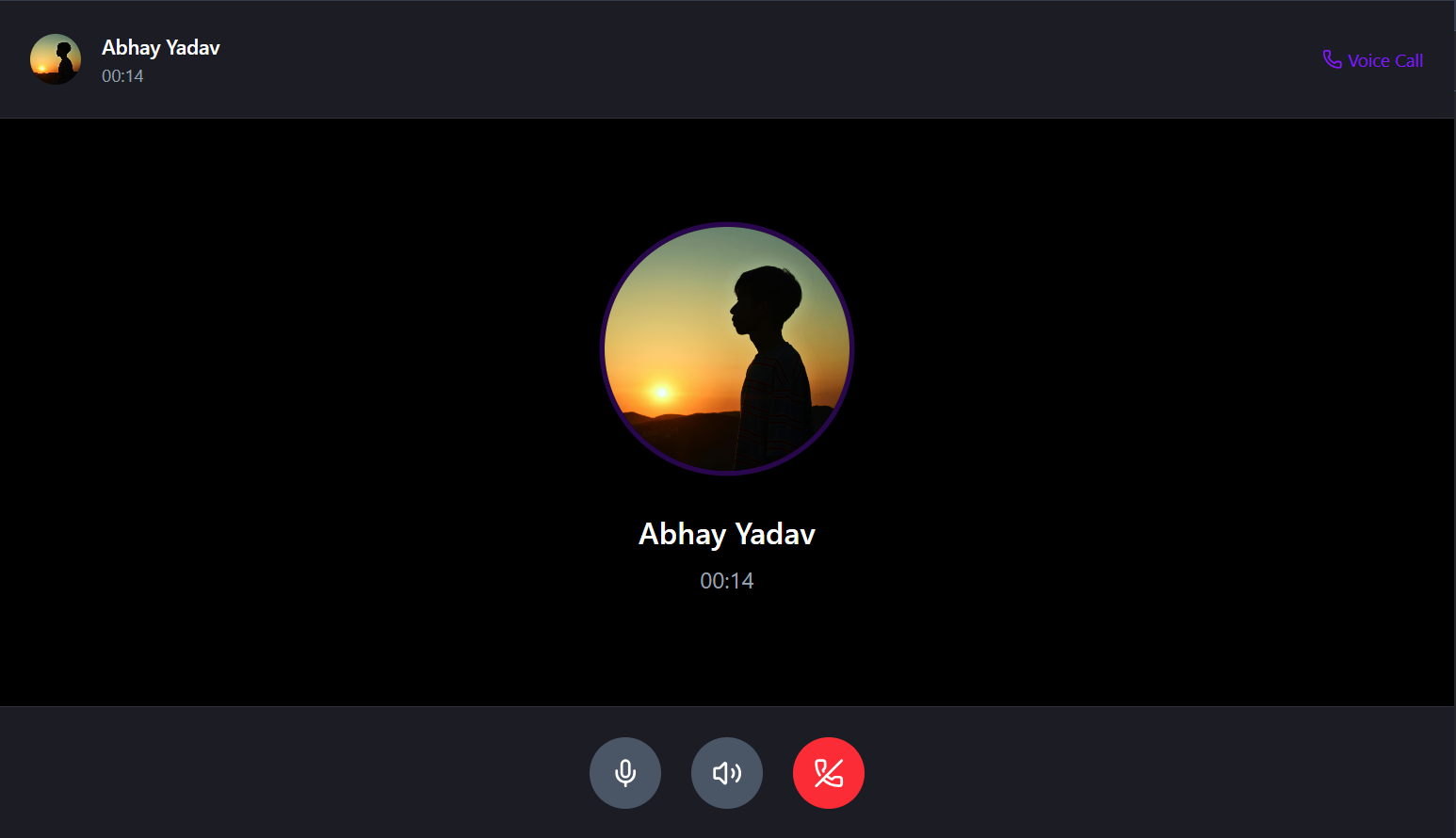
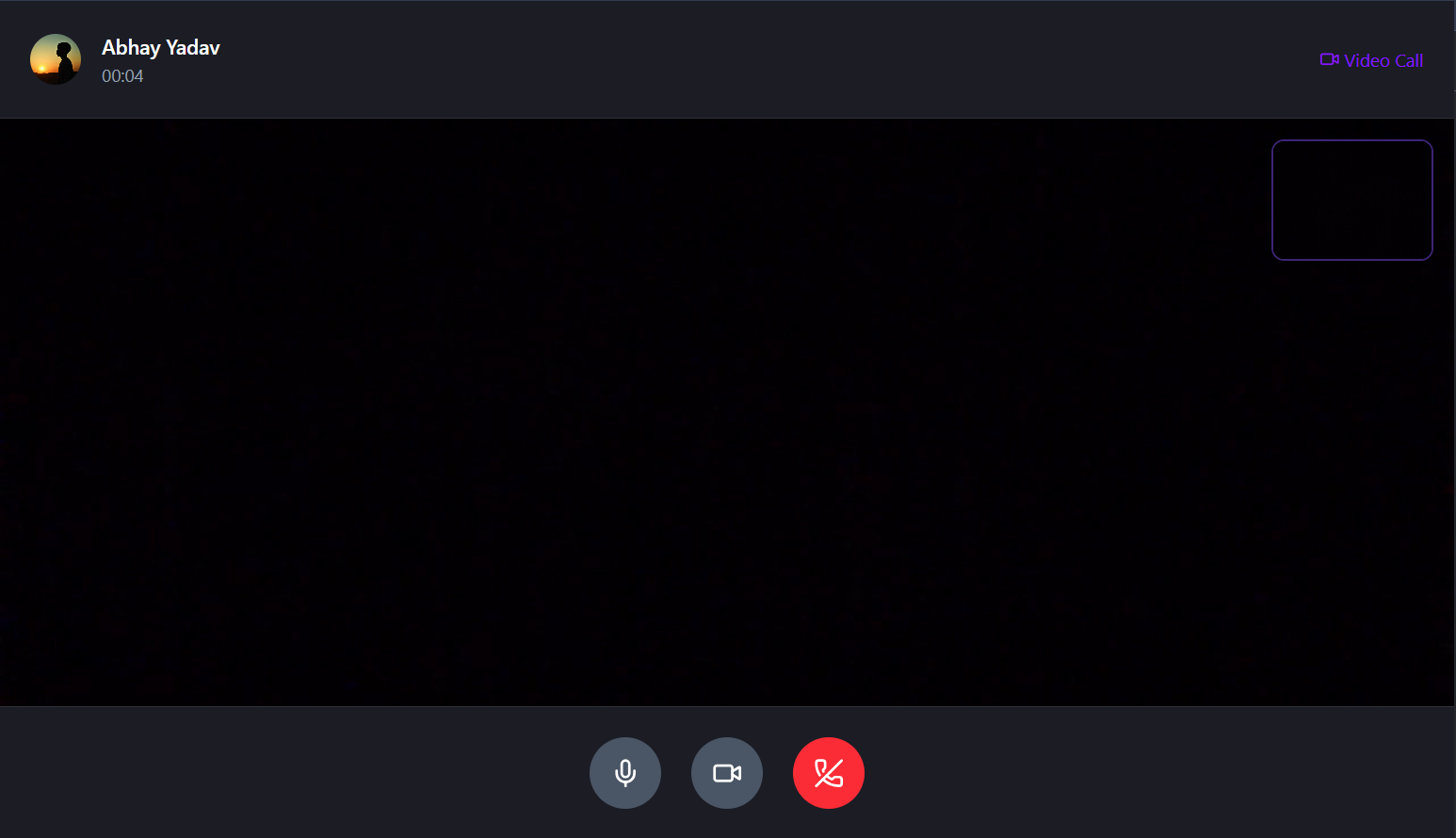
| Incoming Call Modal | Voice Call Interface | Video Call Interface |
|---|---|---|
 |
 |
 |
-
Real-Time Communication
- Instant messaging with Socket.IO
- Live typing indicators for both DMs and groups
- Real-time message delivery
- Online/offline status indicators
-
Rich Message Support
- Text messages with emoji support
- Comprehensive emoji picker with categories
- File sharing (images, PDFs, documents, ZIP files, audio, video, and more)
- File download functionality
- Message timestamps
-
Contact Management
- Add contacts by email or name search
- Contact list with online status
- Easy contact discovery and management
-
Private Conversations
- One-on-one messaging
- Message history persistence
- Typing indicators
- File sharing capabilities
- Reply to messages
-
Message Control
- Sender can delete their own messages
- Real-time message deletion
-
Group Creation & Management
- Create groups with multiple members
- Add/remove members (admin only)
- Edit group names (admin only)
- Leave group functionality for members
-
Advanced Group Controls
- Admin privileges for group management
- Members can delete their own messages
- Admins can delete any message in the group
- Real-time group updates
-
Group Communication
- Multi-user conversations
- Typing indicators for all participants
- File sharing within groups
- DM from group by clicking the message sender profile image
-
Authentication & Security
- Secure user registration and login
- JWT-based authentication
- Google OAuth 2.0 authentication
- Password encryption with bcrypt
- Session management
-
Profile Customization
- Editable profile pictures
- First name and last name editing
- Profile color themes
-
Modern UI/UX
- Clean, dark-themed interface
- Responsive design for all devices
- Smooth animations and transitions
- Intuitive navigation
-
Push Notifications
- Real-time browser push notifications for:
- New direct messages (DM)
- New group messages
- Incoming calls (voice/video)
- Missed calls
- Works even when the chat application is closed or inactive
- Built with Firebase Cloud Messaging and Firebase Admin SDK
- Real-time browser push notifications for:
-
One-to-One Voice Calls
- Initiate or receive voice calls with contacts.
- Real-time ringing, call timer, mute/unmute functionality.
-
One-to-One Video Calls
- High-quality video calling with the ability to toggle the camera on/off.
- Picture-in-picture local video preview.
-
Call Notifications
- Incoming call modal with user details.
- Missed call notifications if the call is not answered.
-
Robust Call State Management
- Busy signals if user is already in a call.
- Call timeout after 15 seconds if not accepted.
- Missed and ended call messages saved in chat.
Built using Socket.IO for signaling and Agora RTC SDK for real-time media streaming.
- Framework: React 19
- Build Tool: Vite
- State Management: Zustand
- UI Components: shadcn/ui with Radix UI primitives
- Styling: Tailwind CSS
- Icons: Lucide React & React Icons
- Real-time Communication: Socket.IO Client
- Routing: React Router DOM v7
- HTTP Client: Axios
- Emoji Support: emoji-picker-react
- Notifications: Sonner
- Voice/Video SDK: Agora rtc sdk ng
- Push Notifications: Firebase Cloud Messaging (Web)
- Runtime: Node.js
- Framework: Express.js
- Database: MongoDB with Mongoose
- Real-time Communication: Socket.IO
- Authentication: JWT and bcrypt
- File Storage: Cloudinary with Multer
- Validation: Validator.js
- Security: CORS, Cookie Parser
- Environment: dotenv
- RTC Token Generation: Agora Access Token
- Push Notifications: Firebase Admin SDK
- Node.js (v16 or higher)
- MongoDB Atlas account or local MongoDB installation
- Cloudinary account for file storage
- Google cloud console
- Agora account (for Voice & Video Calling)
- Clone the repository
git clone https://github.com/Asim-Mulla/ChatRift.git
cd frontend/- Install dependencies
npm install- Create
.envfile in the frontend directory
VITE_SERVER_URL=http://localhost:3000
VITE_NODE_ENV=development

# Google OAuth Authentication
VITE_GOOGLE_CLIENT_ID=your_google_client_id # you can get from cloud console

# Voice and Video calling
VITE_AGORA_APP_ID=your_agora_project_app_id

# Web Push Notifications
VITE_VAPID_KEY=your_web_push_certificate_key
VITE_FIREBASE_API_KEY=your_firebase_api_key
VITE_FIREBASE_AUTH_DOMAIN=your_project_id.firebaseapp.com
VITE_FIREBASE_PROJECT_ID=your_project_id
VITE_FIREBASE_STORAGE_BUCKET=your_project_id.firebasestorage.com
VITE_FIREBASE_MESSAGING_SENDER_ID=your_sender_id
VITE_FIREBASE_APP_ID=your_app_id- Start the development server
npm run dev- Navigate to backend directory
cd backend/- Install dependencies
npm install- Create
.envfile in the backend directory
PORT=3000
NODE_ENV=development # use'production' while deploying
JWT_SECRET=your_jwt_secret_key
CLIENT_URL=http://localhost:5173

# Database
ATLAS_DB_URL=your_mongodb_connection_string

# Cloud media storage
CLOUD_NAME=your_cloudinary_cloud_name
CLOUD_API_KEY=your_cloudinary_api_key
CLOUD_API_SECRET=your_cloudinary_api_secret

# Google OAuth authentication
GOOGLE_CLIENT_ID=your_google_client_id
GOOGLE_CLIENT_SECRET=your_google_client_secret

# Otp verification for regular authentication
EMAIL=your_email
EMAIL_PASSWORD=your_emails_app_password

# Voice and video call
AGORA_APP_ID=your_agora_app_id
AGORA_APP_CERTIFICATE=your_agora_app_certificate- Start the server
npm run devPOST /api/auth/get-otp- Get otp on entered email for verificationPOST /api/auth/verify-otp-signup- User Registration if correct otpPOST /auth/google?code=${code}- Login/Signup using googlePOST /api/auth/login- User loginPOST /api/auth/logout- User logoutGET /api/auth/user-info- Get current userPOST /api/auth/update-profile- Update user profilePOST /api/auth/add-profile-image- Update user profile imagePOST /api/auth/delete-profile-image- Remove user profile image
GET /api/user/get-users-for-dm- Get all users except current userGET /api/user/get-dm-contacts- Get contacted usersGET /api/user/get-users-for-group- Get all users except current user for creating groupPOST /api/user/remove-notification- Messages viewedGET /api/user/get-user-info/:userId- Get user info for DM from groupPOST /api/user/save-fcm-token- Save the Firebase Cloud Messaging token for the current user to enable push notifications.
GET /api/message/get-messages/:otherUserId- Get chat messagesPOST /api/message/upload-file- Send image or file in a messageDELETE /api/message/delete- Delete messagePATCH /api/message/edit- Edit message
POST /api/group/create-group- Create groupGET /api/group/get-user-groups- Get user groupsGET /api/group/get-group-messages- Get group messagesPATCH /api/group/change-name- Change group name (Group admin only)PATCH /api/group/change-members- Change group members (add/remove) (Group admin only)PATCH /api/group/exit-group- Exit groupDELETE /api/group/delete- Delete group (Group admin only)
POST /api/agora/generate-token- Get agora access token for call initiation
onlineContacts- Updates online status indicatorisTypingInDM- Sends typing indicator for direct messagesisTypingInGroup- Sends typing indicator for group chatssendMessage- Sends new direct messagedeleteMessage- Deletes direct message instantlymessageEdited- Message edited instantlygroupCreated- Notifies group members of new group creationsendGroupMessage- Sends new group messagechangedGroupName- Updates group namechangedGroupMembers- Prevents removed members from sending messages instantlydeleteGroupMessage- Deletes group message instantlyleftGroup- Notifies when member leaves groupgroupDeleted- Prevents all members from sending messages when admin deletes groupinitiateCall- Start a call with a useracceptCall- Accept a calldeclineCall- Decline a callendCall- End the callcallBusy- Notify caller if user is already in another calldisconnect- Removes online status indicator
connect- Adds online status indicatoronlineContacts- Broadcasts online status updatesreceiveMessage- Delivers direct message to recipientreceiveGroupMessage- Delivers group message to all membersmessageDeleted- Notifies of instantly deleted messagemessageEdited- Message edited instantlygroupCreated- Notifies members of group creationchangedGroupName- Broadcasts group name changeschangedGroupMembers- Prevents removed members from sending messages instantlyremovedFromGroup- Notifies member of removal by admin (prevents further messaging)leftGroup- Notifies remaining members when someone leavesgroupDeleted- Notifies all members when admin deletes group (prevents further messaging)incomingCall- Notify user of an incoming callcallAccepted- Accept a callcallDeclined- Decline a callcallEnded- End the callcallBusy- Notify caller if user is already in another callcallTimeout- Notify caller and receiver if call timed outuserOffline- Notify receiver about missed call and caller about receiver is offline
- JWT-based authentication
- Google OAuth 2.0 authentication
- Otp rate limiting
- Password hashing with bcrypt
- CORS protection
- Input validation
- File upload restrictions
- Fork the repository
- Create a feature branch (
git checkout -b feature/amazing-feature) - Commit your changes (
git commit -m 'Add some amazing feature') - Push to the branch (
git push origin feature/amazing-feature) - Open a Pull Request
- ✅ Typing indicator for group and dm
- ✅ Unread messages for group and dm
- ✅ Datestamp for messages
- ✅ OTP verification for regular authentication
- ✅ Google OAuth for authentication
- ✅ Read receipts (message seen status)
- ✅ Message editing
- ✅ Voice messages
- ✅ Message reply
- ✅ One-to-one voice and video calls
- ✅ Web push notifications
Asim Mulla - Full Stack Developer
- GitHub: @Asim-Mulla
- Email: asimmulla2004@gmail.com
- React team for the amazing framework
- Socket.IO team for real-time communication
- Agora for the powerful real-time voice and video calling SDK
- Google OAuth for seamless authentication and authorization
- shadcn/ui for beautiful UI components
- Tailwind CSS for utility-first styling
- Zustand for simple state management
- Firebase team for Firebase Cloud Messaging & Admin SDK
- All open-source contributors
If you found this project helpful, please give it a ⭐ on GitHub!