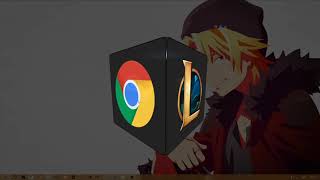
A 3D cube which helps you open programs faster.
Pressing the hotkey to open it (Default: Ctrl+Shift+F11), click and drag to move the cube around and double clicking on a side/program to run it, double clicking outside the cube will close the cube.
Adding a image to a face/side is simply done by adding the image file into the images folder with the name of the face example: "front.png" (front back left right top and bottom)
keepCubePosition This is if you wish to remember the position of the cube next when you call it again later. (Note: closing the program entirely will not save it's position)
hotkey is the hotkey you wish to "open" the cube with. See https://www.electronjs.org/docs/api/accelerator for more information on key codes and modifier names.
To set/change a action on one of the cubes faces, you will need to set a path.
path is where you enter the url to a site or the path to a program that you wish to start.
    "front": {
        "path": "https://www.google.se/"
    },
params can be added if the program needs certain parameters to start/run.
    "top": {
        "path": "%LocalAppData%/Discord/Update.exe",
        "params": "--processStart Discord.exe"
    },