[iOS] UIActivity class for Pinterest


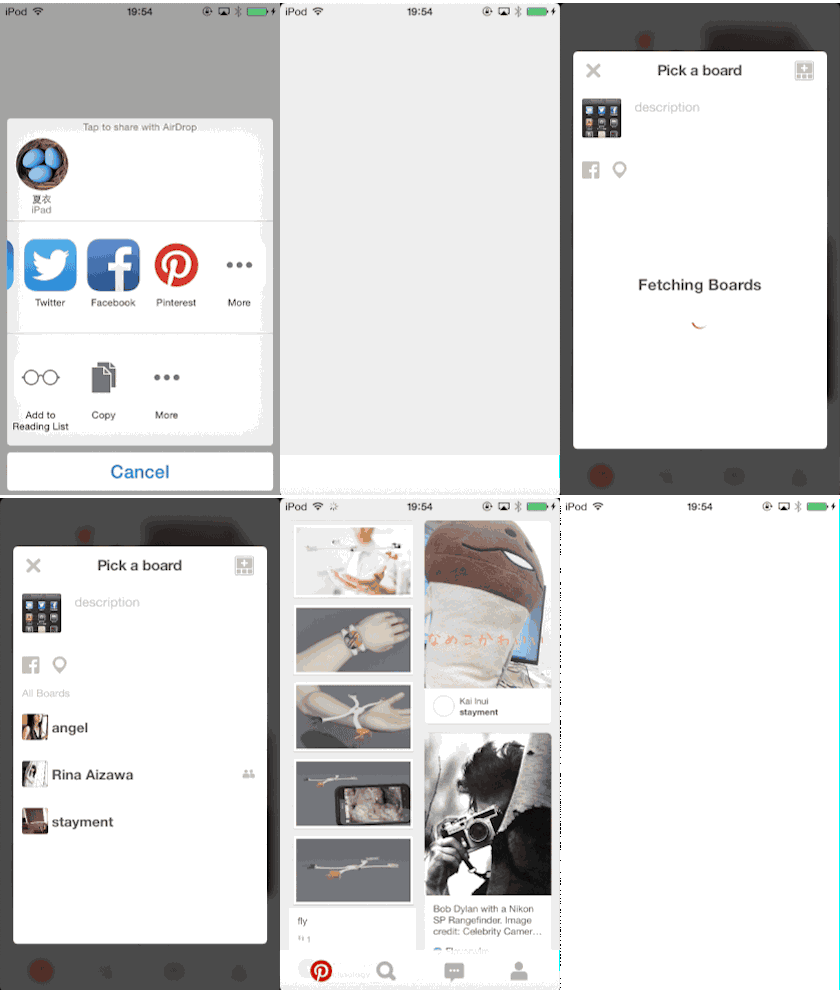
UIActivity *pinActivity = [[AQSPinterestActivity alloc] init];

UIActivityViewController *activityViewController = [[UIActivityViewController alloc] initWithActivityItems:activityItems applicationActivities:pinActivity];

[self presentViewController:activityViewController animated:YES completion:NULL];NSURL(Accepts single forImage URL)NSString(Accepts single fordescription)
- When Pinterest iOS App is installed.
- At least one
NSURLis provided.
AQSPinterestActivity requires 3-min setup.
- Register and obtain a Pinterest client ID here. https://developers.pinterest.com/manage/
- Setup an URL scheme like
pin83737where83737is your Pinterest client ID. For Pinterest client ID48090, you should setup an URL schemepin48090 - Initialze
AQSPinterestActivitywith- initWithClientID:and done!
For further information, see https://developers.pinterest.com/ios/
Combining them, AppDelegate will be like as follow.
pod "AQSPinterestActivity"
https://dl.dropboxusercontent.com/u/7817937/___doc___AQSPinterestActivity/html/index.html
- AQSShareService - UX-improved sharing feature in few line.
- Pinterest : https://developers.pinterest.com/ios/
- Pinterest : https://developers.pinterest.com/manage/