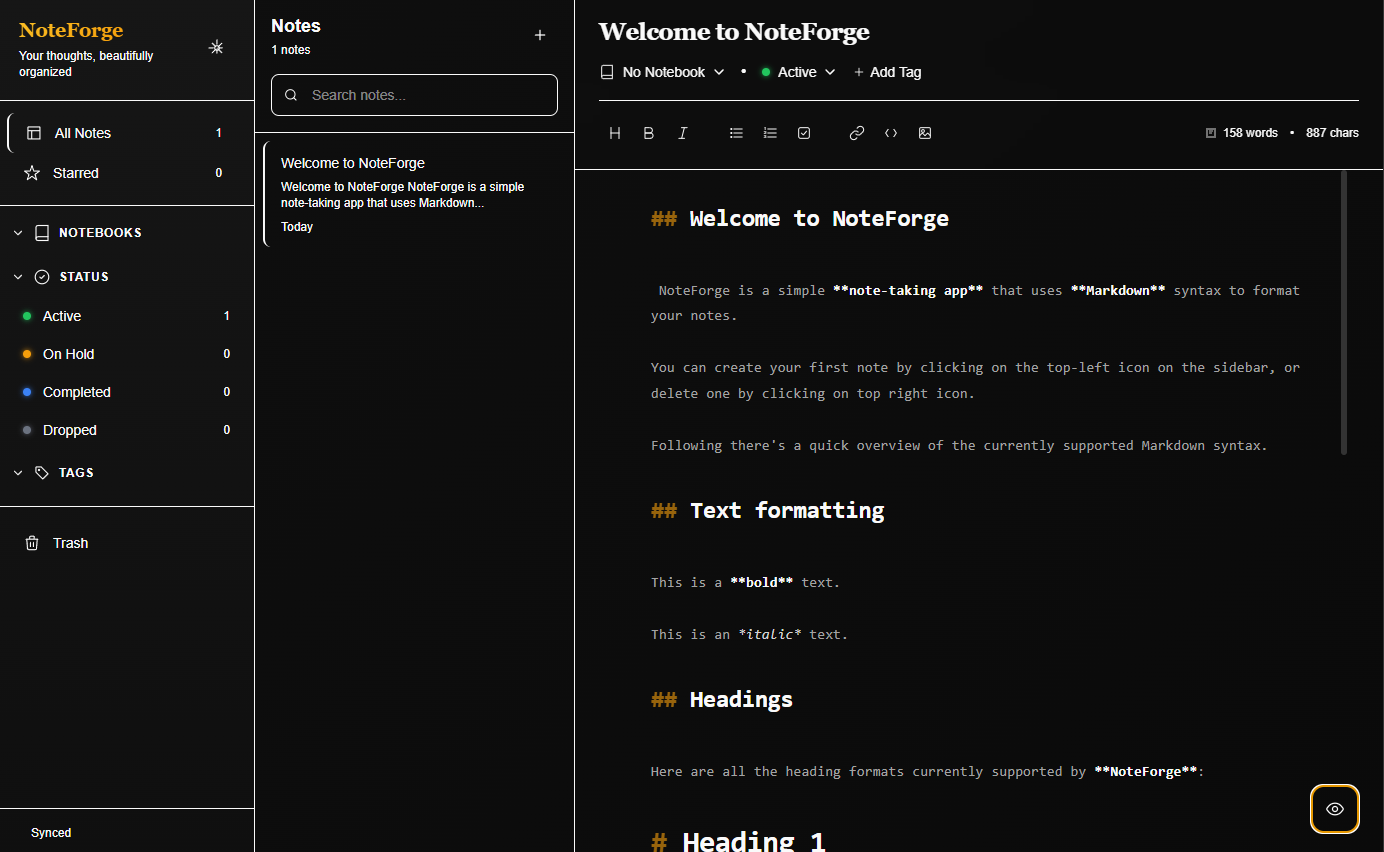
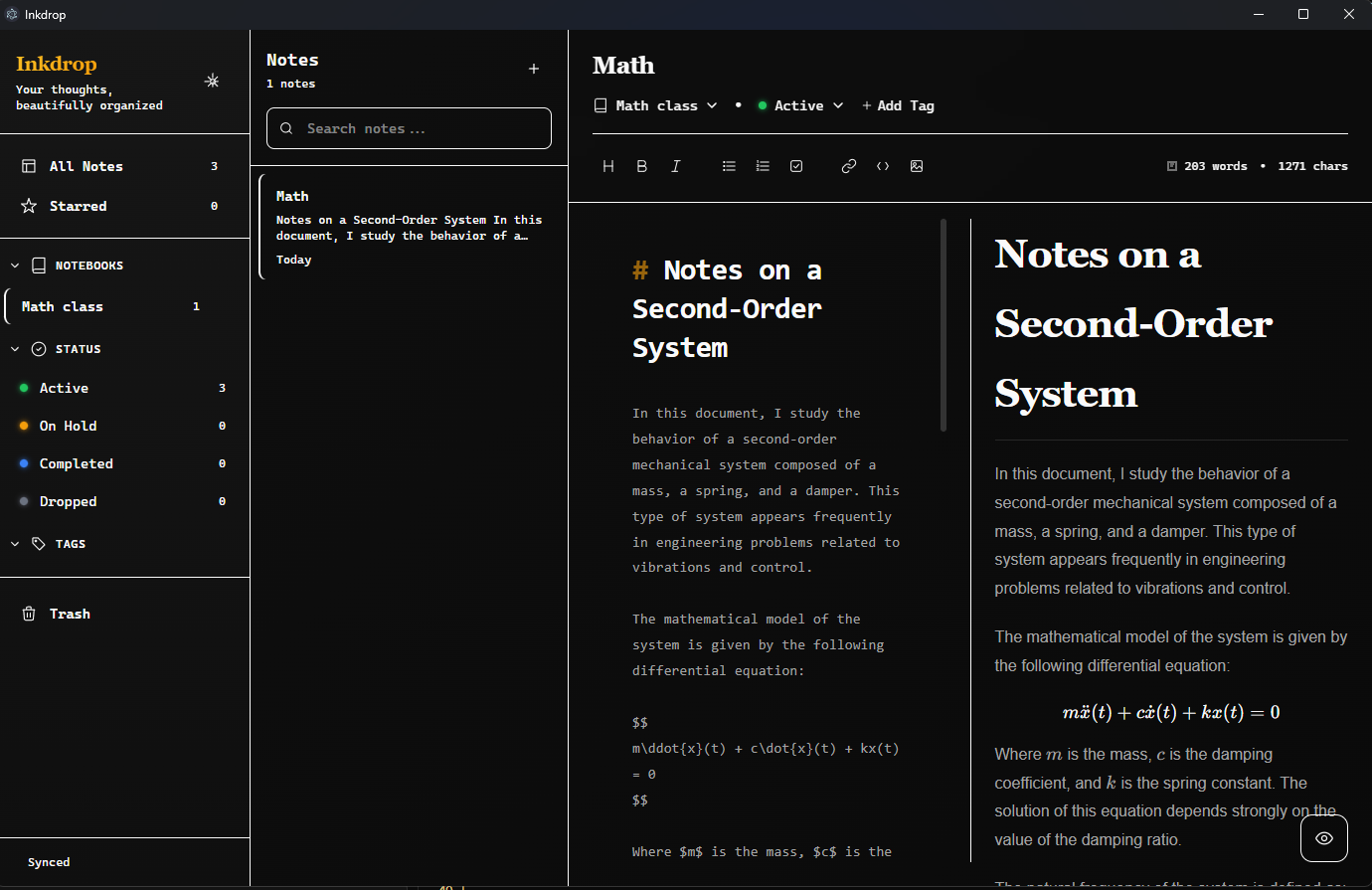
A beautiful, feature-rich Markdown note-taking desktop application built with Electron, React, and Tailwind CSS 4.1.



- Live Preview: Real-time Markdown rendering with synchronized scrolling
- Multiple View Modes: Editor-only, editor with live preview, or preview-only
- Syntax Highlighting: Beautiful code syntax highlighting
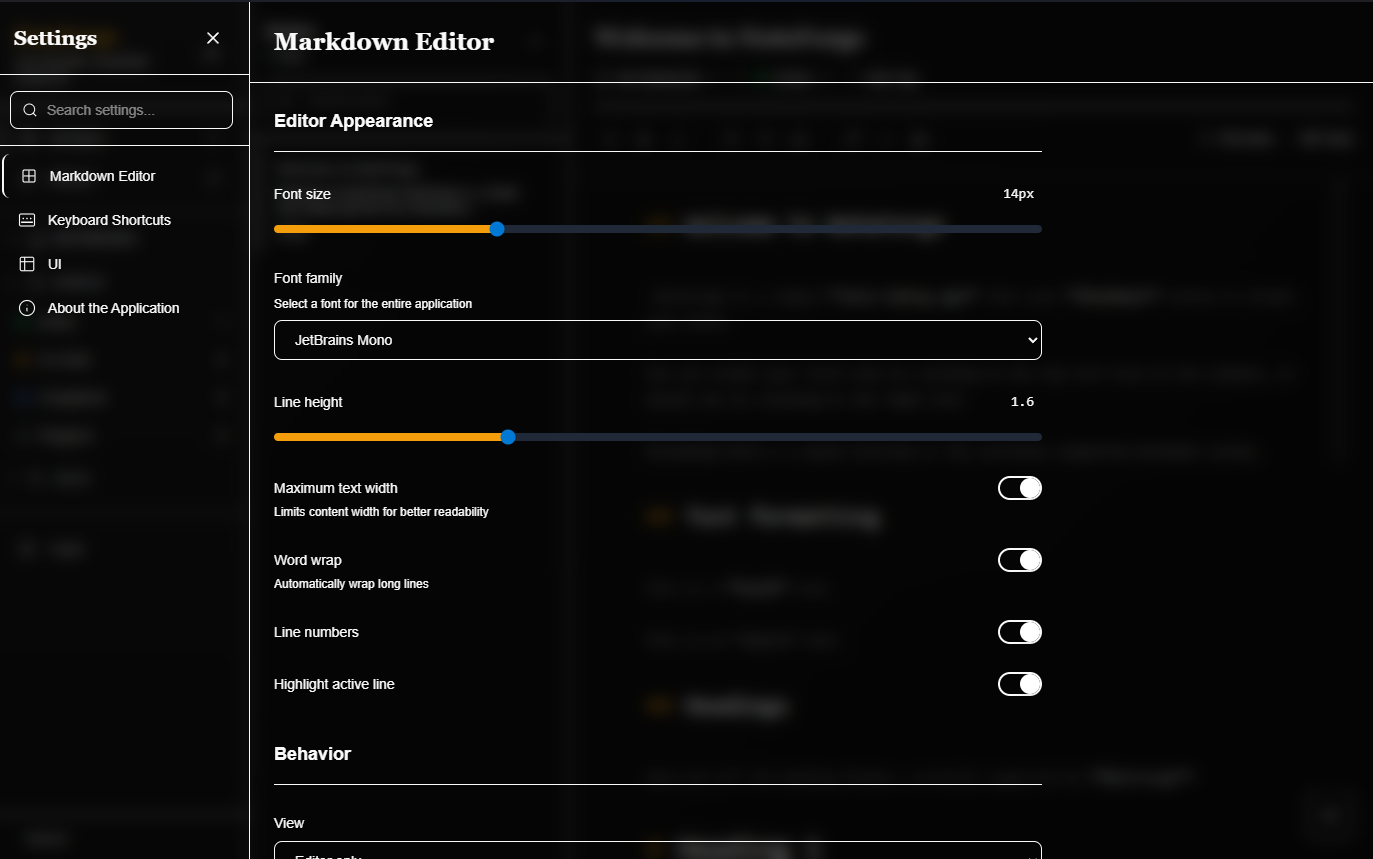
- Customizable Appearance: Adjustable font size, font family, line height, and more
- Line Numbers: Optional line numbering for better navigation
- Active Line Highlighting: Visual focus on the current line
- Notebooks: Organize your notes into custom notebooks
- Tags: Tag your notes with custom colors for easy categorization
- Filtering: Filter notes by notebook, status, or tags
- Starred Notes: Pin important notes for quick access
- Search: Quick search functionality to find notes instantly
- Editor Settings:
- Font size and family customization
- Line height and word wrap options
- Maximum text width for better readability
- Line numbers and active line highlighting
- UI Theme:
- Light, dark, and system theme support
- Window transparency and blur effects (Windows)
- Customizable border radius
- Interface density options (compact, normal, comfortable)
- Animation controls
- Keyboard Shortcuts:
- Customizable keyboard shortcuts
- Multiple profiles (Default, Vim, Emacs)
- Import/export shortcut configurations
- Auto-save: Automatic saving with configurable intervals
- Session Restoration: Restore your previous session on startup
- Markdown Dialects: Support for CommonMark and GitHub Flavored Markdown
- Extended Markdown:
- Tables
- Task lists
- Footnotes
- Math support (KaTeX/LaTeX) - optional
- Diagrams (Mermaid) - optional
- Embedded HTML rendering
- Welcome Note: Automatic welcome note for new users with Markdown syntax guide
- Node.js 18+ and Yarn
- Clone the repository:
git clone https://github.com/your-username/inkdrop.git
cd inkdrop- Install dependencies:
yarn install- Start the development server:
yarn devBuild for your platform:
# Build for Windows
yarn build:win

# Build for macOS
yarn build:mac

# Build for Linux
yarn build:linux

# Build unpacked (for testing)
yarn build:unpackWhen you first launch Inkdrop, a welcome note will be automatically created with a quick guide to Markdown syntax and the application features.
- Click the + icon in the top-left of the sidebar to create a new note
- Use
Ctrl+N(orCmd+Non macOS) as a keyboard shortcut
- Notebooks: Create notebooks to group related notes together
- Tags: Add tags to notes by clicking the tag icon in the note editor
- Starring: Click the star icon to pin important notes
Inkdrop supports standard Markdown syntax including:
- Text Formatting: Bold (
**text**), italic (*text*), strikethrough - Headings:
# H1through###### H6 - Lists: Bulleted (
-) and numbered (1.) - Links:
[text](url) - Images:
 - Code: Inline
`code`and code blocks - Blockquotes:
> quote - Tables: GitHub Flavored Markdown tables
- Task Lists:
- [ ]and- [x] - Footnotes:
[^1]and[^1]: note
Access settings by clicking the gear icon in the sidebar. You can configure:
- Editor Appearance: Font, size, line height, and visual options
- Editor Behavior: View modes, auto-save, and session settings
- Markdown Options: Dialect selection and feature toggles
- UI Theme: Colors, transparency, and interface density
- Keyboard Shortcuts: Customize or import shortcut profiles
inkdrop/
├── src/
│   ├── main/              # Electron main process
│   │   ├── index.ts      # Main entry point
│   │   ├── fileManager.ts # File system operations
│   │   └── mdStorage.ts  # Markdown storage utilities
│   ├── preload/          # Preload scripts
│   └── renderer/         # React application
│       └── src/
│           ├── components/  # React components
│           ├── contexts/     # React contexts
│           ├── types/        # TypeScript types
│           └── utils/        # Utility functions
├── resources/            # App resources
│   ├── icon.png         # App icon
│   └── welcomeNote.md   # Welcome note template
├── build/                # Build resources
└── out/                  # Compiled output
- Electron ^39.2.6 - Cross-platform desktop framework
- React ^19.2.1 - UI library
- TypeScript ^5.9.3 - Type safety
- Tailwind CSS ^4.1.18 - Styling
- react-markdown ^10.1.0 - Markdown rendering
- remark-gfm ^4.0.1 - GitHub Flavored Markdown support
- electron-vite ^5.0.0 - Build tool
- electron-builder ^26.0.12 - App packaging
Notes are stored locally in your Documents folder:
- Windows:
%USERPROFILE%\Documents\inkdrop-notes\ - macOS:
~/Documents/inkdrop-notes/ - Linux:
~/Documents/inkdrop-notes/
Each note is saved as a .md file with the format: {Title}_{NoteID}.md
yarn dev- Start development serveryarn build- Build the applicationyarn typecheck- Run TypeScript type checkingyarn lint- Run ESLintyarn format- Format code with Prettier
This project uses:
- ESLint for code linting
- Prettier for code formatting
- TypeScript for type checking
Contributions are welcome! Please feel free to submit a Pull Request.
- Fork the repository
- Create your feature branch (
git checkout -b feature/AmazingFeature) - Commit your changes (
git commit -m 'Add some AmazingFeature') - Push to the branch (
git push origin feature/AmazingFeature) - Open a Pull Request
This project is licensed under the MIT License - see the LICENSE file for details.
- Built with electron-vite
- Icons and UI inspired by modern note-taking applications
- Markdown rendering powered by react-markdown
For issues, questions, or suggestions, please open an issue on the GitHub repository.
Made with ❤️ for note-takers who love Markdown