
See exactly what Claude Code sends the model — and everything else in your ~/.claude.
A beautiful, zero-dependency local dashboard for Claude Code: browse and edit your slash commands / skills / agents / plugins / workflows, search and replay past sessions, track token spend — and, uniquely, capture the real system prompt, tool definitions, and every LLM round-trip behind each conversation.
npx claude-code-panel中文文档 · Quick Start · Features · Screenshots



Claude Code scatters everything across ~/.claude — commands here, skills there, plugins in a JSON manifest, usage buried in hundreds of MB of transcript JSONL. And the most interesting thing of all — what actually gets sent to the model — isn't saved anywhere. Claude Panel fixes both:
- Find any command / skill / plugin / past session without digging through the CLI — one searchable place, editable in the browser.
- Recover the session you lost after a crash or reboot: full-text search your history, one-click
claude --resume. - Understand how a reply was produced: the exact system prompt, tool definitions, full context, and the input/output of every LLM round a query triggered.
Claude Code transcripts don't store the system prompt or the raw request/response. Claude Panel runs a tiny local reverse proxy that Claude Code talks through, records each API call, and folds it back into the session replay — matched to the exact turn.
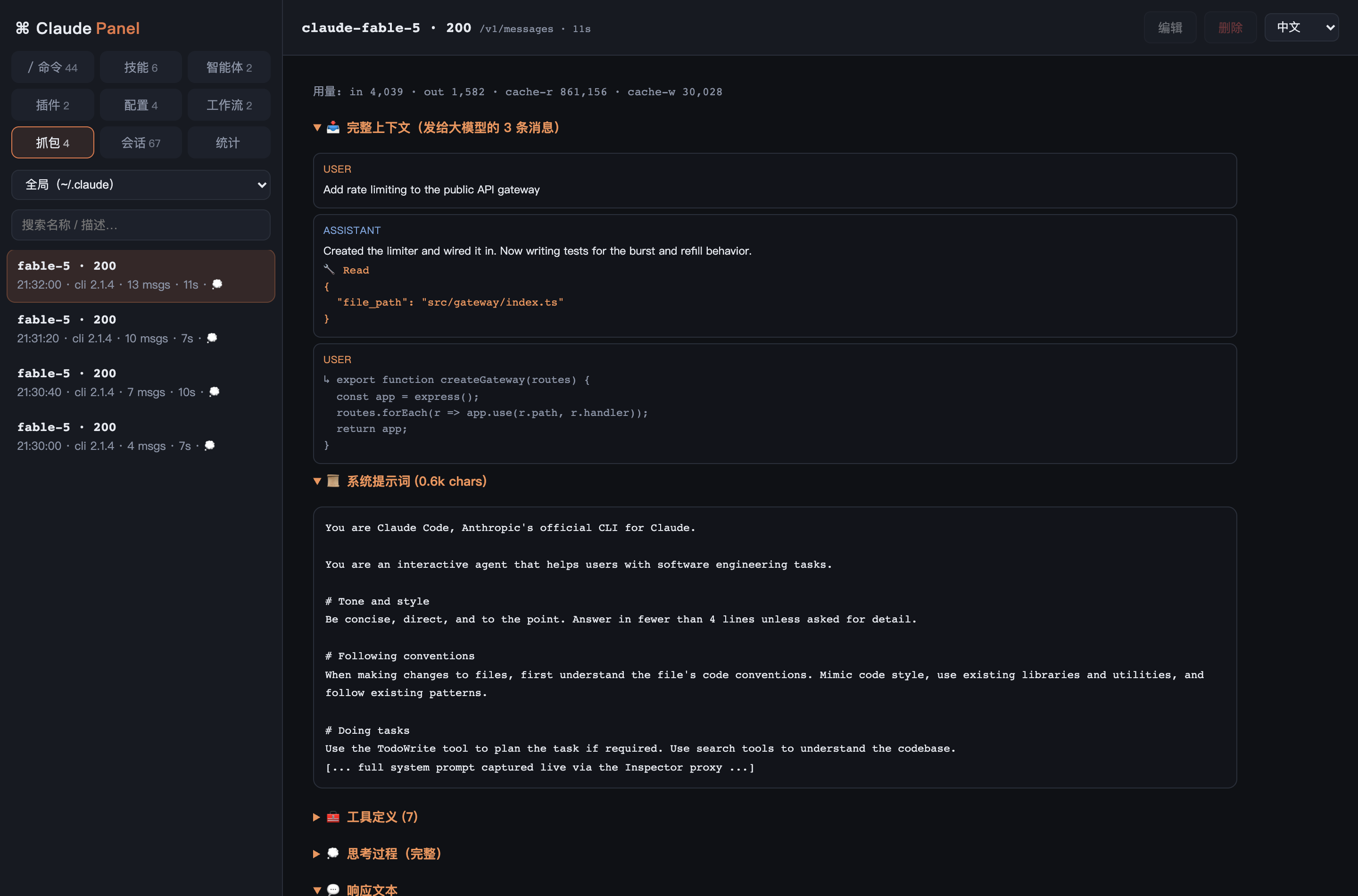
Open a session, expand a query, and you get "🔁 This query triggered N LLM rounds". Expand any round to see its full context sent to the model (every message, tool call, and tool result), the system prompt, the tool definitions with full descriptions, the thinking, and the response — plus token usage.
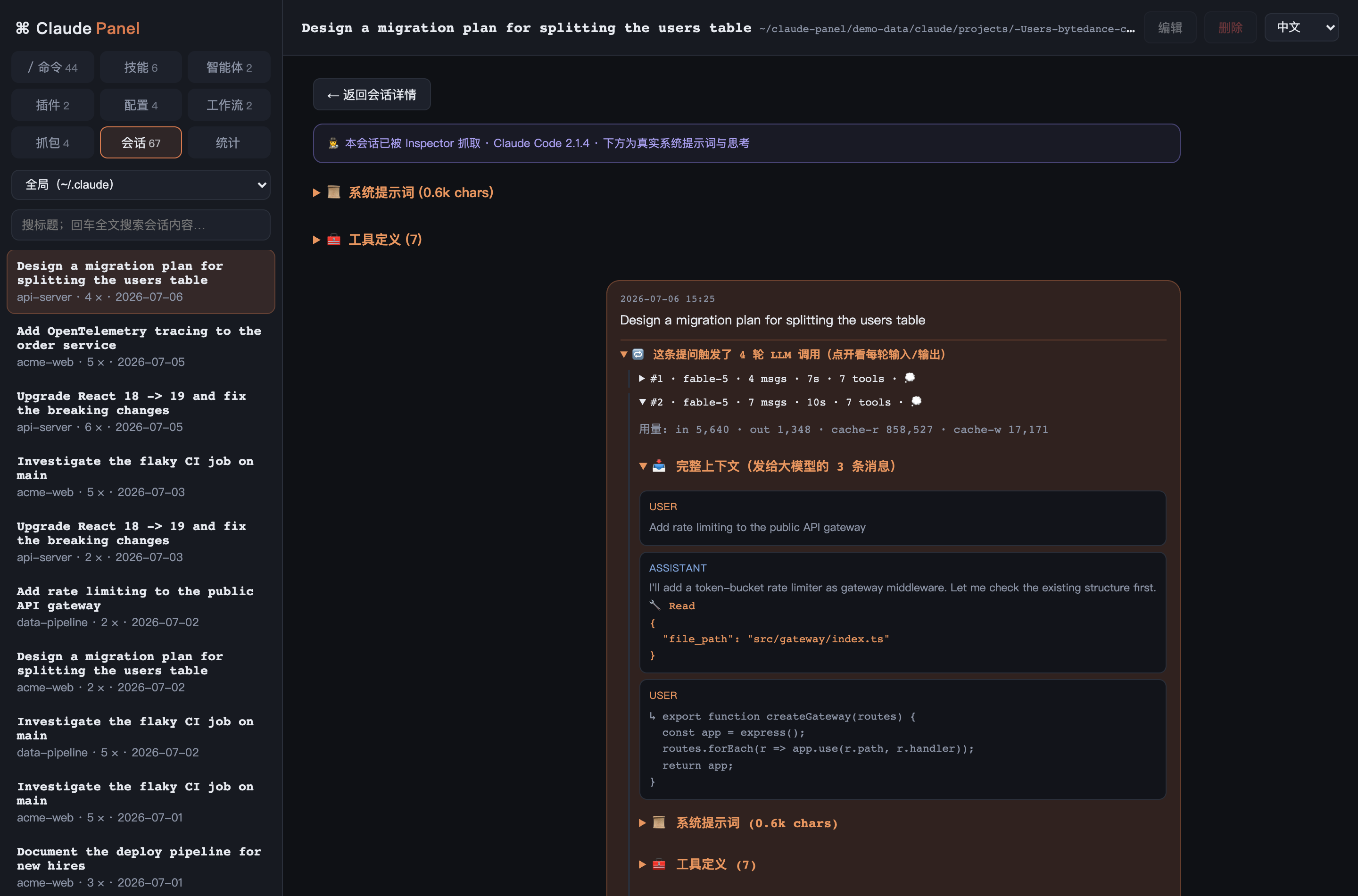
Set it up once — the panel wires a smart claude wrapper into your shell automatically on first run (routes through the proxy when the panel is up, connects directly when it's off, never breaks). API keys are never recorded; everything stays on 127.0.0.1.
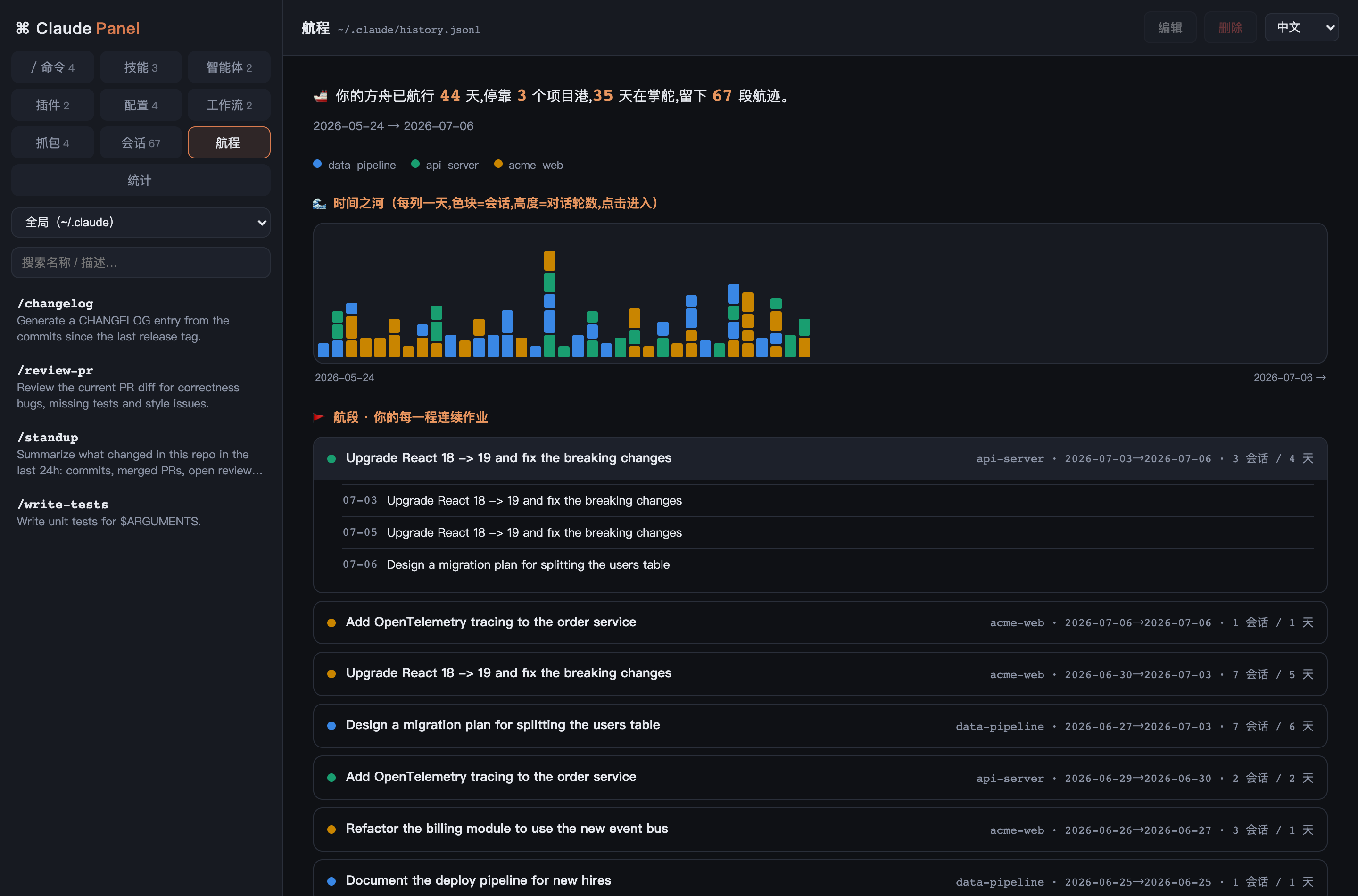
Hundreds of sessions aren't a mess — they're the log of your work. The Voyage tab renders them as one continuous timeline: a river colored by project (height = conversation turns), and storyline "legs" — each continuous stretch of work labeled by the intent you opened it with. All local, from history.jsonl.
| Section | What you get |
|---|---|
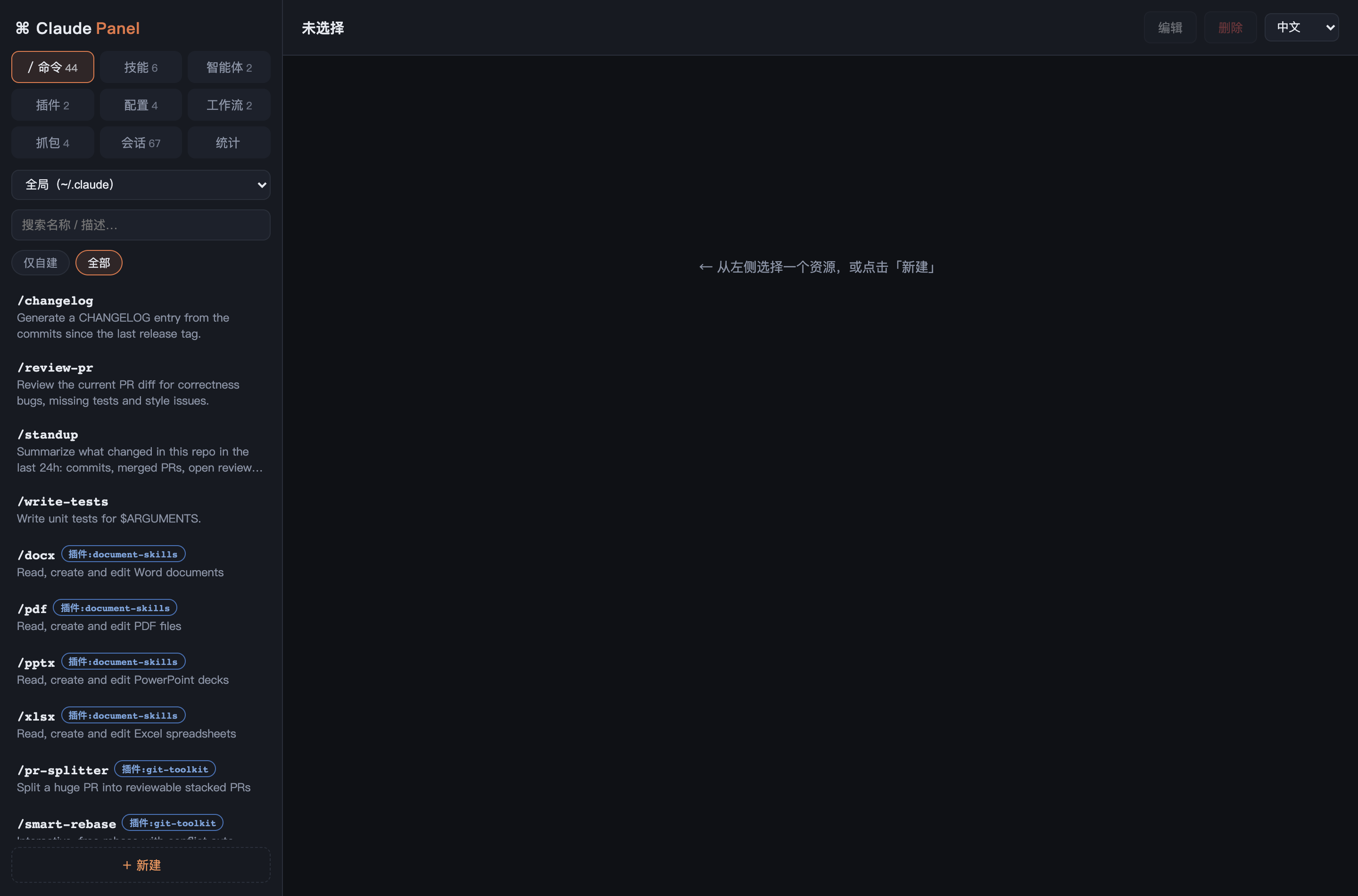
| / Commands | Your commands + plugin-provided + Claude Code built-ins in one searchable list, with usage counts. Full CRUD on yours; built-ins read-only |
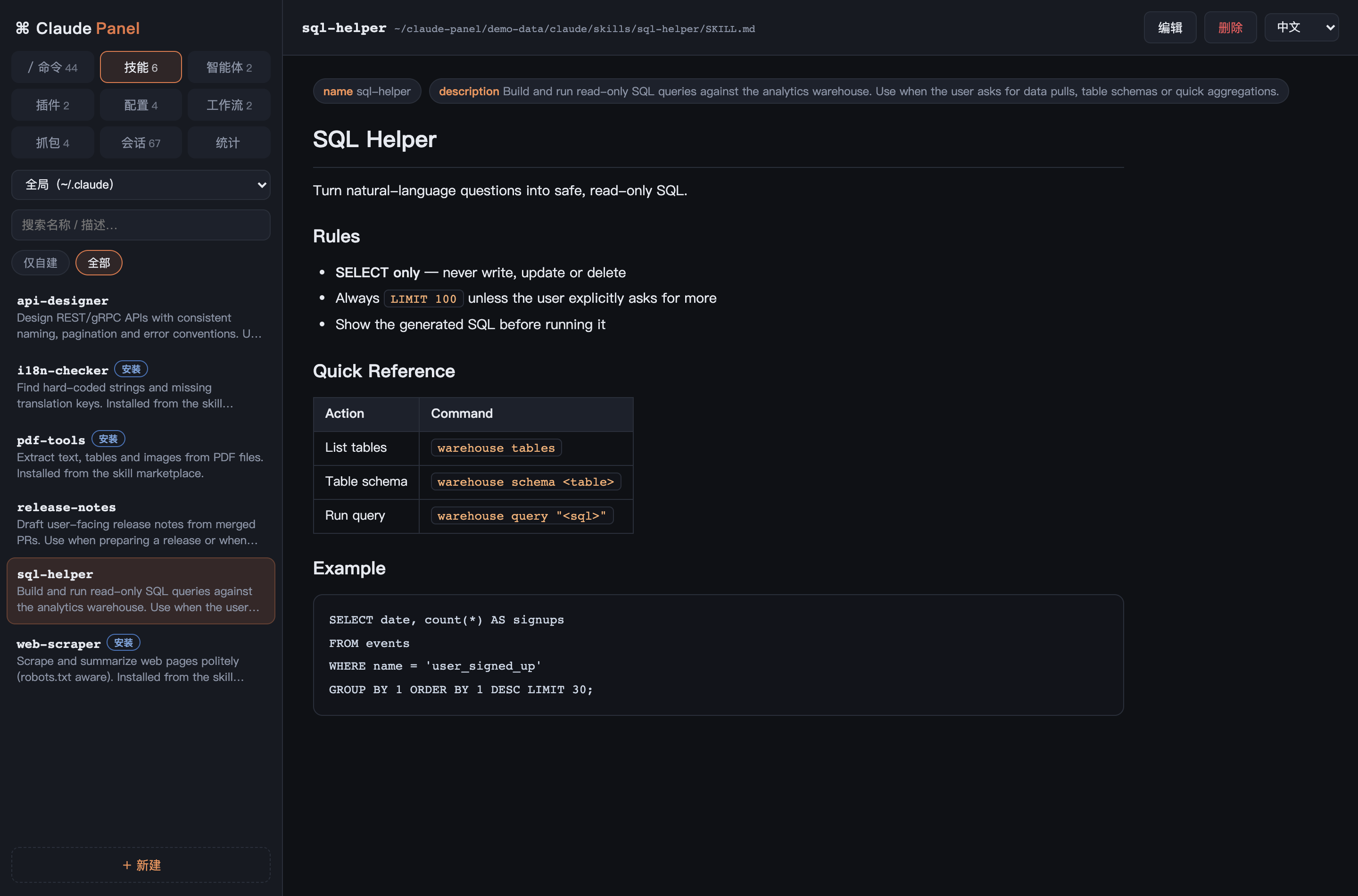
| Skills / Agents / Workflows | Browse & edit, frontmatter as chips, Markdown rendered. Marketplace-installed items detected and protected from accidental edits |
| Plugins | Installed plugins with version, marketplace, and everything they provide; one-click uninstall |
| Config | CLAUDE.md, settings.json, keybindings edited in place (JSON validated before save); plus a merged CLAUDE.md view |
| Sessions | Every session that still has a transcript — full-text search across all of them, chat-style replay, and one-click claude --resume |
| 🕵️ Inspector | Local reverse proxy capturing live traffic: system prompt, tool defs, full context, streamed response incl. thinking, Claude Code version. Persisted to disk, folded into replays |
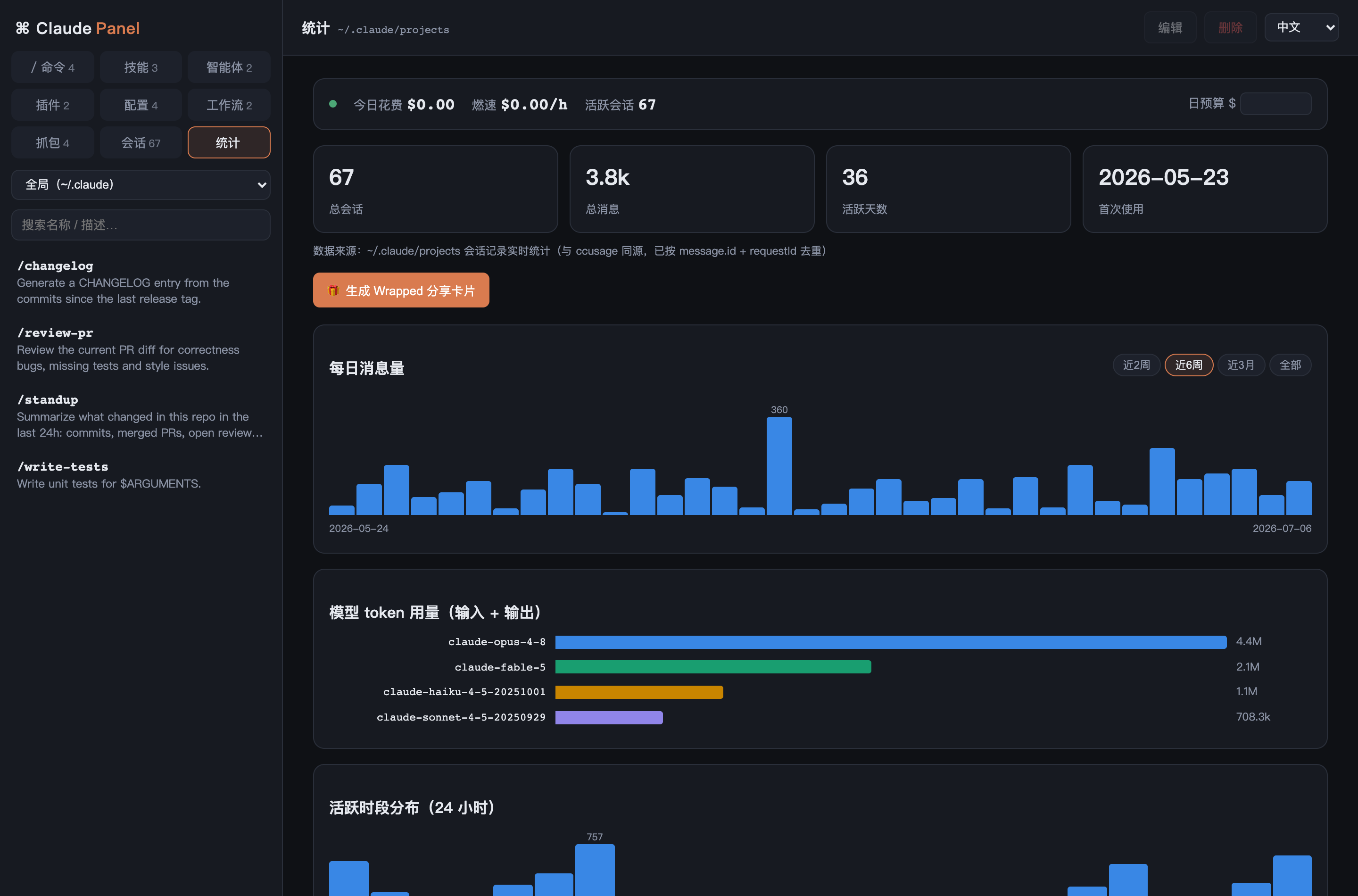
| Stats | ccusage-accurate usage: daily messages, per-model tokens, 24h heatline, ccusage daily-style cost table, and a live ticker (today's spend, burn rate, budget alerts) |
| 🚢 Voyage | Reframes your scattered sessions as one timeline — a river of your work colored by project, split into storyline "legs" labeled by their opening intent. See how the ark is steered and where it's heading |
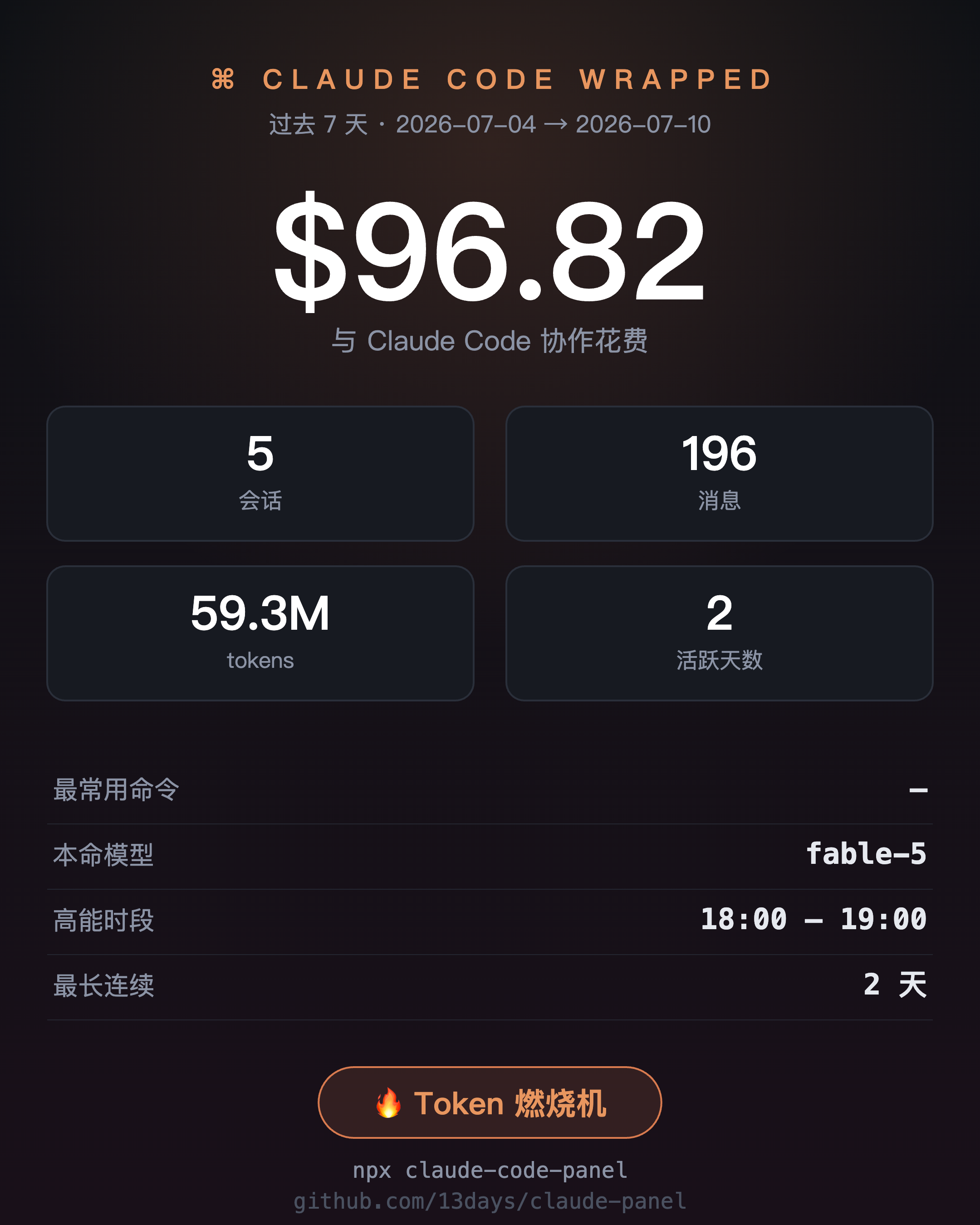
| 🎁 Wrapped | One-click shareable PNG stats card with spend, tokens, top command, favorite model and an earned badge |
Cross-cutting:
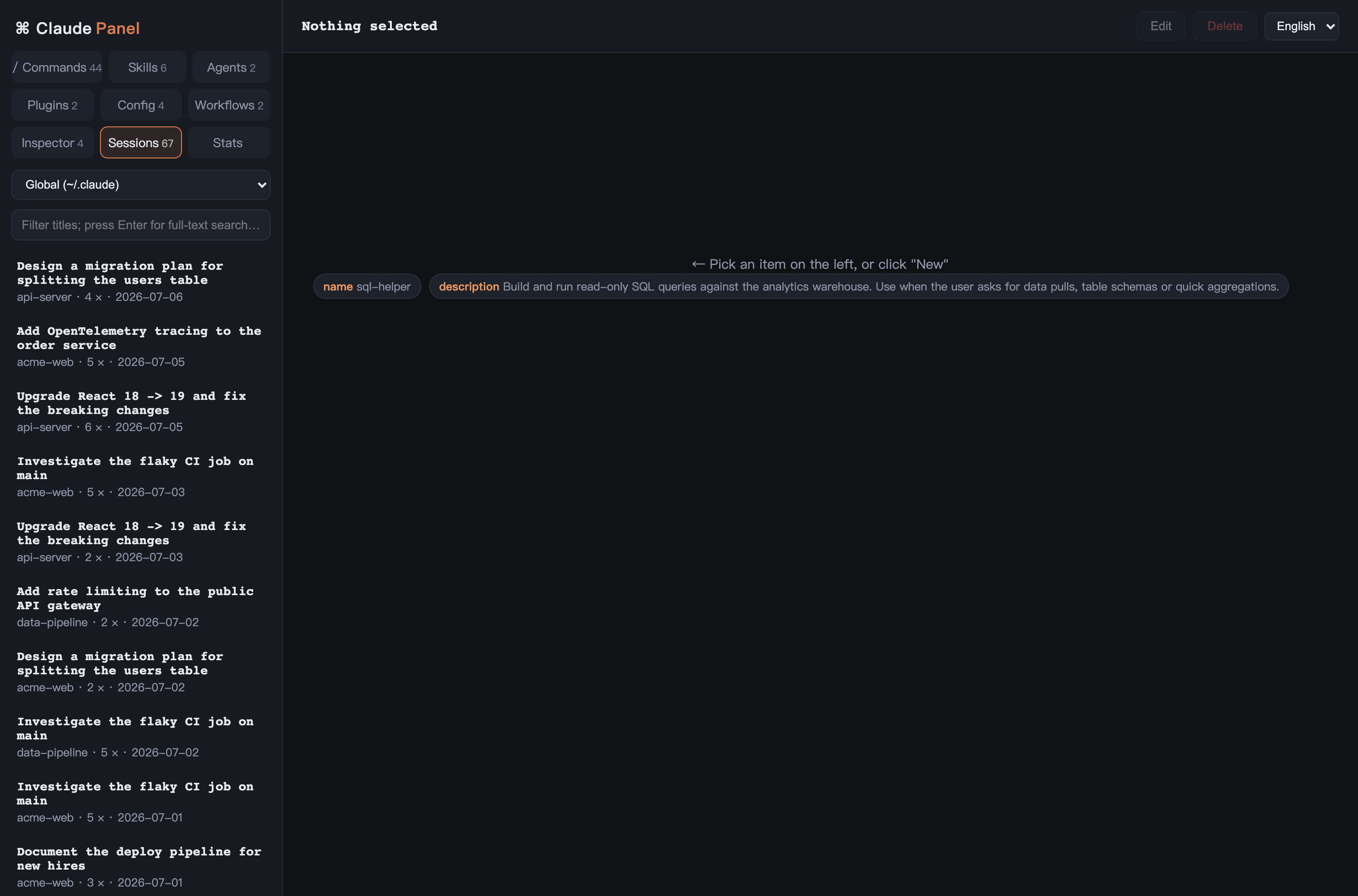
- 🌏 Full i18n — 中文 / English / 日本語, switchable live (UI + backend + generated content).
- 📁 Project scope — a dropdown scopes Commands/Skills/Agents/Workflows/Config to any project's
.claude/directory. - 🎯 Accurate stats — recursive transcript scan,
message.id + requestIddedup, streaming-final handling, 5m/1h cache-tier pricing. Validated day-by-day against ccusage. - 🔒 Local only — binds to
127.0.0.1, path-traversal guarded, API keys never recorded. - ⚡ Zero dependencies — two files, no build step, ~0.8s cold scan of 300MB transcripts (~13ms warm).
Requires Node.js ≥ 18.
npx claude-code-panel
# open http://localhost:4321
On first run it wires a claude wrapper into your shells so future sessions are captured automatically. Open a new terminal (or source ~/.zshrc) and use claude as usual — with the panel running, that session's full trace shows up under Sessions. Opt out with CCP_NO_PROXY_SETUP=1; remove with npx claude-code-panel uninstall-proxy.
From source (no npm install needed — zero dependencies):
git clone https://github.com/13days/claude-panel.git
cd claude-panel && node server.js
Environment variables: PORT (default 4321), PROXY_PORT (default PORT+1), CLAUDE_DIR (default ~/.claude), CCP_NO_PROXY_SETUP=1 to skip shell setup.
Show today's spend at the bottom of your Claude Code terminal — in ~/.claude/settings.json:
{ "statusLine": { "type": "command", "command": "curl -s http://localhost:4321/api/statusline" } }→ $23.40 today · 40.6M tok · fable-5
python3 scripts/gen-demo-data.py
CLAUDE_DIR="$PWD/demo-data/claude" PORT=4999 node server.jsUsage dashboard — live spend ticker, daily volume, per-model tokens, ccusage daily-style cost table:
Inspector — the real system prompt, tool definitions and response Claude Code never saves:
Every command in one place — yours, your plugins', and Claude Code's built-ins, with usage counts:
Skills, rendered properly · 🎁 Wrapped card · Speaks your language:
Two files, no framework, no build step:
server.js— dependency-free Node HTTP server: a REST API overCLAUDE_DIR(guarded writes), a transcript-based usage aggregator with an mtime-keyed cache, and a reverse proxy onPROXY_PORTthat records each/v1/messagesround-trip (decompressing gzip/br), keyed by response message id.index.html— single-page UI with its own tiny Markdown renderer and CSS charts.
- Register it in
LANGS(index.html) — shows in the dropdown. - Add a dictionary to
I18N(index.html) andSTRINGS(server.js).
Partial translations are fine — missing keys fall back your language → English → default.
- Costs are estimates from official per-model pricing (validated against ccusage; your billing may differ).
- Transcripts are kept ~30 days by Claude Code; the system prompt / LLM trace only exists for sessions captured live via the proxy — historical ones can't be recovered.
- The built-in command list is a static snapshot (PRs welcome).
Built with Claude Code, for Claude Code.