CIS-486 Dev Lab ALPHA Story Card
As a qualifying developer (note: one time usage only)
I want to deploy a demo node.js app
So That an end user is able to use a user friendly dynamic web application. 🖱️
-
Check to see if NodeJs and npm are installed. Open new terminal in vsCode Terminal >> New Terminal, or ctl+shift+~(tilda symbol, next to 1)
-
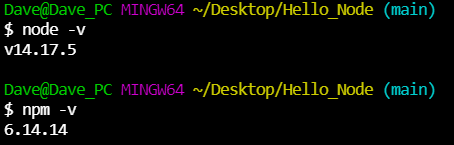
From terminal CLI type node -v (nodejs) then npm -v (node package manager), if you see somthing similar to below 👍.
No version # listed = node not installed Install node from here: Install NodeJS for Windows.- accept installation defaults.
- Will have to close out of vsCode and re-open
- Recheck with node -v and npm -v 👍
-
Create project folder on desktop, use appropriate project name.
-
Open project folder in vsCode. File >> Open folder, or drag project folder on desktop to vsCode 🩳cut.
-
Open command pallet View >> command pallet or ctl+shift+p > type "Select Defualt Profile" to set preferred terminal 💻.

- Create file for project. File >> New file from menu, or click
 icon. Use appropriate filename.js.
 - Verify the current terminal directory. Open new terminal, CTL+SHIFT+~ At CLI type "pwd" to verify current working directory. If not in correct project directory cd to correct directory.
- Initialize project. At terminal type "npm init". ** Accept defualts, creates package.json configuration file.
- Copy 📋 demo code from: Express code to file. Save file.
-
Open terminal Terminal >> New Terminal, or ctl+shift+~(tilda symbol, next to 1).
-
Start nodejs server. Type "node (filename).js If node server started will see somthing similar to this: Your msg may differ.

-
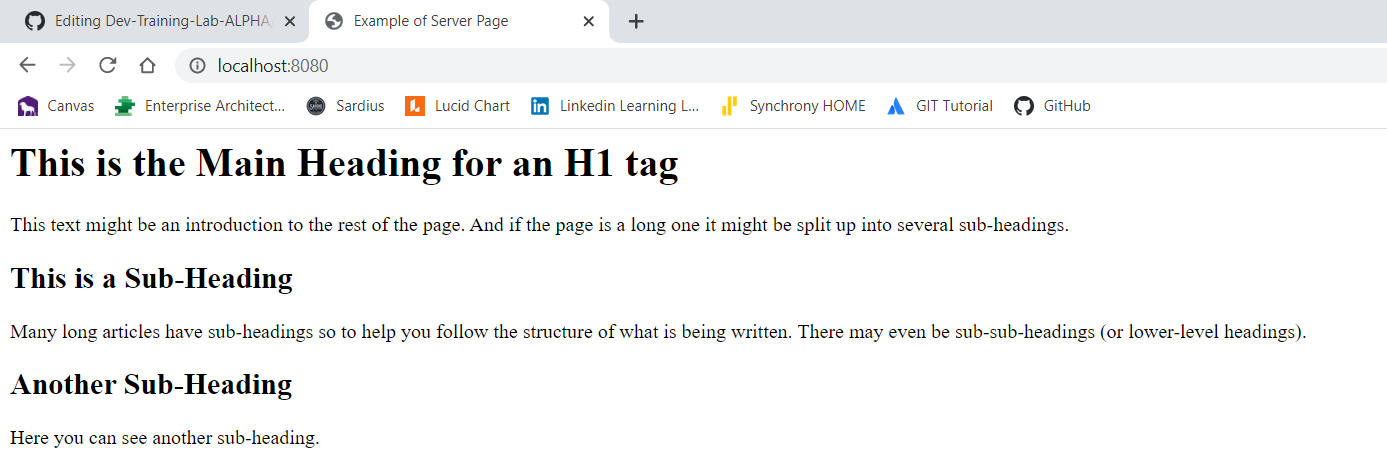
Open web browser of choice. In browser address bar type: "localhost:3000
-
If working correctly should see something similar to below. Your display may differ.
- navigate to a GitHub Repository w/a readme in markdown: 0 | 5 | 10
- file directory and naming: 0 | 5 | 10
- clear instructions (w/shortcuts), in m/d, on readme to spin up the project: 0 | 5 | 10
- successful spin up, user can run the node.js app & get an http response: 0 | 5 | 10
- code quality: logical, readable, functional: 0 | 5 | 10