example using debugger
- Install VDK
- In VSCode go to debug (Ctrl+Shift+D) and go to options (launch.json)
- Add the following configuration
{
    "configurations": [
        {
            "name": "Python: VDK",
            "type": "python",
            "request": "launch",
            "module": "taurus.vdk.cli_entry",
            "args": [
                "run",
                "${workspaceFolder}"
            ],
        }
    ]
}
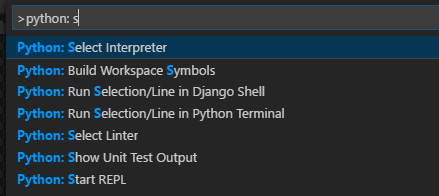
- Select interpreter where vdk is installed :
⚠️ IN PROGRESS (Not done yet)