Automated Reinsurance Contracts & Parties creation using Agentic Document Extraction
re-ink is a full-stack web application that streamlines reinsurance contract management by automatically extracting contract details and party information from uploaded documents using AI-powered document extraction.
Finalist in the LandingAI Financial AI Hackathon Championship 2025
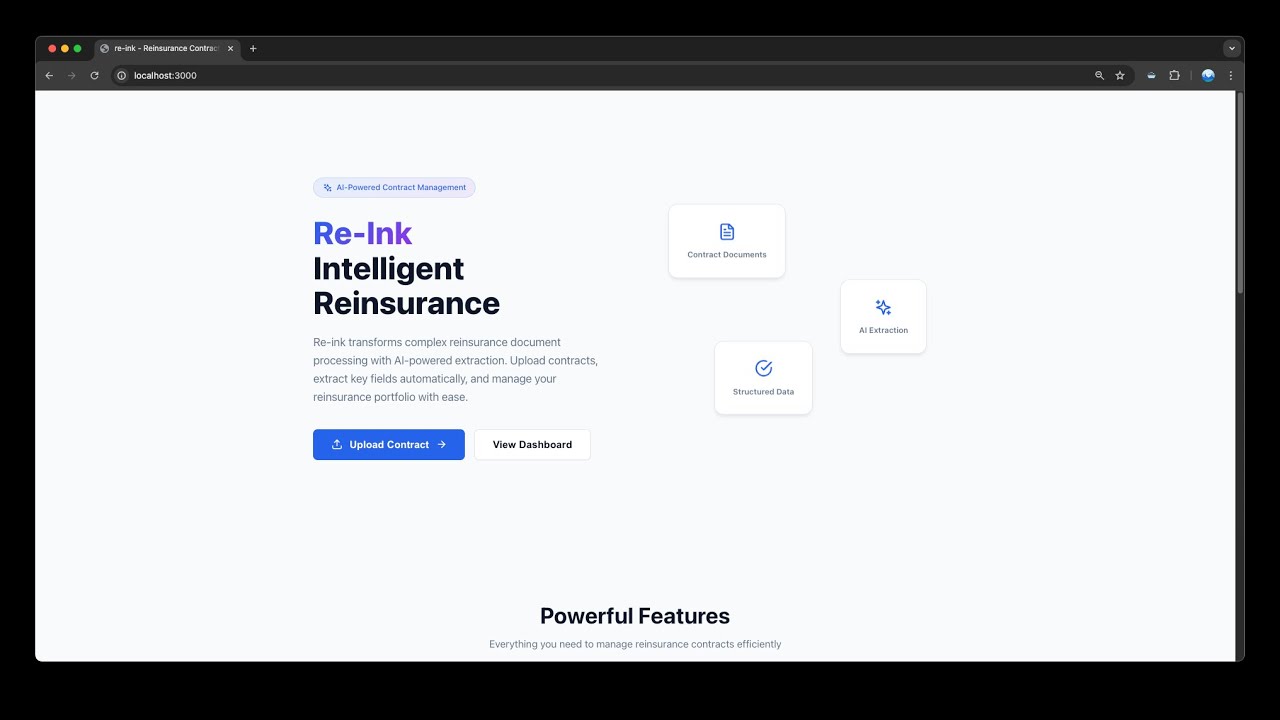
- 📄 Document Upload: Upload PDF and DOCX reinsurance contract documents
- 🤖 AI Extraction: Automatic extraction of contract terms and parties using LandingAI
- ✅ Review Workflow: Review and edit AI-extracted data before creating records
- 📊 Contract Management: Full CRUD operations for reinsurance contracts
- 👥 Party Management: Manage parties (cedants, reinsurers, brokers)
- 🔍 Search & Filter: Find contracts and parties quickly
- 📈 Dashboard: Overview of contracts and parties with statistics
- 🧪 Sample Extraction Mode: Seed mock data to test the workflow without LandingAI
- 🤝 AI Agent Guidance: LangChain/LangGraph agents surface intake insights and automated reviews
Two sample PDFs are bundled with the frontend and available directly in the Upload page UI — just click a sample card to load it, no setup required.
- FastAPI: Modern Python web framework
- SQLAlchemy: ORM for database operations
- PostgreSQL: Relational database
- LandingAI: Agentic document extraction API
- Alembic: Database migrations
- React 18: UI framework
- TypeScript: Type-safe JavaScript
- Vite: Fast build tool
- React Router: Client-side routing
- React Query: Server state management
- Axios: HTTP client
┌────────────────────────────────────────────────────────────────────────────┐
│                              USER / BROWSER                                │
└───────────────────────────────┬────────────────────────────────────────────┘
                                │
                    ┌───────────▼───────────┐
                    │     React Frontend    │
                    │  - Upload & Review UI │
                    │  - AI Insight Panels  │
                    └───────────┬───────────┘
                                │  HTTP/REST
                    ┌───────────▼───────────┐
                    │     FastAPI Backend   │
                    │                       │
                    │ /api/documents        │
                    │ /api/review           │
                    │ /api/agents           │
                    └───┬──────────────┬────┘
                        │              │
                ┌───────▼───┐      ┌───▼───────────────┐
                │ Document  │      │ Agent Service     │
                │ Service   │      │ (LangChain/Graph) │
                │ (LandingAI│      │ - Guided Intake   │
                │  workflow)│      │ - Contract Review │
                └────┬──────┘      └────┬──────────────┘
                     │                  │
        ┌────────────▼────────┐         │
        │ LandingAI ADE API   │         │
        │ Parse & Extract     │         │
        └────────────┬────────┘         │
                     │                  │
        ┌────────────▼────────────────┐ │            ┌─────────────────┐
        │ PostgreSQL                  │◄┼────────────┤ LangChain LLM   │
        │ - Contracts & Parties       │ │  prompts   │  (OpenAI, Ollama│
        │ - Extraction Jobs           │ │            │   or offline)   │
        └─────────────────────────────┘ │            └─────────────────┘
                                        │
                            (insights returned to frontend)
The repo includes a Makefile so you can bootstrap both services quickly:
# Install backend + frontend dependencies
make setup

# Copy and edit environment files (run once)
cp backend/.env.example backend/.env
cp frontend/.env.example frontend/.env

# Launch both dev servers (Ctrl+C stops both)
make dev
Use make backend-dev or make frontend-dev to run either side individually, and make backend-install / make frontend-install to refresh dependencies. make sync-version copies the root VERSION file into backend/ (included automatically in make setup).
- Python 3.9+
- Node.js 18+
- PostgreSQL 12+
- LandingAI API key
cd backend

# Create virtual environment
python -m venv venv
source venv/bin/activate  # Windows: venv\Scripts\activate

# Install dependencies
pip install -r requirements.txt

# Configure environment
cp .env.example .env
# Edit .env with your settings

# Set up database
createdb reink_db
alembic upgrade head

# Run server
uvicorn app.main:app --reload
# or use: make backend-dev
Backend will be available at http://localhost:8000 API docs at http://localhost:8000/docs
cd frontend

# Install dependencies
npm install

# Configure environment
cp .env.example .env
# Edit .env with backend URL

# Run development server
npm run dev
# or use: make frontend-dev
Frontend will be available at http://localhost:3000
re-ink/
├── VERSION                   # Single source of truth for app version
├── backend/                  # FastAPI backend
│   ├── app/
│   │   ├── api/             # API endpoints
│   │   ├── core/            # Configuration (reads VERSION file)
│   │   ├── db/              # Database setup
│   │   ├── models/          # SQLAlchemy models (Contract, Party, ExtractionJob)
│   │   ├── schemas/         # Pydantic schemas
│   │   ├── services/        # Business logic
│   │   └── main.py          # Application entry
│   └── pyproject.toml
├── frontend/                 # React frontend
│   ├── public/
│   │   └── samples/         # Bundled sample PDFs (selectable in UI)
│   ├── src/
│   │   ├── components/      # React components
│   │   ├── pages/           # Page components
│   │   ├── services/        # API client
│   │   ├── types/           # TypeScript types
│   │   └── styles/          # CSS styles
│   └── package.json
- Upload: User uploads a reinsurance contract document (PDF or DOCX)
- Extract: System sends document to LandingAI for AI-powered extraction
- Process: AI extracts contract details, dates, financial terms, and party information
- Review: User reviews and edits the extracted data in a user-friendly form
- Approve: User approves the data, creating Contract and Party records
- Manage: Contracts and parties can be viewed, searched, and managed
POST /api/documents/upload- Upload a document and start extraction in the backgroundGET /api/documents/status/{job_id}- Check extraction status (supportsprocessing,completed,failed)GET /api/documents/results/{job_id}- Retrieve parsed extraction results when a job is complete
GET /api/contracts/- List contracts (supportsstatus,contract_type,skip,limitfilters)POST /api/contracts/- Create a contractGET /api/contracts/{id}- Get contract details with associated partiesPUT /api/contracts/{id}- Update contract fieldsDELETE /api/contracts/{id}- Soft delete a contractPOST /api/contracts/{id}/parties/{party_id}- Link a party to a contract with a roleDELETE /api/contracts/{id}/parties/{party_id}- Remove a party association from a contract
GET /api/parties/- List parties (supportsis_active,skip,limit)POST /api/parties/- Create a partyGET /api/parties/{id}- Get party detailsPUT /api/parties/{id}- Update party fieldsDELETE /api/parties/{id}- Soft delete a partyGET /api/parties/search/by-name- Search parties by partial name match
POST /api/review/approve- Approve extracted dataPOST /api/review/reject/{job_id}- Reject extraction
POST /api/agents/intake- Run the guided intake LangChain agent for an extraction jobPOST /api/agents/review- Generate an automated review for a contract
GET /api/system/config- Return agent configuration flags (e.g., offline mode) for the frontend
See detailed development guides:
- Backend README
- Frontend README
- CLAUDE.md - Development guidance for Claude Code
SECRET_KEY=your_secret_key
DATABASE_URL=postgresql://user:password@localhost:5432/reink_db
LANDINGAI_API_KEY=your_landingai_api_key   # Optional — users can supply their own key in the UI (BYOK)
LANDINGAI_PARSE_URL=https://api.va.landing.ai/v1/ade/parse
LANDINGAI_EXTRACT_URL=https://api.va.landing.ai/v1/ade/extract
LANDINGAI_PARSE_MODEL=dpt-2-latest
LANDINGAI_EXTRACT_MODEL=extract-latest
MAX_UPLOAD_SIZE=52428800
UPLOAD_DIR=./uploads
ALLOWED_ORIGINS=["http://localhost:3000","http://localhost:5173"]
LOG_LEVEL=INFO
LLM_PROVIDER=openai               # "openai" or "ollama"
OPENAI_API_KEY=your_openai_key    # Only needed when LLM_PROVIDER=openai
AGENT_MODEL=gpt-4o-mini
AGENT_TEMPERATURE=0.1
AGENT_OFFLINE_MODE=false          # Set true to skip LLM calls entirely
OLLAMA_BASE_URL=http://localhost:11434  # Only needed when LLM_PROVIDER=ollama
OLLAMA_MODEL=llama3.1LANDINGAI_API_KEYis optional on the server — users can enter their own key directly in the Upload UI (BYOK). If neither is set, the upload will be rejected with a clear error.LLM_PROVIDERselects the agent LLM backend; setAGENT_OFFLINE_MODE=trueto skip LLM calls entirely.ALLOWED_ORIGINSsupports JSON array notation (shown above) or a comma-separated list. In production, set this to your deployed frontend URL.- The app version is read from the
VERSIONfile at the repo root — do not setAPP_VERSIONin.env.
VITE_API_BASE_URL=http://localhost:8000/apiSee LICENSE file for details.
This project is designed for insurance and reinsurance companies to streamline contract management workflows. Contributions are welcome!
For issues, questions, or feature requests, please open an issue on the project repository.