
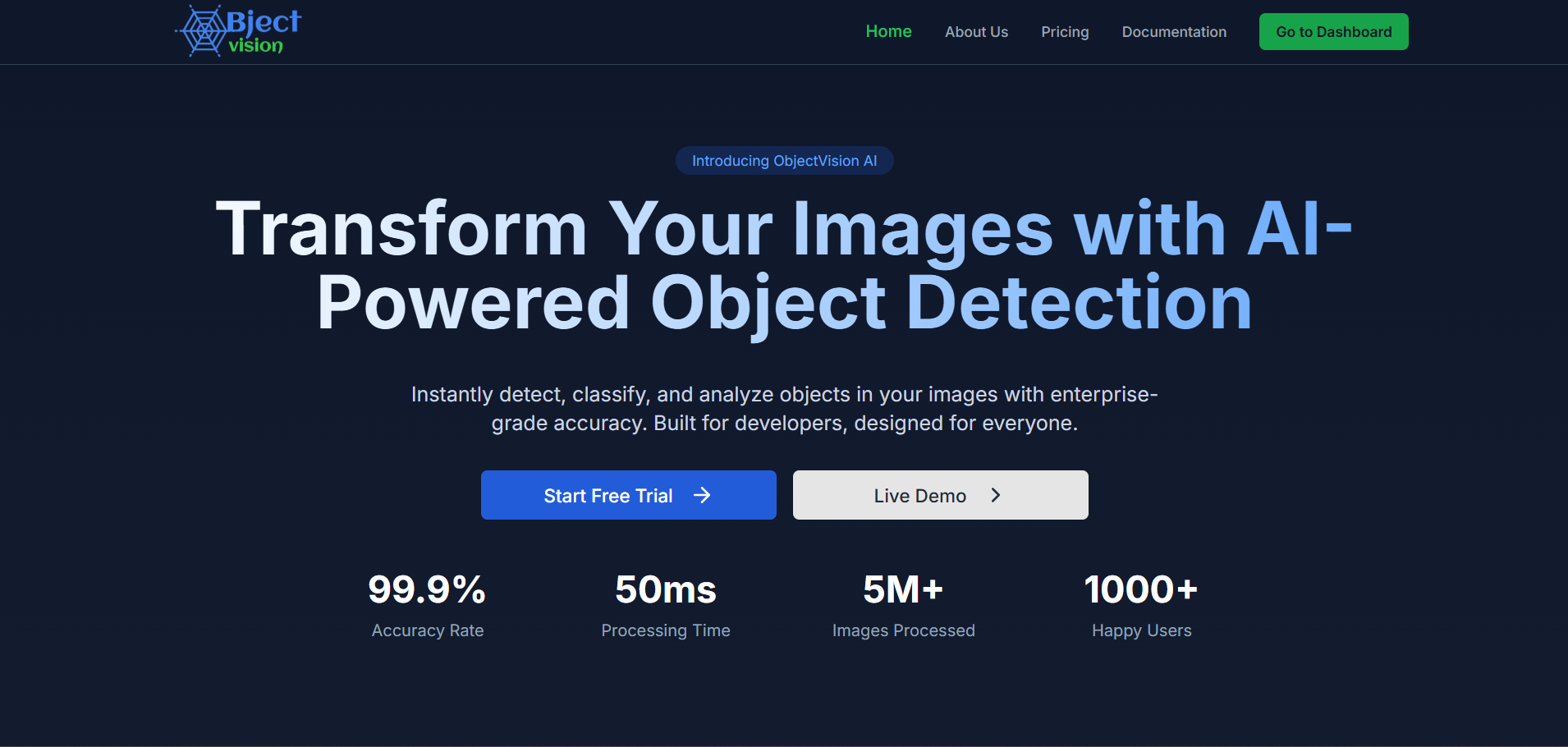
ObjectVision is a cutting-edge object detection platform that leverages advanced machine learning techniques for real-time object identification and analysis. The frontend of ObjectVision is built using Next.js 15, TypeScript, and ShadCN for the UI components, making it a modern and robust solution for interacting with the platform.
- Features
- Installation
- Development Setup
- Project Structure
- Technologies Used
- Environment Variables
- API Integration
- State Management
- Building for Production
- Testing
- Continuous Integration
- Performance Optimization
- Contributing
- Troubleshooting
- License
- Contact
ObjectVision Frontend provides a comprehensive set of features:
- Real-time Object Detection: Process images and video streams with instant visual feedback
- Interactive Dashboard: Monitor detection statistics and metrics through intuitive visualizations
- Batch Processing: Upload and process multiple files at once with progress tracking
- Customizable Detection Parameters: Adjust confidence thresholds and detection models
- Export & Share: Download detection results in various formats or share via direct links
- Responsive Design: Seamless experience across desktop, tablet, and mobile devices
- Dark/Light Mode: Support for user preference and system theme detection
- Accessibility: WCAG 2.1 compliant interface with keyboard navigation support
To get started with the frontend of ObjectVision, follow these steps:
-
Prerequisites:
- Node.js (v18.0.0 or later)
- npm (v9.0.0 or later)
- Git
-
Clone the repository:
git clone https://github.com/imtiaj-007/ObjectVision-Frontend.git cd objectvision-frontend -
Install dependencies:
npm install --legacy-peer-deps
-
Setup environment variables:
cp .env.example .env.development
Edit
.env.developmentwith your configuration (see Environment Variables section). -
Generate TypeDoc documentation (optional):
npm run docs
-
Start the development server:
npm run dev
This launches the frontend app at
http://localhost:3000. Changes are automatically reflected in the browser. -
TypeScript development tips:
- Ensure your IDE has TypeScript support enabled
- Run type checking in watch mode with
npm run type-check:watch - Use the provided TSConfig for consistent settings
-
Working with ShadCN components:
# Install a new component
npx shadcn-ui@latest add button

# Update existing components
npx shadcn-ui@latest add button --overwrite
-
Linting and formatting:
# Run ESLint
npm run lint

# Fix linting issues automatically
npm run lint:fix

# Format code with Prettier
npm run format
The frontend project follows a clean, modular, and scalable architecture:
objectvision-frontend/
├── app/                     # Next.js app-based pages and layouts
│   ├── (auth)/              # Authentication-related routes
│   ├── (dashboard)/         # Protected dashboard routes
│   ├── layout.tsx           # Root layout component
│   └── page.tsx             # Homepage component
├── components/              # Reusable UI components
│   ├── auth/                # Authentication-related components
│   ├── dashboard/           # Dashboard-specific components
│   ├── predictions/         # Object detection components
│   ├── layout/              # Layout components (header, footer, etc.)
│   ├── ui/                  # ShadCN UI components
│   └── pages/               # Actual Page components
├── configuration/           # Project settings and configurations
│   ├── api.config.ts        # API configuration
│   ├── constants.ts         # Application constants
│   └── settings.ts          # Environment variable management
├── hooks/                   # Custom React hooks
│   ├── api/                 # API-related hooks
│   ├── store/               # Redux store hooks
│   └── ui/                  # UI-related hooks
├── schemas/                 # Zod validation schemas
│   ├── auth-schema.ts       # Authentication form schemas
│   ├── detection-schema.ts  # Detection parameter schemas
│   └── user-schema.ts       # User data schemas
├── services/                # API services
│   ├── api-service.ts       # Base API service
│   ├── auth-service.ts      # Authentication service
│   └── detection-service.ts # Detection service
├── store/                   # Redux store configuration
│   ├── features/            # Redux slices and thunks
│   ├── providers/           # Redux provider
│   └── store.ts             # Store configuration
├── types/                   # TypeScript type definitions
│   ├── api-types.ts         # API-related types
│   ├── detection-types.ts   # Detection-related types
│   └── common-types.ts      # Common type definitions
├── utils/                   # Utility functions
│   ├── date-utils.ts        # Date manipulation utilities
│   ├── file-utils.ts        # Formatting utilities
│   └── promise-utils.ts     # Promise helpers
├── docs/                    # Generated TypeDoc documentation
├── .env.example             # Example environment variables
├── .eslintrc.js           # ESLint configuration
├── .prettierrc            # Prettier configuration
├── jest.config.js         # Jest testing configuration
├── next.config.mjs        # Next.js configuration
├── package.json           # Project dependencies and scripts
├── tailwind.config.js     # Tailwind CSS configuration
└── tsconfig.json          # TypeScript configuration
ObjectVision Frontend leverages a modern tech stack to deliver a performant and maintainable application:
- Next.js 15: React framework with server-side rendering, route handling, and optimized builds
- TypeScript: Strongly-typed programming language for enhanced developer experience
- React 18: UI library with concurrent rendering features
- ShadCN UI: Customizable component library based on Radix UI
- Tailwind CSS: Utility-first CSS framework
- Lucide Icons: Beautiful & consistent icon set
- React Icons: Beautiful & consistent icon set
- Redux Toolkit: Modern Redux with simplified logic
- RTK Query: Built-in data fetching and caching
- React Hook Form: Efficient form handling
- Zod: Schema validation library
- Jest: JavaScript testing framework
- React Testing Library: Component testing utilities
- Cypress: End-to-end testing
- ESLint: Code linting
- Prettier: Code formatting
- Husky: Git hooks
- GitHub Actions: CI/CD pipeline
ObjectVision Frontend uses environment variables for configuration. Create a .env.development file with the following variables:
# URLs
NEXT_PUBLIC_ENV=development
NEXT_PUBLIC_FRONTEND_URL=http://localhost:3000
NEXT_PUBLIC_LOGO_URL=http://localhost:3000/logo.png

NEXT_PUBLIC_BACKEND_URL=http://localhost:8000
NEXT_PUBLIC_API_BASE_URL=http://localhost:8000/api
NEXT_PUBLIC_GOOGLE_OAUTH_URL=http://localhost:8000/api/oauth

# Secret Keys
NEXT_PUBLIC_API_KEY=your-api-key
NEXT_PUBLIC_SECRET_KEY=your-secret-key
NEXT_PUBLIC_RAZORPAY_KEY_ID=your-razorpay-key

# Google Analytics Credentials (optional)
NEXT_PUBLIC_GTAG_ID=your-g-tag
NEXT_PUBLIC_GOOGLE_VERIFICATION_CODE=your-google-verification-code
For production deployment, set these variables in your hosting environment.
ObjectVision Frontend communicates with the backend API using a standardized approach:
Each API domain has its own service, for example services/detection-service.ts:
import axiosClient from '@utils/axios';
import { DetectionParams, DetectionResult } from '../types/detection-types';

export const DetectionService = {
  detectObjects: async (imageData: File, params: DetectionParams): Promise<DetectionResult> => {
    const formData = new FormData();
    formData.append('image', imageData);
    formData.append('params', JSON.stringify(params));

    const response = await apiClient.post('/detect', formData, {
      headers: {
        'Content-Type': 'multipart/form-data',
      },
    });

    return response.data;
  },

  getBatchStatus: async (batchId: string): Promise<BatchStatus> => {
    const response = await apiClient.get(`/batch/${batchId}/status`);
    return response.data;
  },

  // More detection-related API methods...
};ObjectVision uses Redux Toolkit for state management, organized into logical slices:
The Redux store is configured in store/store.ts:
import { configureStore } from '@reduxjs/toolkit';
import { setupListeners } from '@reduxjs/toolkit/query';
import { api } from './services/api';
import authReducer from './slices/authSlice';
import detectionReducer from './slices/detectionSlice';
import uiReducer from './slices/uiSlice';

export const store = configureStore({
  reducer: {
    auth: authReducer,
    detection: detectionReducer,
    ui: uiReducer,
    [api.reducerPath]: api.reducer,
  },
  middleware: (getDefaultMiddleware) =>
    getDefaultMiddleware().concat(api.middleware),
});

setupListeners(store.dispatch);

export type RootState = ReturnType<typeof store.getState>;
export type AppDispatch = typeof store.dispatch;Each feature has its own slice, for example store/slices/detectionSlice.ts:
import { createSlice, PayloadAction } from '@reduxjs/toolkit';
import { DetectionState, DetectionResult } from '../../types/detection.types';

const initialState: DetectionState = {
  results: [],
  isProcessing: false,
  currentBatchId: null,
  error: null,
  detectionParameters: {
    confidenceThreshold: 0.5,
    modelType: 'standard',
  },
};

export const detectionSlice = createSlice({
  name: 'detection',
  initialState,
  reducers: {
    startDetection: (state) => {
      state.isProcessing = true;
      state.error = null;
    },
    detectionSuccess: (state, action: PayloadAction<DetectionResult>) => {
      state.results.push(action.payload);
      state.isProcessing = false;
    },
    detectionFailed: (state, action: PayloadAction<string>) => {
      state.isProcessing = false;
      state.error = action.payload;
    },
    updateParameters: (state, action: PayloadAction<Partial<DetectionParameters>>) => {
      state.detectionParameters = {
        ...state.detectionParameters,
        ...action.payload,
      };
    },
    clearResults: (state) => {
      state.results = [];
    },
  },
});

export const {
  startDetection,
  detectionSuccess,
  detectionFailed,
  updateParameters,
  clearResults,
} = detectionSlice.actions;

export default detectionSlice.reducer;To create a production-ready build of ObjectVision Frontend:
-
Optimized build:
npm run build:prod
This creates an optimized build with:
- Code minification
- Tree shaking to eliminate unused code
- Image optimization
- Static HTML generation where applicable
-
Test the production build locally:
npm start
-
Analyze bundle size (optional):
npm run analyze
This generates a visual report of bundle sizes to identify optimization opportunities.
-
Deployment considerations:
- Enable caching headers for static assets
- Configure CDN for assets and API proxy if applicable
- Set up proper environment variables for the production environment
- Implement health checks and monitoring
ObjectVision Frontend implements a comprehensive testing strategy:
Run unit tests with Jest:
# Run all tests
npm test

# Run tests in watch mode
npm test:watch

# Run tests with coverage report
npm test:coverageTest UI components with React Testing Library:
npm run test:componentsRun end-to-end tests with Cypress:
# Open Cypress test runner
npm run cypress:open

# Run Cypress tests headlessly
npm run cypress:runCompare UI snapshots for visual changes:
npm run test:visualObjectVision uses GitHub Actions for CI/CD. The workflow is defined in .github/workflows/ci.yml:
-
Pull Request Checks:
- Code linting and formatting
- TypeScript type checking
- Unit and component tests
- Bundle size analysis
-
Main Branch Deployment:
- Automated build and deployment to staging
- End-to-end tests on staging environment
- Manual approval for production deployment
ObjectVision Frontend implements several performance optimizations:
- Code Splitting: Dynamic imports for route-based code splitting
- Image Optimization: Next.js Image component for responsive images
- Font Optimization: Local font hosting with optimized loading
- Lazy Loading: Components and sections loaded only when needed
- Memoization: React.memo, useMemo, and useCallback for expensive operations
- Service Worker: Offline capabilities and asset caching
- Bundle Analysis: Regular bundle size monitoring
We welcome contributions to ObjectVision Frontend! Here's how to get started:
- Fork the repository
- Create a feature branch:
git checkout -b feature/your-feature-name
- Make your changes:
- Follow the coding standards and style guide
- Add tests for new features
- Update documentation as needed
- Run the tests:
npm test - Submit a pull request:
- Provide a clear description of the changes
- Reference any related issues
- Include screenshots or GIFs for UI changes
Common issues and their solutions:
Issue: Dependencies fail to install correctly Solution: Clear npm cache and retry:
npm cache clean --force
rm -rf node_modules
npm installIssue: Hot module replacement not working Solution: Check for conflicting global installations:
npm list -g next
# If found, uninstall global Next.js
npm uninstall -g nextIssue: TypeScript compilation errors during build Solution: Run type checking separately to identify issues:
npm run type-checkThis project is licensed under the MIT License - see the LICENSE file for details.
- Project Maintainer: SK Imtiaj Uddin
- Email: imtiaj.kol@gmail.com
- GitHub: @imtiaj-007
- LinkedIn: @sk-imtiaj-uddin
- Twitter: @imtiaj_007
Made with ❤️ by the ObjectVision Team