This is a Qt application for Raspberry Pi to read a MAX31855 thermocouple and control PWM and digital outputs. A sequence of temperature ramps can be configured as a preset 'profile', to define a target temperature that changes over time. There is no proper (eg. PID) control loop between the inputs, just a simple on/off toggle based on a temperature range.
Should run ok on Pi 3 and 4 (not 5).
Not sure if all these packages are strictly necessary...
sudo apt install qtcreator qmake qt6-tools-dev-tools qt6-base-dev qt6-tools-dev
cd src
qmake6
make
sudo ./reflowController
The qcustomplot related files take a lot of memory to compile, so when compiling on a Pi3 you might want to avoid concurrent compiles (eg. 'make -j4') at least for the first compile, otherwise memory will be completely exhausted and the job will take forever.
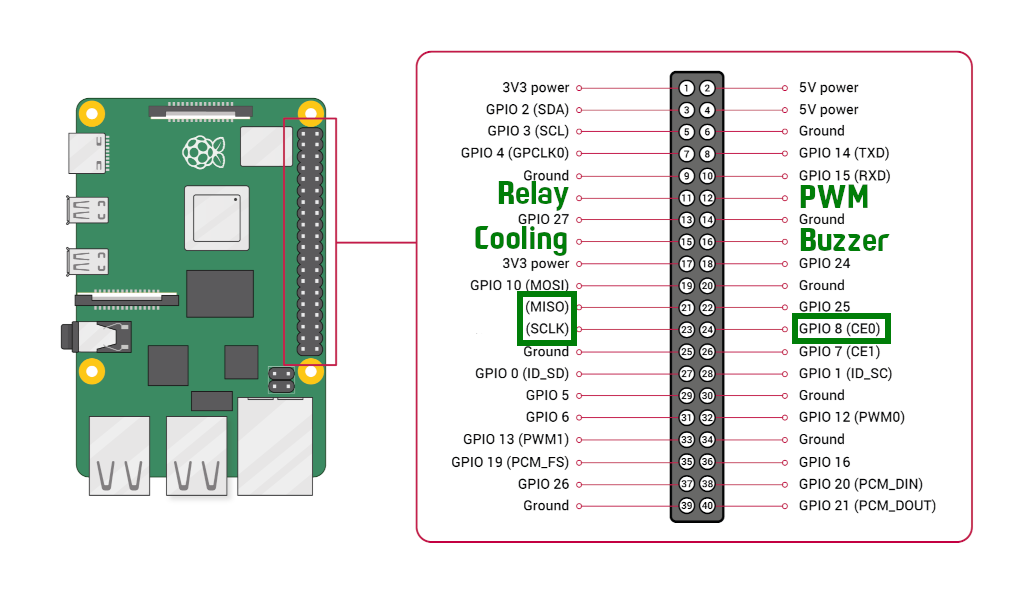
Look at the HeatProfile::tick(float timeElapsed) function to modify the interaction between the input and outputs. Currently it just sets the 'relay' output high and PWM output to 15% when the temperature is more than 2 degrees below the target, and turns these off (and sets the 'cooling' output high) when more than 2 degrees above the target. This is probably not very useful for anything practical, so be sure to implement your own behavior. By default the 'buzzer' output is not controlled in any way.
You can use these functions to read and write I/O:
float getTemperatureAmbient();
float getTemperatureSensor();

void setPWMPercent(float v); // 0 - 100
void setCoolingOn(bool tf);
void setRelayOn(bool tf);
void setBuzzerOn(bool tf);
In mainwindow.cpp you can find some defines to alter the times used for temperature readings and plot displays, these should all be integers. Originally I was reading temperatures every 250ms, but I found that in some cases readings would seem to choke up and not meet the desire speed - a rate of 1000ms between readings seems successful.

As a result of the reading intervals not always being reliable, the 'timeElapsed' value given to the tick function is not a consistent interval, so don't depend on it being constant if you want to make a PID loop.
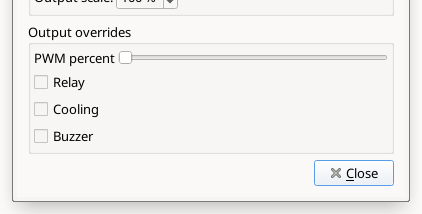
When the settings dialog is open, the outputs will be overridden to match the controls in the dialog: