| name | Drum Pad |
|---|---|
| description | Creating a Drum Pad with HTML, CSS & JS |
| author | @emmanuel39hanks |
| img | https://cloud-edj42rbl8.vercel.app/0screencapture-drum-emmanuel39hanks-repl-co-2020-11-07-23_43_18.png |
Ever wondered how you can play sounds with code? Well, if yes, then you will love this workshop! We will be creating a drum pad with less than 230 lines of code that plays actual sounds.

Preview of the Drum Pad we are going to be creating
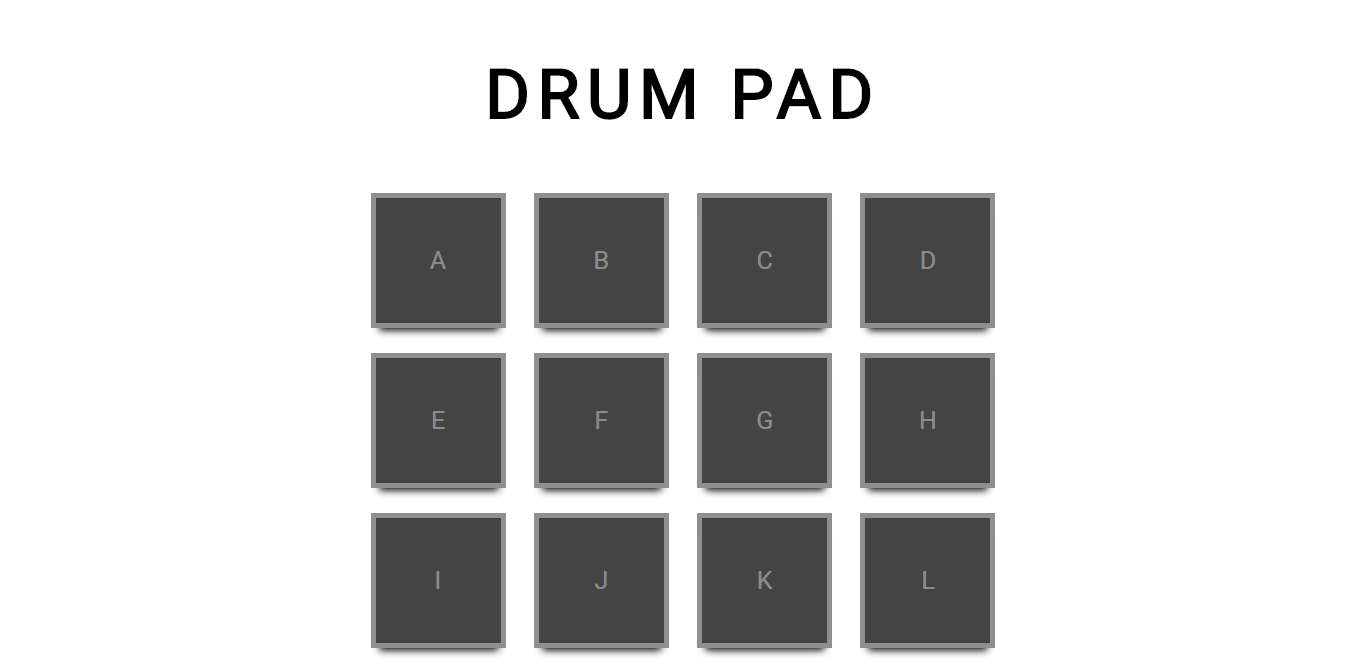
Apart from building the drum pad, you will also be learning about different types of events, functions, styling, and more with Vanilla JavaScript, HTML, and CSS.
Final Code: GitHub | Demo: Live
Let's start by setting up our coding environment using repl.it, a free, online code editor. To begin, navigate to repl.it, and create a new repl.
You will see that there are already three files: index.html, style.css, and script.js. Navigate to your index.html file, and we will work on the structure of our drum pad there.
We will write most of our HTML code inside the <body> tag. Let's start by creating a header that displays the text DRUM PAD using the <h1> tag:
<h1>DRUM PAD</h1>Just under the <h1> tag, we will have three rows and four columns of buttons. Each buttons will be created with the <div> tag. You can think of the <div> tag as a box or container, and we are using it because each of our buttons will have a boxy look.
<!-- Parent div -->
<div>
<!-- nested child divs -->
  <div>A</div>
  <div>B</div>
  <div>C</div>
  <div>D</div>
  <div>E</div>
  <div>F</div>
  <div>G</div>
  <div>H</div>
  <div>I</div>
  <div>J</div>
  <div>K</div>
  <div>L</div>
</div>
To quickly break this down. We have a parent <div> tag that nests our button divs, and we label our buttons with letters to easily identify them, and like I mentioned above, each button will be given a boxy look, and that's why we are using div tags.
Here's what your entire index.html file should look like so far:
<!DOCTYPE html>
<html lang="en">
<head>
    <meta charset="UTF-8">
    <meta name="viewport" content="width=device-width, initial-scale=1.0">
    <title>DRUM PAD</title>
</head>
<body>
    <h1>DRUM PAD</h1>
    <div>
        <div>A</div>
        <div>B</div>
        <div>C</div>
        <div>D</div>
        <div>E</div>
        <div>F</div>
        <div>G</div>
        <div>H</div>
        <div>I</div>
        <div>J</div>
        <div>K</div>
        <div>L</div>
    </div>
</body>
</html>
When we run our code, it will look like this at the moment:
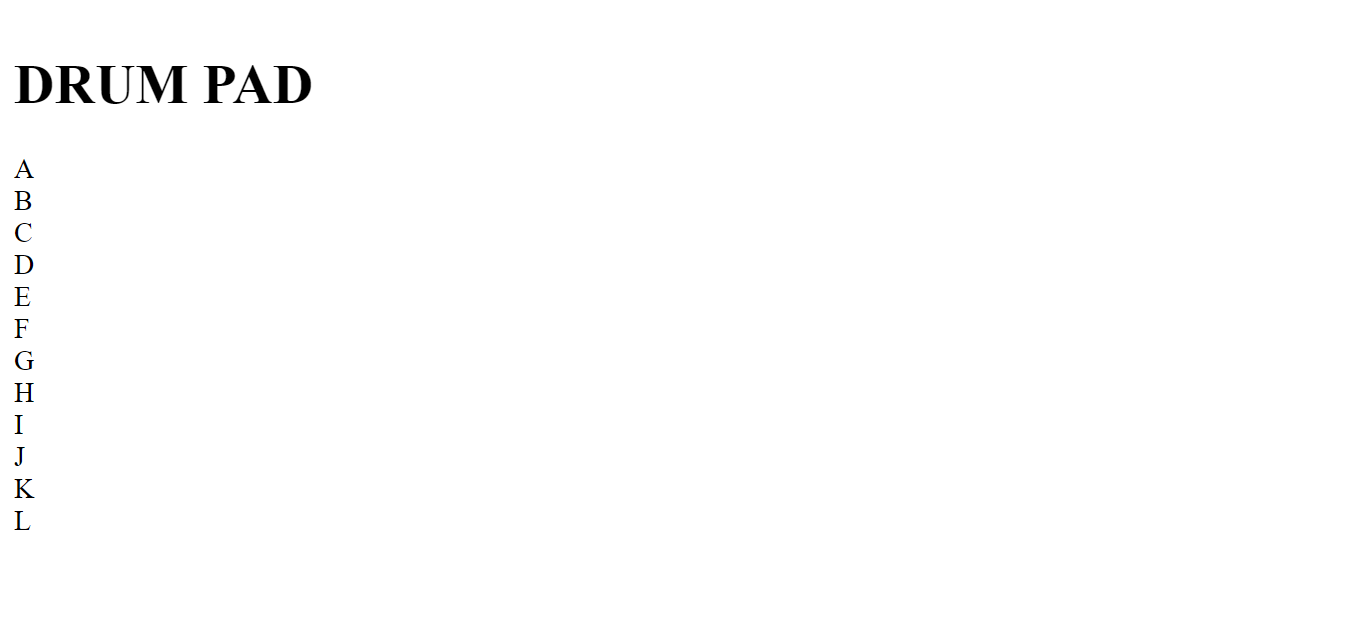
We will style our drum pad with CSS, which will make our drum pad look visually appealing.
Navigate to your style.css file and add the following code:
body {
  background-color: #fff;
  height: 100%;
  width: 100%;

  /* To learn more about the CSS flex box, check out the hacking section */
  display: flex;
  flex-direction: column;
  justify-content: center;
  align-items: center;

  /* To learn more about the overflow property, check out the hacking section */
  overflow: hidden;

  /* To learn more about the font-family property, check out the hacking section */
  font-family: sans-serif;
}
When we run our code, you will notice that our content has been aligned to the center, and that's because we changed the properties of our <body> tag, and the <body> tag renders content to our web page.
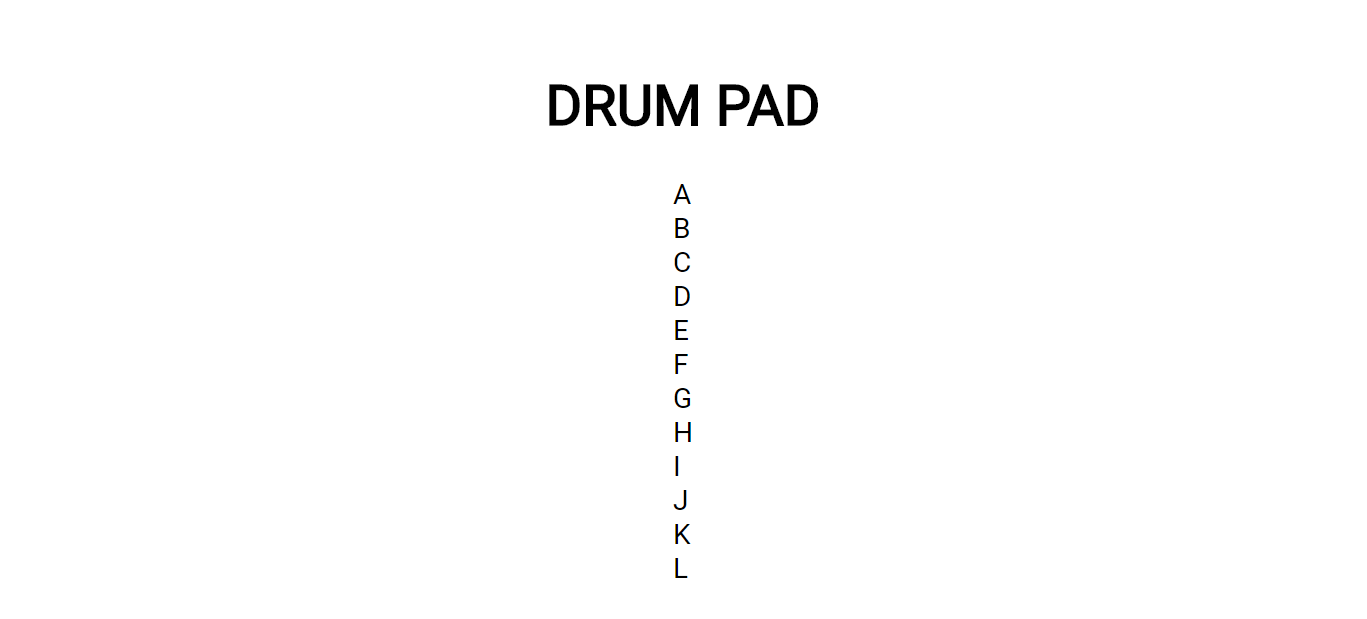
We're going to be use classes to add styling to our div tags, and to use classes we have the HTML attribute class="".
Let's navigate back to our index.html, our parent <div> tag will be given the class name pad and our nested <div> tags, the class name box which will apply our classes styling to our HTML tags.
<!-- Here we give the parent div the class name pad -->
<div  class="pad">
<!-- Here we give the nested divs each the class name box that will add styling of each individual pad -->
  <div class="box">A</div>
  <div class="box">B</div>
  <div class="box">C</div>
  <div class="box">D</div>
  <div class="box">E</div
  <div class="box">F</div>
  <div class="box">G</div>
  <div class="box">H</div>
  <div class="box">I</div>
  <div class="box">J</div>
  <div class="box">K</div>
  <div class="box">L</div>
</div>
Now navigate your style.css, and we will change the header's font size, color, and letter spacing using the following code:
h1 {
  color: #000;

  /* To learn more about the font-size property, check out the hacking section */
  font-size: 5vw;

  /* To learn more about the letter-spacing property, check out the hacking section */
  letter-spacing: 6px;
}
Then create three rows and four columns to correctly align the buttons and give them a box or container look.
.pad {
  width: 500px;
  display: flex;

  /* To learn more about the justify-content property, check out the hacking section */
  justify-content: space-between;

  /* To learn more about the flex-wrap property, check out the hacking section */
  flex-wrap: wrap;
}
We will change each of our button's properties, with the class name .box, to give them unique styling.
.box {
  width: 100px;
  height: 100px;
  margin: 10px  0;

  /* To learn more about the box-shadow property, check out the hacking section */
  box-shadow: 0  8px  6px  -6px  black;
  background-color: #444;
  display: flex;

  justify-content: center;

  /* To learn more about the align-items property, check out the hacking section */
  align-items: center;
  font-size: 20px;

  /* To learn more about the rgba function, check out the hacking section */
  color: rgba(255, 255, 255, 0.4);

  /* To learn more about the border-radius property, check out the hacking section */
  border: 4px solid;
}
And when we rerun our code, it should look like this:
We will then add code that adds hovering effects, inactive or active states to our buttons:
/* To learn more about the lighten function and :hover pseudo class, check out the hacking section */
.box:hover {
  background-color: lighten(#444, 10%);

  /* To learn more about the cursor property, check out the hacking section */
  cursor: pointer;
}

/* To learn more about the :active pseudo class, check out the hacking section */
.box:active {
  /* To learn more about the darken function, check out the hacking section */
  background-color: darken(#444, 10%);

  /* To learn more about the transform property, check out the hacking section */
  transform: scale(1.1);

  /* To learn more about the transition property, check out the hacking section */
  transition: all  0.2s;
}
Now that we have finished our styling, let's now work our drum pad functionality.
When you click on the buttons, we have no sound. We need to write some JavaScript code that will play sounds.
Let's navigate to our the index.html file to link the JavaScript file. Then, inside the <body> tag at the bottom, we will link our script.js file with the following code:
<script src="script.js"></script>Now navigate to your script.js file and add the following code:
function play(link) {
    let audio = new Audio(link);
    audio.load();
    audio.play();
}
Here we created a function called play(), it receives a parameter, which is link. This is the link to the sound. We then create an audio object and pass link to the object. Now we can just load the audio with the load() function and play it with the play() function. A function is a block of code designed to perform a particular task, it is executed when "something" invokes it (calls it).
All we need to do now is find a way to play sound when a button is clicked.
Navigate to your index.html file, we want the sound to play when each button is click, we will need a way to call our play() function. We will use an HTML attribute called onclick="", learn more about the onclick event here: onclick events, it helps us call a function when a tag with the attribute is clicked on, and inside the quotation marks, we pass the play() function and pass a link as the parameter to the function. And when a pad is clicked, it will get triggered and call the play() function and play the sound from that link:
<div class="pad">
  <div class="box" onclick="play('https://s3-us-west-2.amazonaws.com/s.cdpn.io/242518/SD0025.mp3')">A</div>
  <div class="box" onclick="play('https://s3-us-west-2.amazonaws.com/s.cdpn.io/242518/SD0010.mp3')">B</div>
  <div class="box" onclick="play('https://s3-us-west-2.amazonaws.com/s.cdpn.io/242518/SD0000.mp3')">C</div>
  <div class="box" onclick="play('https://s3-us-west-2.amazonaws.com/s.cdpn.io/242518/RS.mp3')">D</div>
  <div class="box" onclick="play('https://s3-us-west-2.amazonaws.com/s.cdpn.io/242518/OH25.mp3')">E</div>
  <div class="box" onclick="play('https://s3-us-west-2.amazonaws.com/s.cdpn.io/242518/MA.mp3')">F</div>
  <div class="box" onclick="play('https://s3-us-west-2.amazonaws.com/s.cdpn.io/242518/CY0010.mp3')">G</div>
  <div class="box" onclick="play('https://s3-us-west-2.amazonaws.com/s.cdpn.io/242518/CH.mp3')">H</div>
  <div class="box" onclick="play('https://s3-us-west-2.amazonaws.com/s.cdpn.io/242518/CB.mp3')">I</div>
  <div class="box" onclick="play('https://s3-us-west-2.amazonaws.com/s.cdpn.io/242518/BD0010.mp3')">J</div>
  <div class="box" onclick="play('https://s3-us-west-2.amazonaws.com/s.cdpn.io/242518/BD0000.mp3')">K</div>
  <div class="box" onclick="play('https://s3-us-west-2.amazonaws.com/s.cdpn.io/242518/CP.mp3')">L</div>
</div>
If you run your code now, you should see a working drum pad!
Now that you have finished building, you can share your beautiful creation with other people! Remember, it's as easy as giving them your URL! Don't forget to share it with me on Slack @emmanuel39hanks.
Resources:
- JavaScript Audio Object
- JavaScript onclick event
- CSS flex-direction
- CSS flex-wrap
- CSS justify-content
- CSS Flex box
- CSS overflow
- CSS font-size
- CSS letter-spacing
- CSS transition
- CSS transform
- CSS :hover pseudo class
- CSS :hover pseudo class
- CSS cursor
- CSS lighten & darken function
- CSS border
- CSS rgba function
- CSS box-shadow
- CSS align-items
- CSS font-family
Now it's up to you! Do anything with this project, go on and implement something crazy.
To finish, here are some examples of what can be built on top of this project:
- Play an automated beat track: demo and code
- Play the drum pad with your keyboard: demo and code
- A beautifully styled drum pad: demo and code