
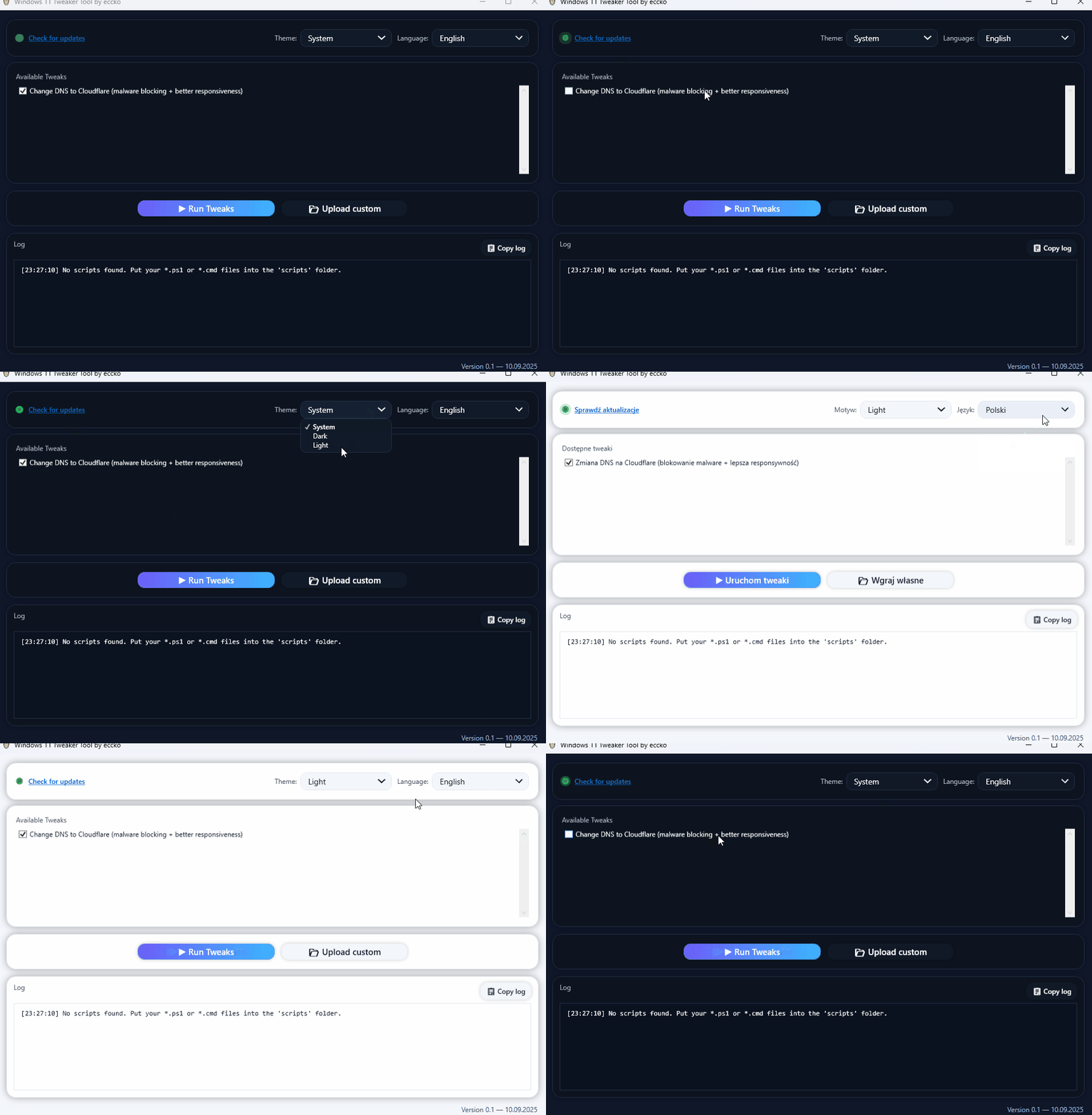
 A modern GUI tool to easily apply Windows 11 tweaks with a single click.
- 🎨 Light/Dark/System theme with dynamic switching
- 🌍 Multi-language support: English, Polski, Русский, Deutsch, Español
- ⚡ Built-in tweaks + automatic loading of your own
.ps1and.cmdscripts from the/scriptsfolder - 📋 Copyable Log with timestamps for better tracking
- 🔔 Update checker via GitHub API — shows a green badge with New! if a new release is available
- 💎 Neo-glass modern UI with smooth animations and responsive controls
- Download the latest release from GitHub Releases.
- Open .exe and enjoy presets tweaks.
- (Optional) Add your custom
.ps1or.cmdscripts into the/scriptsfolder — they will appear in the Available Tweaks list.
The app checks GitHub Releases at startup:
- 🟢 Shows a "New!" badge when a newer version is available
- 🔗 Clicking the link opens the latest release page
MIT License — free to use and modify.
Pull requests are welcome!
If you’d like to add new tweaks, simply drop .ps1 or .cmd files into /scripts or extend the built-in features.
Created with ❤️ by eccko