GScope is a simple GTK-3 frontend for cscope.
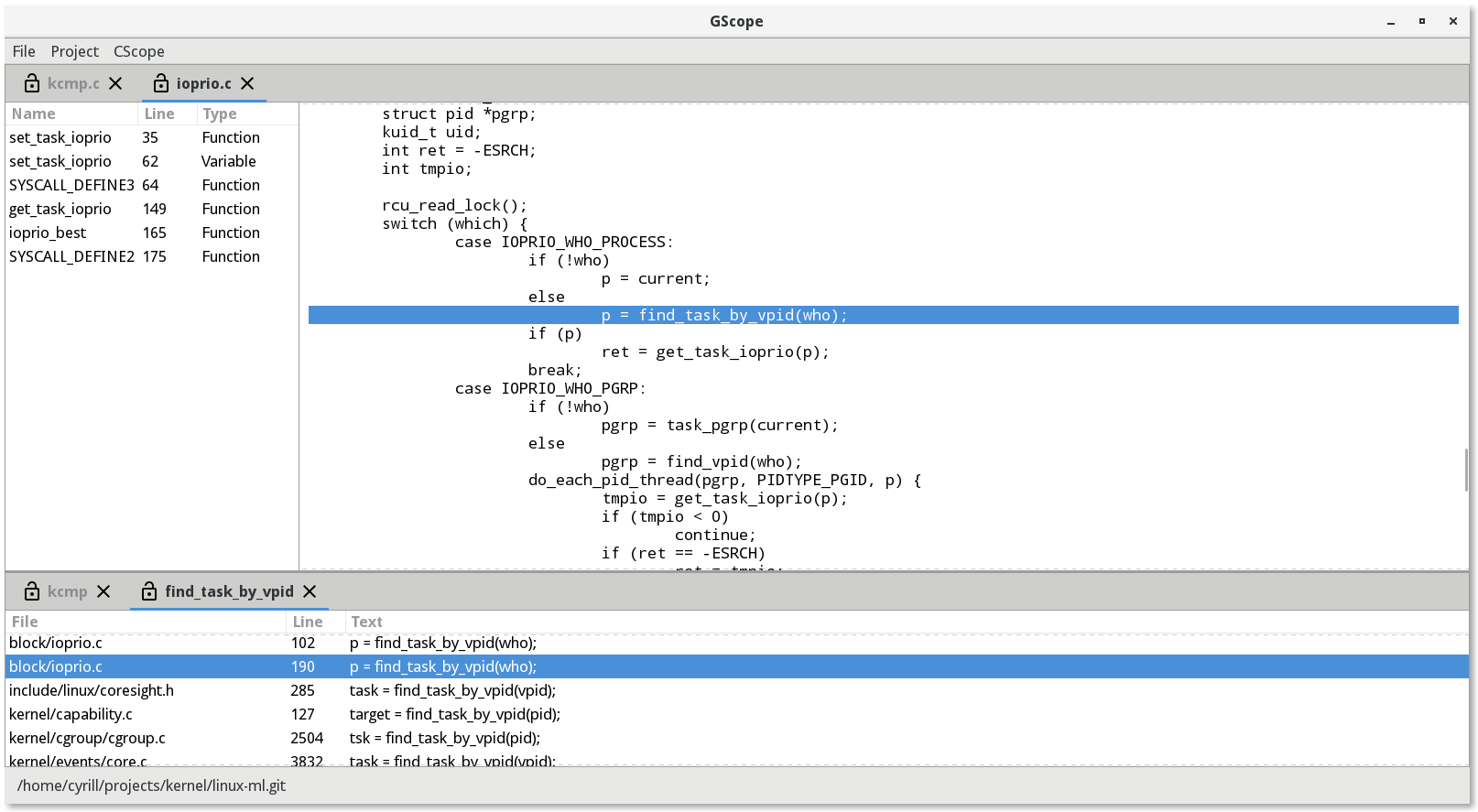
It uses ctags or gotags for local symbols lookup while global requests are managed by cscope.
To setup run sudo python3 setup.py install
Settings are kept in json format in form of
{
	"img": {
		"close": "close.svg",
		"locked": "locked.svg",
		"unlocked": "unlocked.svg",
		"icon": "gscope.svg"
	},
	"fonts": {
		"source": "Droid Sans Mono 13"
	},
	"tags": {
		".*\\.(go)": ["gotags", ["gotags"]],
		".*\\.([cChH])": ["ctags", ["ctags", "--excmd=n", "-u", "-f", "-"]],
		"*": ["ctags", ["ctags", "--excmd=n", "-u", "-f", "-"]]
	},
	"ui": {
		"source-view-ratio": 0.65,
		"tags-view-ratio": 0.20
	},
	"loglevel": 4,
	"editor": ["gvim", "-R"]
}
where img key represent icons, fonts stays for font selection
in source code viewer, tags are needed to parse local tags,
ui stands for windows splitting ratio, loglevel for debug
printouts (from 1 to 4) and editor for launching external
editor on Ctl+e keypress inside source code view.
The default settings are shipped with the package itsels but
may be overriden with -f path-to-file.json from command
line.
The current project state can be opened and save via Project->Open or Project->Save respectively. An appropriate file format is the following
{
    "version": "0.3",
    "cwd": "/projects/kernel/linux-ml.git/",
    "program": "GScope",
    "entry": [
        {
            "action": "open",
            "path": "kernel/kcmp.c"
        },
        {
            "sym": "get_file_raw_ptr",
            "action": "cscope",
            "type": 10
        },
        {
            "action": "open",
            "path": "fs/eventpoll.c"
        }
    ]
}| Shortcut | Meaning |
|---|---|
Ctl+o |
Open a file |
Ctl+q |
Exit the program |
Ctl+e |
Open current source file in editor |
Ctl+r |
Do cscope reference request with the text selected |
Ctl+d |
Do cscope definition request with the text selected |
Ctl+O |
Open a project |
Ctl+S |
Save a project |
Ctl+D |
Close a project |