In this project, let's build a Nxt Trendz - Specific Product Details app by applying the concepts we have learned till now.

Click to view
- Extra Small (Size < 576px) and Small (Size >= 576px) - Success
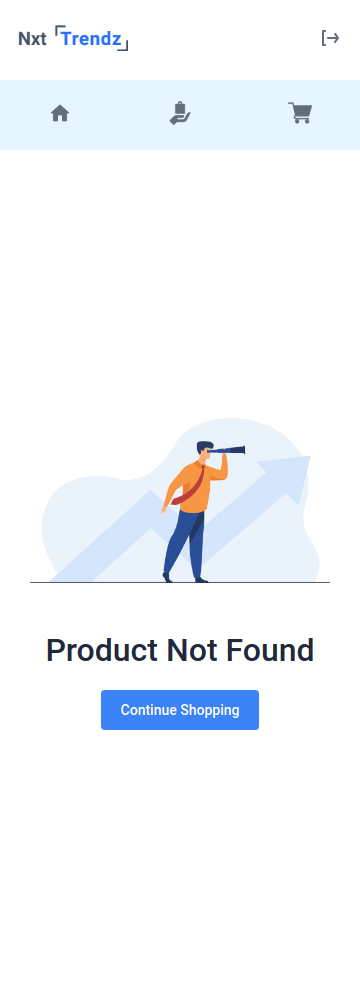
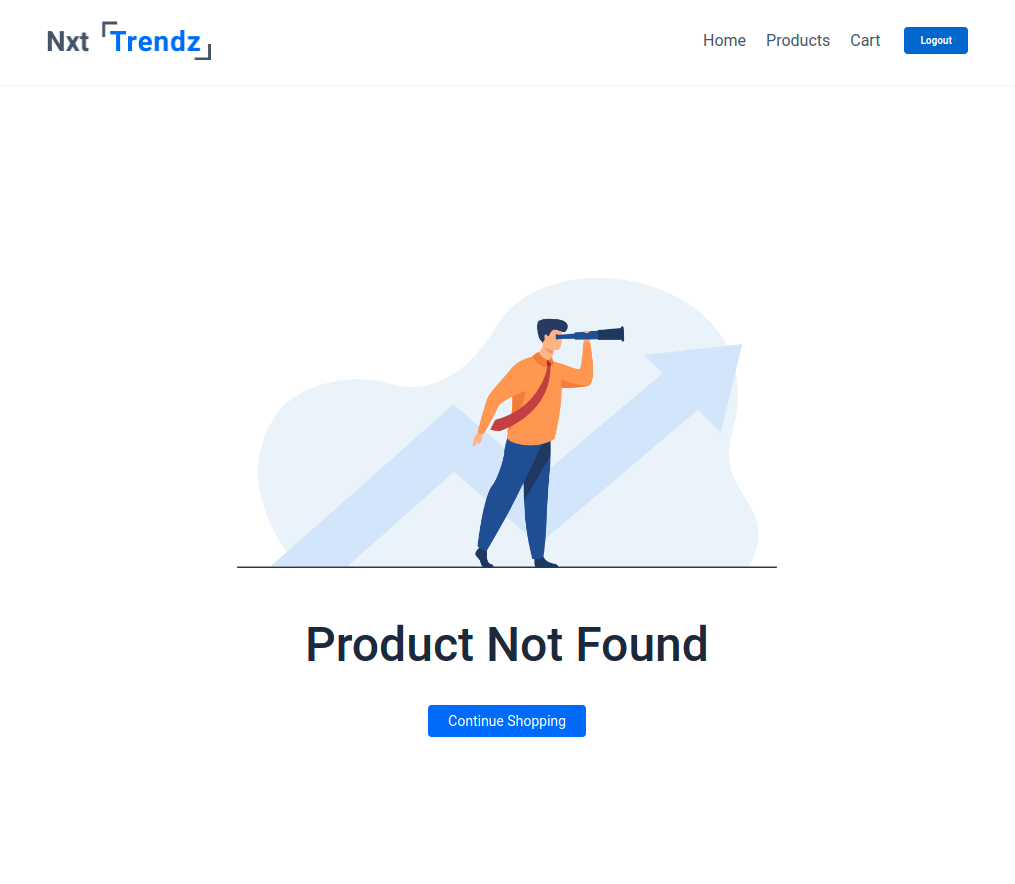
- Extra Small (Size < 576px) and Small (Size >= 576px) - Failure
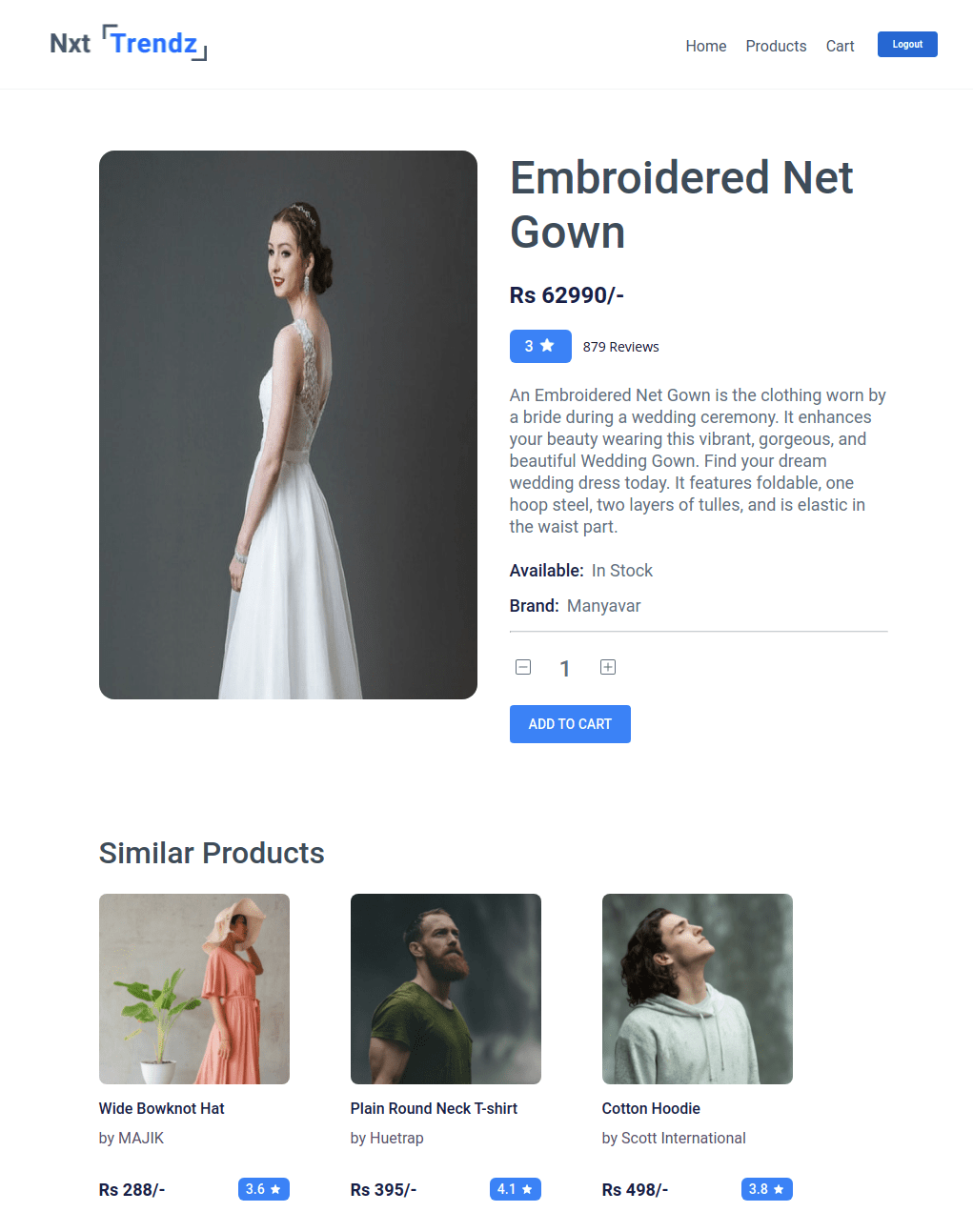
- Medium (Size >= 768px), Large (Size >= 992px) and Extra Large (Size >= 1200px) - Success
- Medium (Size >= 768px), Large (Size >= 992px) and Extra Large (Size >= 1200px) - Failure
Click to view
- Download dependencies by running
npm install - Start up the app using
npm start
Functionality to be added
The app must have the following functionalities
- When an unauthenticated user, tries to access the Product Item Details Route, then the page should be navigated to Login Route
- When an authenticated user clicks on a product in the Products Route, then the page should be navigated to Product Item Details route
- When an authenticated user opens the Product Item Details Route,
- An HTTP GET request should be made to productDetailsApiUrl with
jwt_tokenin the Cookies and productidas path parameter - loader should be displayed while fetching the data
- After the data is fetched successfully, display the product details and similar products received in the response
- Initially, the quantity of the product should be
1 - The quantity of the product should be incremented by one when the plus icon is clicked
- The quantity of the product should be decremented by one when the minus icon is clicked
- If the HTTP GET request made is unsuccessful, then the Failure view should be displayed
- When the Continue Shopping button in the Failure view is clicked, then the page should be navigated to Products Route
- An HTTP GET request should be made to productDetailsApiUrl with
API Requests & Responses
productDetailsApiUrl
Returns a response containing the Product details
{
  "id":16,
  "image_url":"https://assets.ccbp.in/frontend/react-js/ecommerce/cloths-long-fork.png",
  "title":"Embroidered Net Gown","price":62990,"description":"An Embroidered Net Gown is the clothing worn by a bride during a wedding ceremony. It enhances your beauty wearing this vibrant, gorgeous, and beautiful Wedding Gown. Find your dream wedding dress today. It features foldable, one hoop steel, two layers of tulles, and is elastic in the waist part. ",
  "brand":"Manyavar",
  "total_reviews":879,
  "rating":3,
  "availability":"In Stock",
  "similar_products":[
    {
      "id":1,
      "image_url":"https://assets.ccbp.in/frontend/react-js/ecommerce/clothes-cap.png",
      "title":"Wide Bowknot Hat",
      "style":"Wide Bowknot Hat for Women and Girls (Multicolor)",
      "price":288,
      "description":"This Summer's perfect White Wide Brim Straw Beach hat is perfect for a hot day. It has the Floppy Style which gives you good coverage from the sun's hot rays and is sure to make the right style statement. It is made of high-quality & skin-friendly paper straw material and lightweight. ",
      "brand":"MAJIK",
      "total_reviews":245,
      "rating":3.6,
      "availability":"In Stock"
    },
      ...
  ]
}{
"status_code": 404,
"error_msg": "Product Not Found"
}Components Structure
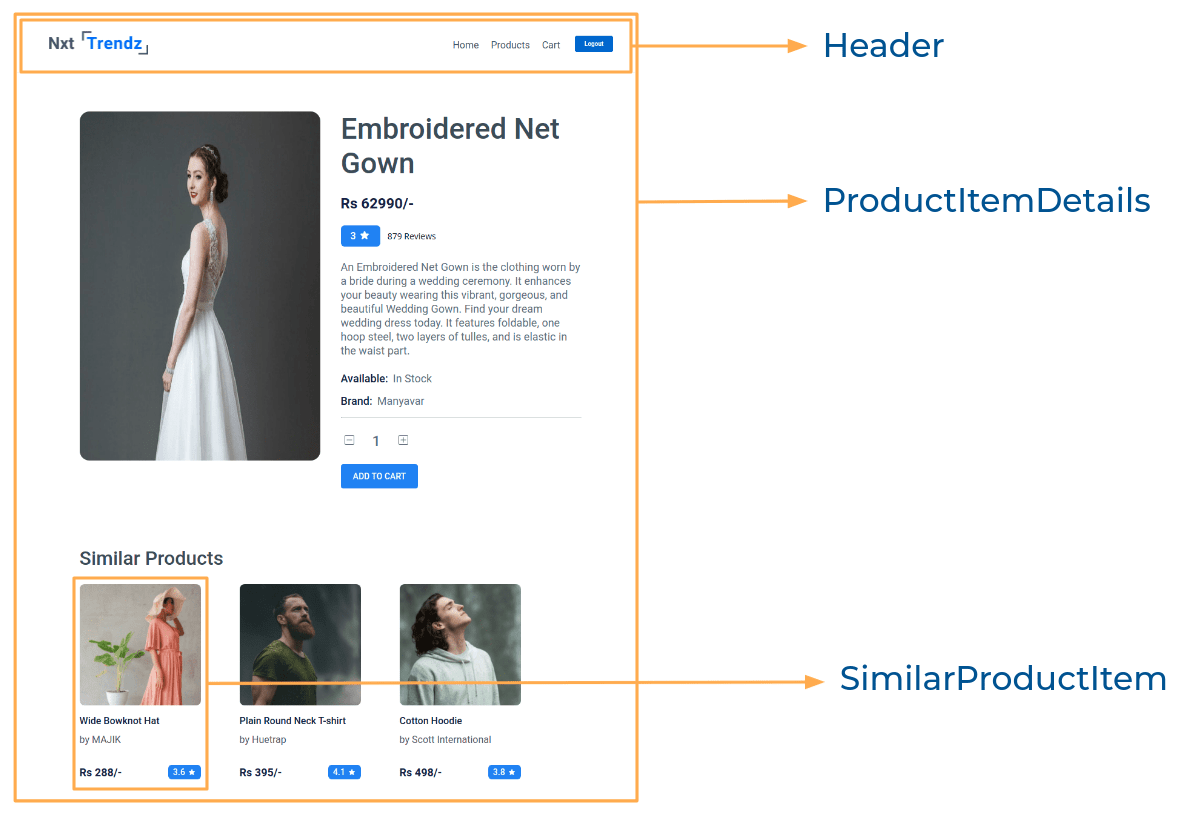
Implementation Files
Use these files to complete the implementation:
src/components/ProductCard/index.jssrc/components/ProductCard/index.csssrc/components/ProductItemDetails/index.jssrc/components/ProductItemDetails/index.csssrc/components/SimilarProductItem/index.jssrc/components/SimilarProductItem/index.css
Click to view
-
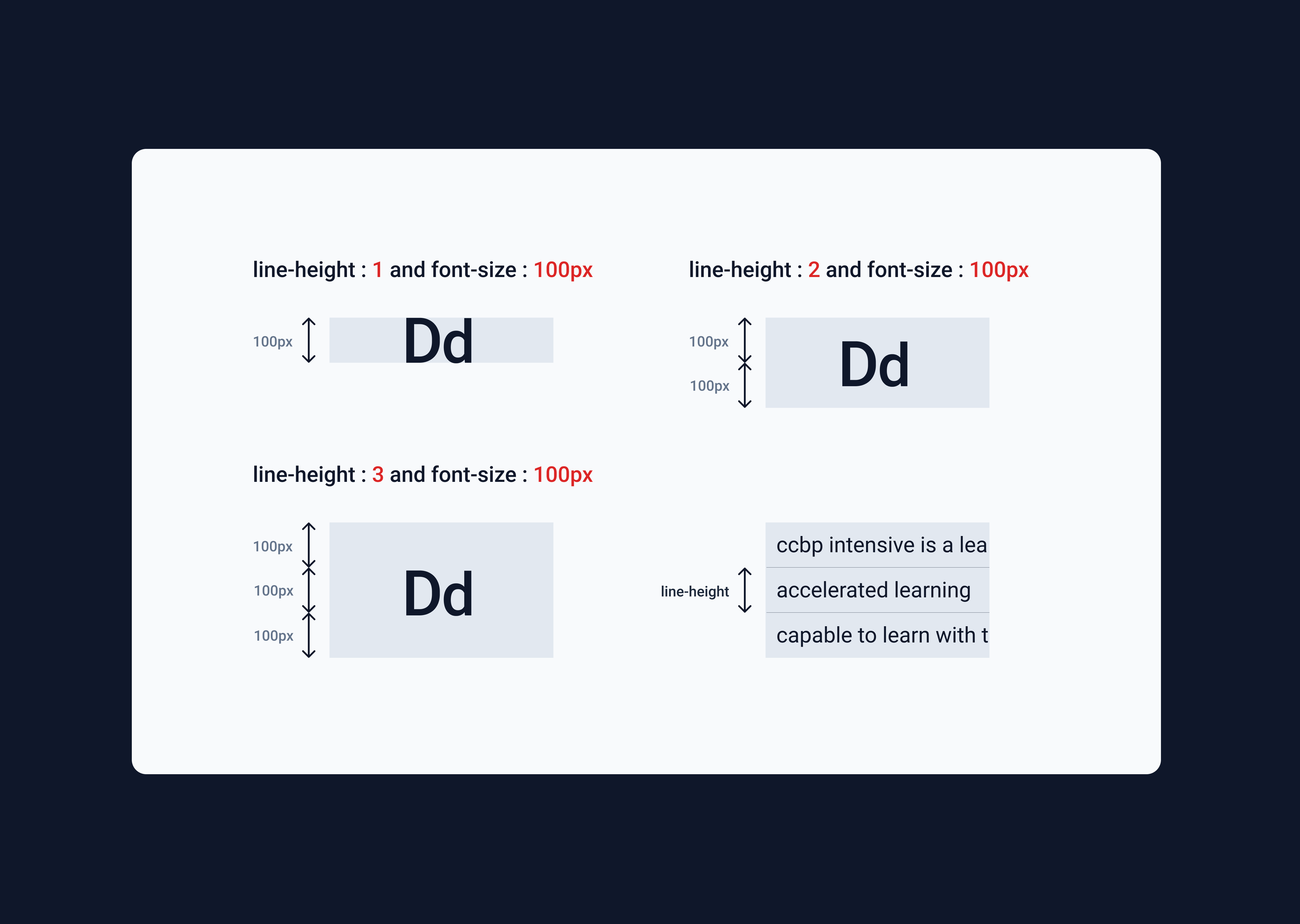
The
line-heightCSS property sets the height of a line box. It's commonly used to set the distance between lines of text.line-height: 1.5;

Click to view
The following instructions are required for the tests to pass
-
HomeRoute should consist of/in the URL path -
LoginRoute should consist of/loginin the URL path -
ProductsRoute should consist of/productsin the URL path -
Product Item DetailsRoute should consist of/products/:idin the URL path -
CartRoute should consist of/cartin the URL path -
No need to use the
BrowserRouterinApp.jsas we have already included inindex.js -
Prime User credentials
username: rahul password: rahul@2021 -
Non-Prime User credentials
username: raja password: raja@2021 -
Wrap the Loader component with an HTML container element and add the
data-testidattribute value asloaderto it<div data-testid="loader"> <Loader type="ThreeDots" color="#0b69ff" height={80} width={80} /> </div>
-
The product image in Product Item Details Route should have the alt as product
-
The similar product image in Product Item Details Route should have the alt as similar product {product title}
similar product Wide Bowknot Hat -
BsPlusSquare,BsDashSquareicons from react-icons should be used for plus and minus buttons in ProductItemDetails Route -
The Product Item Details Route should consist of two HTML button elements with
data-testidattribute values as plus and minus respectively
Image URLs
- https://assets.ccbp.in/frontend/react-js/star-img.png alt should be star
- https://assets.ccbp.in/frontend/react-js/nxt-trendz-error-view-img.png alt should be error view


Colors
Font-families
- Roboto
- All components you implement should go in the
src/componentsdirectory.- Don't change the component folder names as those are the files being imported into the tests.
- Do not remove the pre-filled code
- Want to quickly review some of the concepts you’ve been learning? Take a look at the Cheat Sheets.