| title | Hermes Agent |
|---|---|
| description | Give Nous Research's Hermes Agent the power of web scraping with schema-validated JSON |
| icon | /logo/hermes.png |
Hermes Agent is Nous Research's local-first, autonomous agent that gets sharper over time by turning completed tasks into reusable skills. The one thing it cannot do out of the box is read the live web reliably with structured output.
The ScrapeGraphAI just-scrape skill fixes that. One install gives Hermes a clean scraping toolkit that returns schema-enforced JSON instead of markdown soup. Combined with Hermes' built-in cron scheduler, any scrape becomes a recurring agent that runs while you sleep.
<Card title="GitHub Repository" icon="github" href="https://github.com/ScrapeGraphAI/just-scrape"
Browse the CLI and skill source
| Requirement | Where to get it |
|---|---|
| Hermes Agent installed | hermes-agent.nousresearch.com |
| Node.js 18+ | Used by the just-scrape CLI under the hood |
| A ScrapeGraphAI API key | scrapegraphai.com/dashboard |
If you have not installed Hermes yet, this one-liner handles it on macOS, Linux, or WSL2:
curl -fsSL https://raw.githubusercontent.com/NousResearch/hermes-agent/main/scripts/install.sh | bashReload your shell and type hermes. If it drops you into a chat prompt, you are ready.
```bash
export SGAI_API_KEY=sgai-xxxxxxxxxxxxxxxxxxxx
```
```bash
hermes skills install skills-sh/scrapegraphai/just-scrape/just-scrape
```

Alternatively, install via the skills.sh CLI (requires Node.js 18+):

```bash
npx skills add https://github.com/scrapegraphai/just-scrape --skill just-scrape
```

Either way, the skill lands in `~/.hermes/skills/` and is available the moment you start a new session.
<Tip>
You can audit any skill before installing it with `hermes skills inspect skills-sh/scrapegraphai/just-scrape/just-scrape`.
</Tip>

<Note>
Hermes uses progressive disclosure for skills, so `just-scrape` only consumes tokens when the agent decides to use it.
</Note>
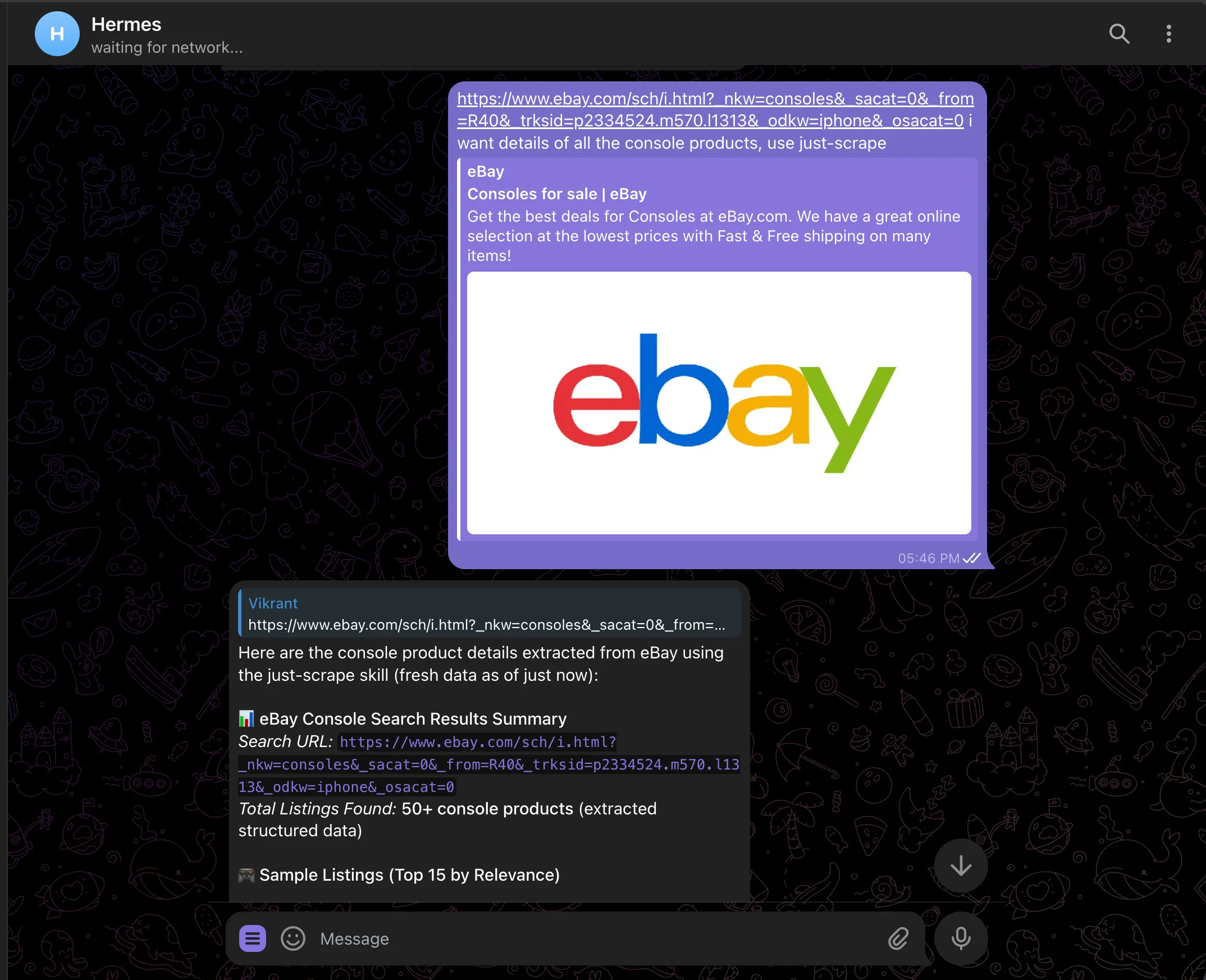
Start a fresh Hermes session and paste a URL. Hermes will read the skill, pick the right just-scrape subcommand, and return structured data:
> https://www.ebay.com/sch/i.html?_nkw=consoles
  I want details of all the console products. Use the just-scrape skill.
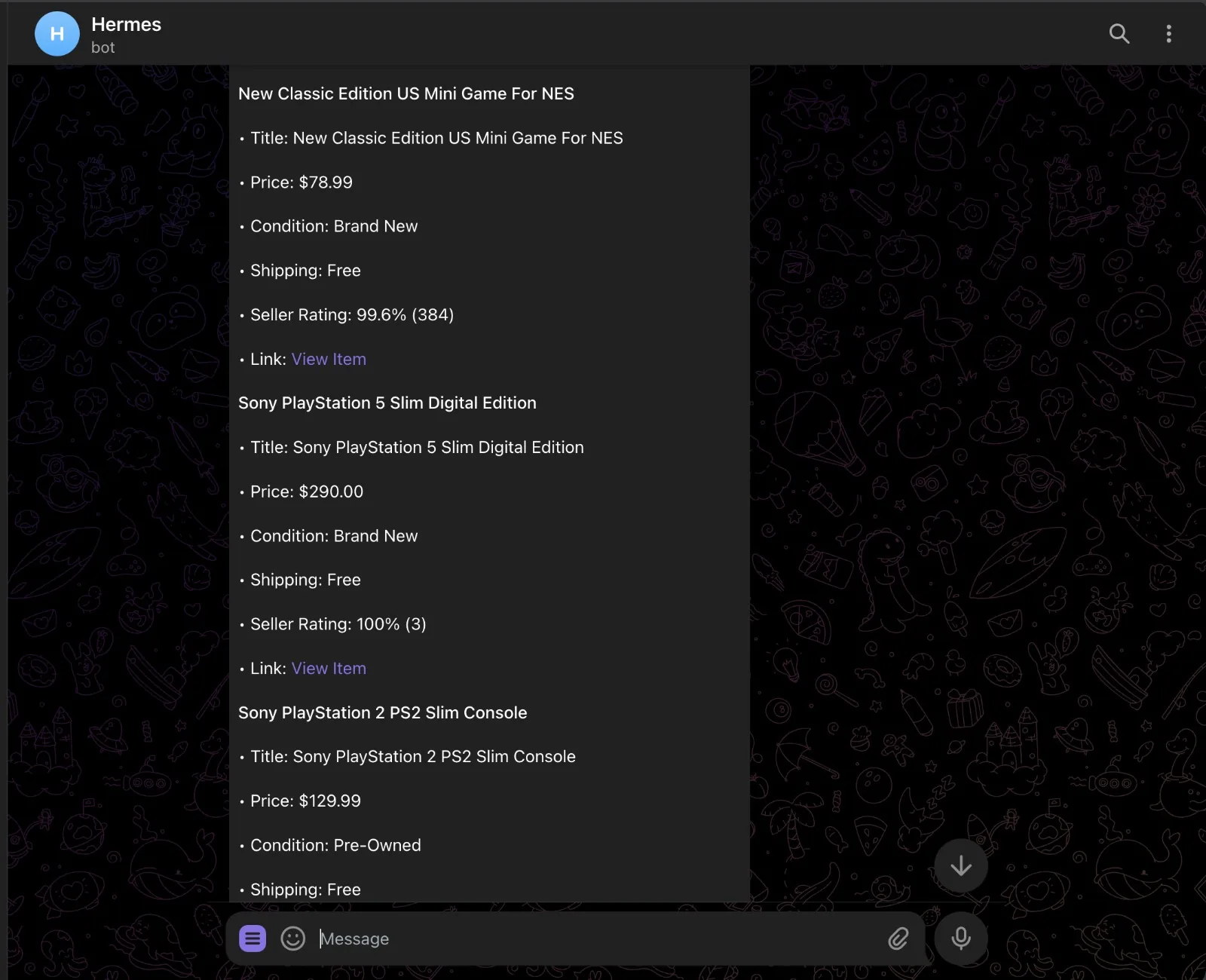
Hermes calls just-scrape extract with a schema for title, price, condition, shipping, seller rating, and listing URL, then streams back a clean summary.
Because just-scrape returns schema-validated JSON, every listing comes back with the same fields in the same shape. No regex parsing, no markdown wrangling:
Hermes has a built-in cron scheduler. Hand it a job in natural language and it figures out the schedule, prompt, and delivery target. Stay in the same chat session so Hermes has the context fresh, then send:
> Now set a cron for this to run every 3 hours and update me about new
  listings or price changes.
Hermes calls its cronjob tool, writes the job, and confirms back:
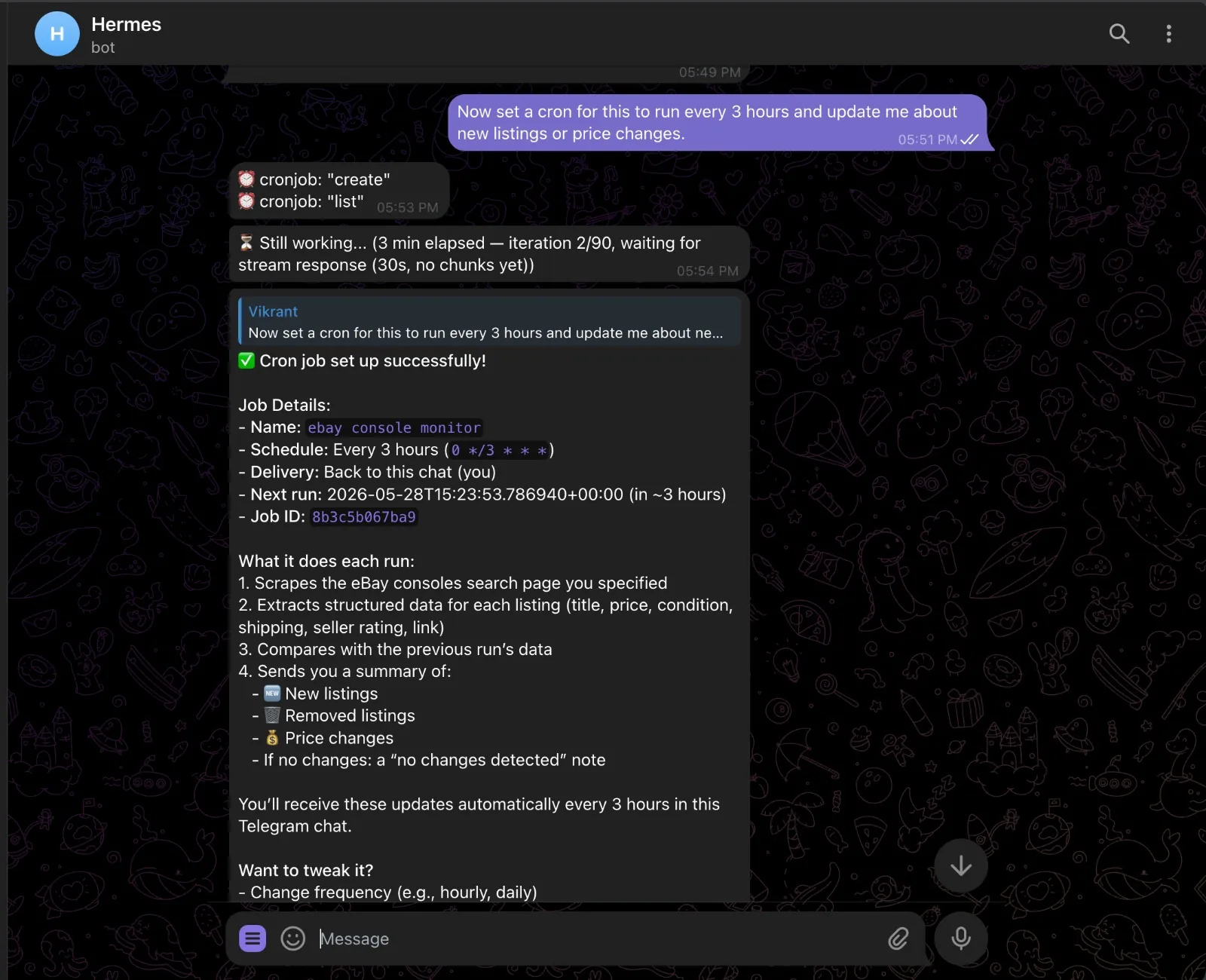
Each run scrapes the page, compares the result with the previous run stored in memory, and sends a diff — new listings, removed listings, price changes. If nothing moved, you get a quiet "no changes" note instead of noise.
Manage jobs from chat:
/cron list
/cron pause <job-id>
/cron resume <job-id>
/cron remove <job-id>
Or from the shell with hermes cron list. Cron sessions cannot create new cron jobs, so you cannot accidentally trigger runaway scheduling loops.
The pattern is always the same: scrape, persist, compare, alert. Swap the URL and prompt and you have a different agent.
- Competitor pricing watch — point it at a SaaS pricing page, schema the plan tiers, get a diff every Monday morning
- Lead enrichment — feed Hermes a CSV of company URLs, scrape each homepage, extract company name, industry, headcount, and latest news
- Job board scraper — watch a search on Wellfound or LinkedIn; new posting drops, you get a ping with the role, salary, and link
- Release notes digest — scrape changelog pages for tools you depend on, daily digest of what shipped
- News digest —
just-scrape search "AI news"on a morning cron, top 5 stories summarized before your first meeting
Need help with the integration?
Report bugs and request features Get help from our community