
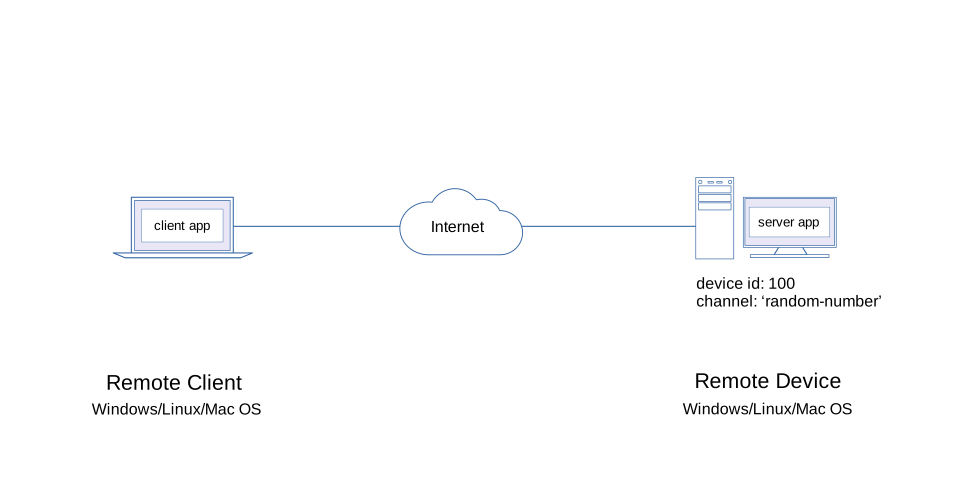
In this demo, a client will attempt to access resources from server1. However, the resources are actually located in other remote servers - server2 and server3 which can be distributed around the globe.
Everytime a client tries to access resources from server1, it will actually fetch the resources from server2 and server3 using a cloud server-to-server communication method.
$ npm install m2mconst m2m = require('m2m');
let server = new m2m.Server(200);
m2m.connect()
.catch(console.log)
.then(console.log)
.then(() => {
server.dataSource('random-number', (ws) => {
let rn = Math.floor(Math.random() * 300);
ws.send({id:ws.id, topic:ws.topic, interval:ws.interval, value:rn});
})
server.post('/machine-control/:id/actuator/:number/action/:state', (req, res) => {
res.json({id:res.id, path:res.path, query:req.query, params:req.params, body:req.body});
});
})$ node app.js1. Save the code below as app.js in your project directory.
The code is similar with server 2 except with the server id.
const m2m = require('m2m');

let server = new m2m.Server(300);

m2m.connect()
.catch(console.log)
.then(console.log)
.then(() => {

  server.dataSource('random-number', (ws) => {
    let rn = Math.floor(Math.random() * 300);
    ws.send({id:ws.id, topic:ws.topic, interval:ws.interval, value:rn});
  })

  server.post('/machine-control/:id/actuator/:number/action/:state', (req, res) => {
    res.json({id:res.id, path:res.path, query:req.query, params:req.params, body:req.body});
  });

})$ node app.js1. Save the code below as app.js in your project directory.
This is the central server exposed to remote clients.
const m2m = require('m2m');

let server = new m2m.Server(100);

m2m.connect()
.catch(console.log)
.then(console.log)
.then(() => {

  let round = 0
  let data = null

  const client = new server.Client();

  server.publish('server-to-server', async (ws) => {
    if(round == 0){
      round = 1
      data = await client.post(200, '/machine-control/m120/actuator/25/action/on?name=ed', {id:200, state:'true'})
    }
    else if(round == 1){
      round = 0
      data = await client.post(300, '/machine-control/m120/actuator/25/action/on?name=ed', {id:300, state:'true'})
    }
    ws.send(data)
  })

  server.dataSource('random-number',async (ws) => {
    if(round == 0){
      data = await client.read(200, 'random-number')
    }
    else if(round == 1){
      data = await client.read(300, 'random-number')
    }
    ws.send(data)
  })
})$ node app.jsThe client will only access the central server 100. But the central server resources actually resides in other remote servers such as server's 200 and 300.
const m2m = require('m2m')

let client = new m2m.Client()

m2m.connect()
.catch(console.log)
.then((result) => {
  console.log('connection:', result)
  client.subscribe({id:100, topic:'server-to-server'}, async (data) => {
    console.log('server-to-server', data)
    let result = await client.read({id:100, topic:'random-number'})
    console.log('random-number', result)
  })
})$ node app.jsYou should get a similar output result as shown below.
server-to-server {
  id: 200,
  path: '/machine-control/m120/actuator/25/action/on?name=ed',
  query: { name: 'ed' },
  params: { id: 'm120', number: '25', state: 'on' },
  body: { id: 200, state: 'true' }
}
random-number { id: 300, topic: 'random-number', value: 125 }
server-to-server {
  id: 300,
  path: '/machine-control/m120/actuator/25/action/on?name=ed',
  query: { name: 'ed' },
  params: { id: 'm120', number: '25', state: 'on' },
  body: { id: 300, state: 'true' }
}
random-number { id: 200, topic: 'random-number', value: 113 }