


Like those other DS4 tools, but sexier.
DS4Windows is an extract anywhere program that allows you to get the best DualShock 4 experience on your PC. By emulating an Xbox 360 controller, many more games are accessible. Other input controllers are also supported including the DualSense, Switch Pro, and JoyCon controllers (first party hardware only).
This project is a fork of the work of Jays2Kings, and later Ryochan7.
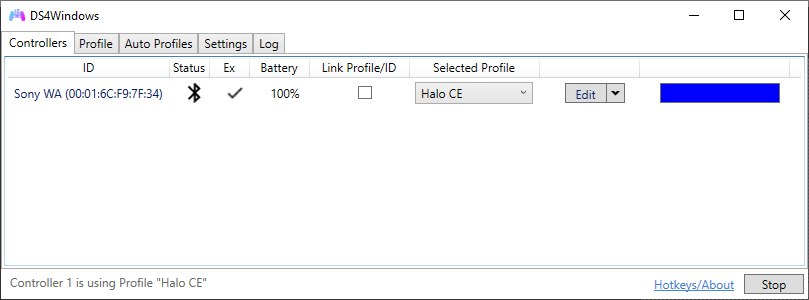
This fork was originally created to improve gyro usage experience. Ryochan7's repo is archived, and I want provide fixes for my possible mistakes without depending on another maintainer.
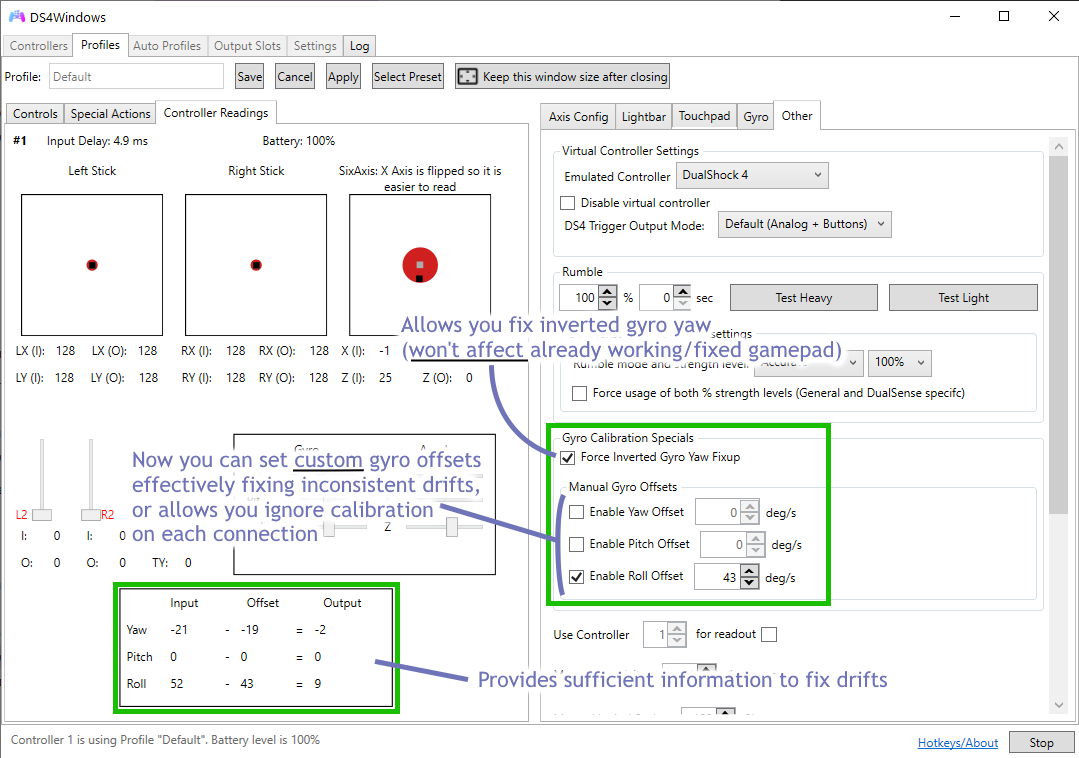
Now you can:
- fix inverted gyro yaw issue, if you don't get lucky to have a gamepad with hardcoded
ProductId==0x5C4andVendorId==0x054C(what?). - see exact numeric values for gyro raw inputs (which gamepad gives you), applied offsets (calculated on every gamepad connection by average values, it should be placed on a flat surface during calibration), and output values (after subtracting offsets, which games will receive)
- set your custom offsets, which will be used instead of obtained by calibration. You can set previously "calibrated" values, so now you can omit placing it on the table... Or, as in my case (gamepad somehow gives slightly different yaw values depending, if gamepad "resting", or any button pressed, and because of that can't be calibrated properly), specifying custom offsets can give better accuracy.
Where is no update checker, as I have no plans to develop this fork further. Will glad to know about related issues though.
DS4Windows is licensed under the terms of the GNU General Public License version 3. You can find a copy of the terms and conditions of that license at https://www.gnu.org/licenses/gpl-3.0.txt. The license is also available in this source code from the COPYING file.
- Windows 10 or newer (Thanks Microsoft)
- Microsoft .NET 8.0 Desktop Runtime. x64 or x86
- Visual C++ 2015-2022 Redistributable. x64 or x86
- ViGEmBus driver (DS4Windows will install it for you)
- Sony DualShock 4 or other supported controller
- Connection method:
- Micro USB cable
- Sony Wireless Adapter
- Bluetooth 4.0 (via an adapter like this or built in pc). Only use of Microsoft BT stack is supported. CSR BT stack is confirmed to not work with the DS4 even though some CSR adapters work fine using Microsoft BT stack. Toshiba's adapters currently do not work. Disabling 'Enable output data' in the controller profile settings might help with latency issues, but will disable lightbar and rumble support.
- Disable PlayStation Configuration Support and Xbox Configuration Support options in Steam
I recommend next commands
dotnet publish DS4Windows/DS4WinWPF.csproj -c Release -r win-x64  -o "./publish/x64/DS4Windows/" /p:Platform=x64
dotnet publish DS4Windows/DS4WinWPF.csproj -c Release -r win-x86  -o "./publish/x86/DS4Windows/" /p:Platform=x86